Organizations need solutions for people and AI agents to securely collaborate through a single interface to the organization’s data and take actions across enterprise applications to improve productivity. The ability of an AI agent to securely and seamlessly connect with organizational knowledge bases, enterprise applications, and other AI agents is foundational to drive adoption and use of AI solutions. Model Context Protocol (MCP) provides a more secure, standardized and simple mechanism for such connectivity, alleviating the need for complex custom integrations.
In this blog post, you will learn how to use Amazon Quick Suite MCP Actions integrations to connect with hosted MCP servers for enterprise applications such as Asana, Atlassian’s Jira and Confluence, Box, Canva, HubSpot, HuggingFace, Intercom, Linear, Monday, Notion, PagerDuty, Workato and Zapier as well as your existing enterprise solutions and AI agents using Amazon Bedrock AgentCore Gateway. We will cover specific Actions setup examples for Atlassian Jira and Confluence, AWS Knowledge MCP Server, and Amazon Bedrock AgentCore Gateway.
Solution overview
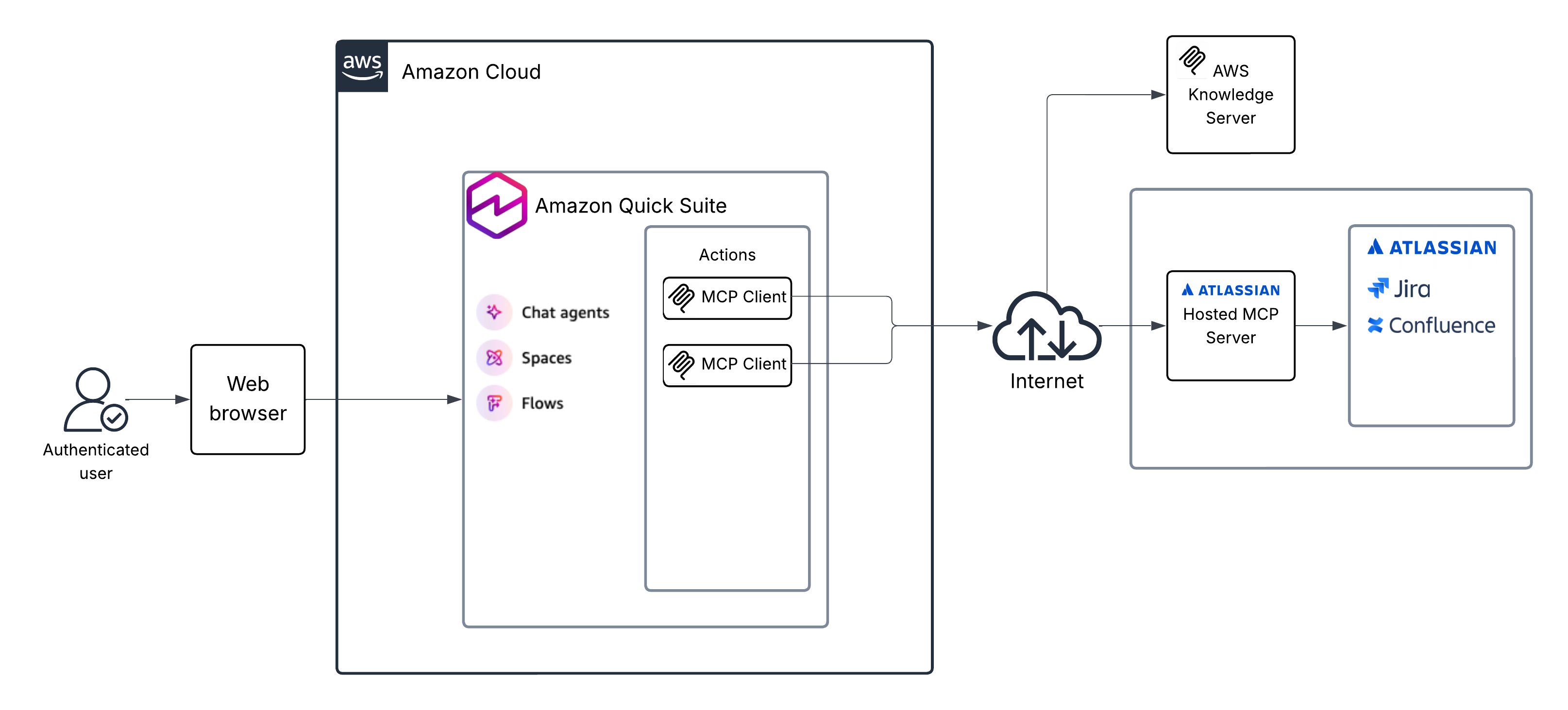
With the Amazon Quick Suite MCP client, you can connect to remote hosted MCP servers or your own hosted MCP servers. The Amazon Quick Suite service includes an MCP client that can be used to securely connect Amazon Quick Suite with AI agents and applications through MCP servers. The Amazon Quick Suite MCP client supports server-sent events (SSE) and streamable HTTP for transport, and several authentication mechanisms including three-legged OAuth (3LO), two-legged OAuth (2LO), and No Auth. Amazon Quick Suite supports OAuth 2.0 Dynamic Client Registration protocol to obtain OAuth client IDs without user interaction.
You can connect Amazon Quick Suite using the MCP client to create integrations with AWS Knowledge MCP Server and the Atlassian MCP server, as shown in the following diagram.
Prerequisites
Verify that you meet the following prerequisites to deploy the solution in your own AWS account using the step-by-step instructions in this blog post. Before you begin, make sure that you have the following:
- An AWS account
- Amazon Quick Suite set up with Author Pro subscription
- An Atlassian account with Jira and Confluence access
- Permission to create AWS resources and AWS Identity and Access Management (IAM) roles and policies
- Basic knowledge of AWS services
- For the Amazon Bedrock AgentCore setup:
- Access to a command line environment with AWS SDK and Python installed
- Knowledge of AWS CLI and Python
- Amazon Bedrock with access enabled for Anthropic models
Amazon Quick Suite Actions integration with Atlassian MCP server
In this section, you will create an Amazon Quick Suite Actions integration with the Atlassian MCP server to connect with your Atlassian cloud instance, and then you will use your Amazon Quick Suite Chat Agent to invoke actions defined by this integration.
- Sign on to Amazon Quick Suite using credentials with an Author Pro role using your web browser.
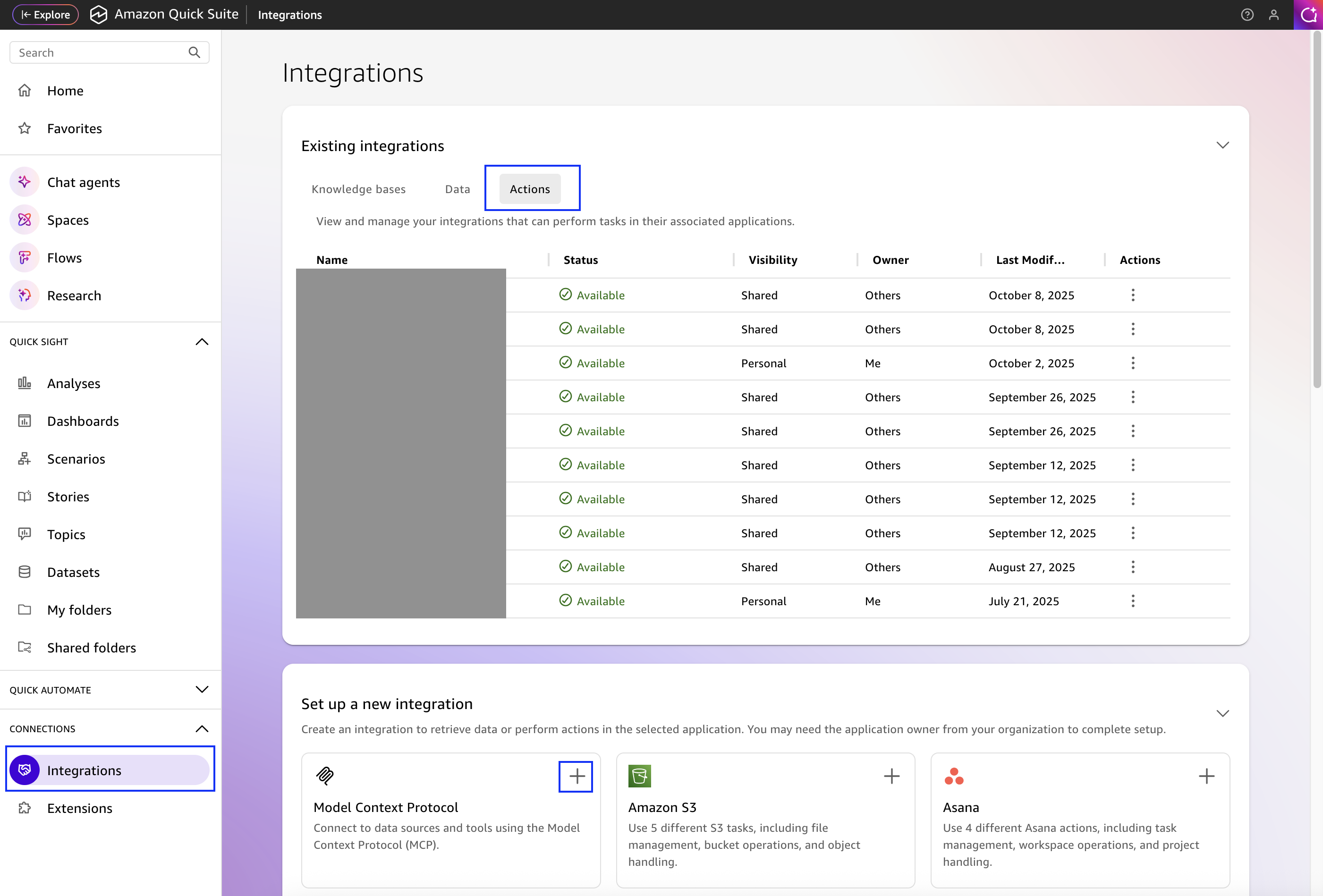
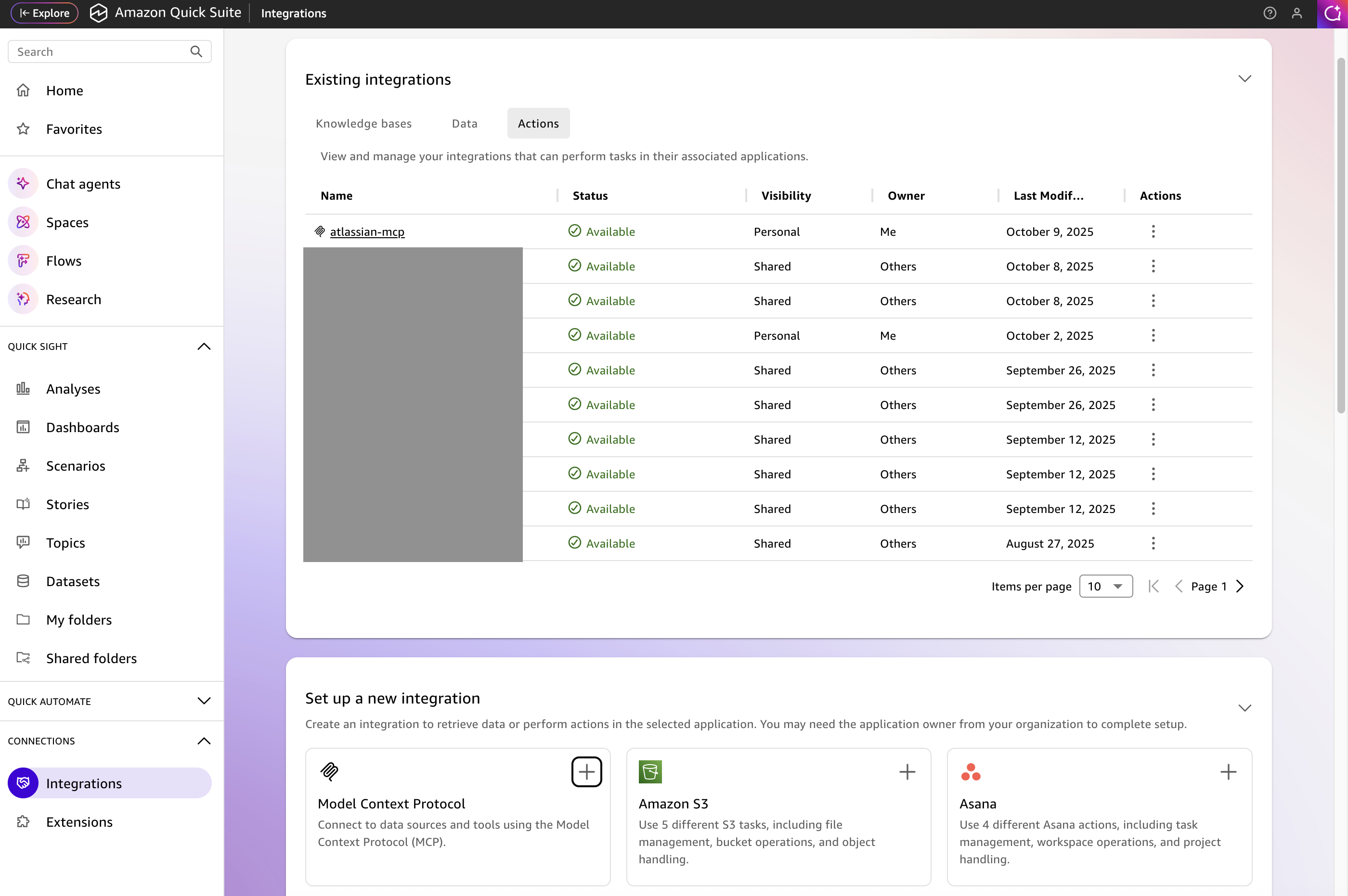
- From the Amazon Quick Suite Home screen, select Integrations from the Connections section on the left navigation panel and then select the Actions tab in the main panel. Select the plus (+) sign in the Model Context Protocol tile in the Set up a new integration section, as shown in the following screenshot.
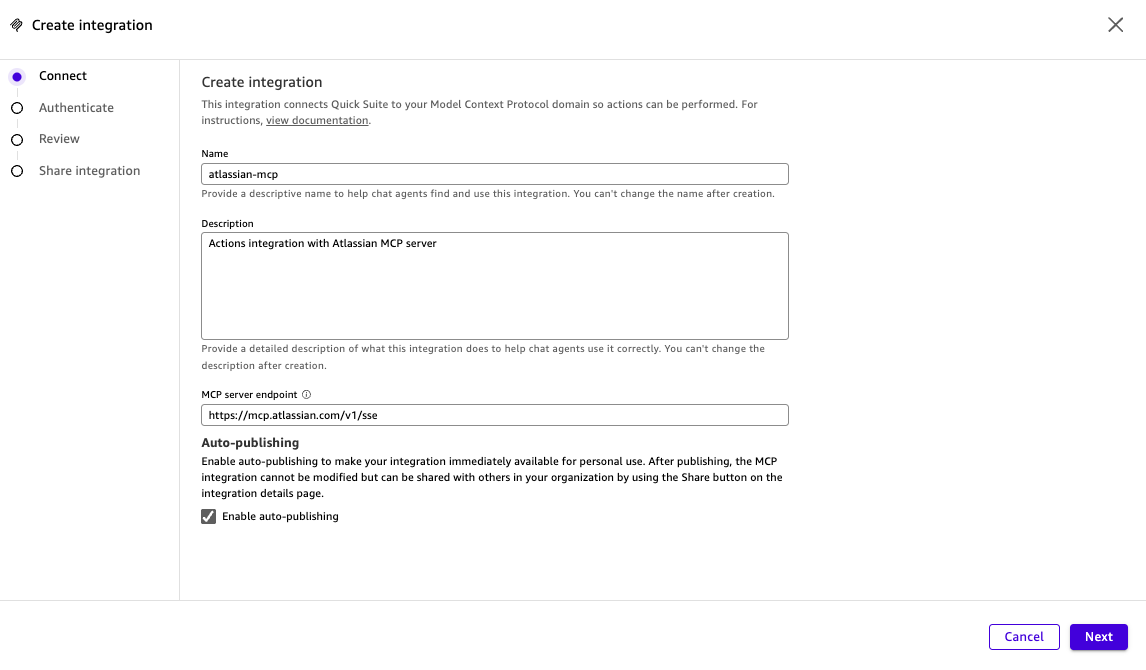
- On the Create integration screen, enter the Name and Description for your Atlassian integration. For MCP server endpoint, enter the URL of Atlassian hosted MCP server as
https://mcp.atlassian.com/v1/sse, as shown in the following screenshot, then choose Next.
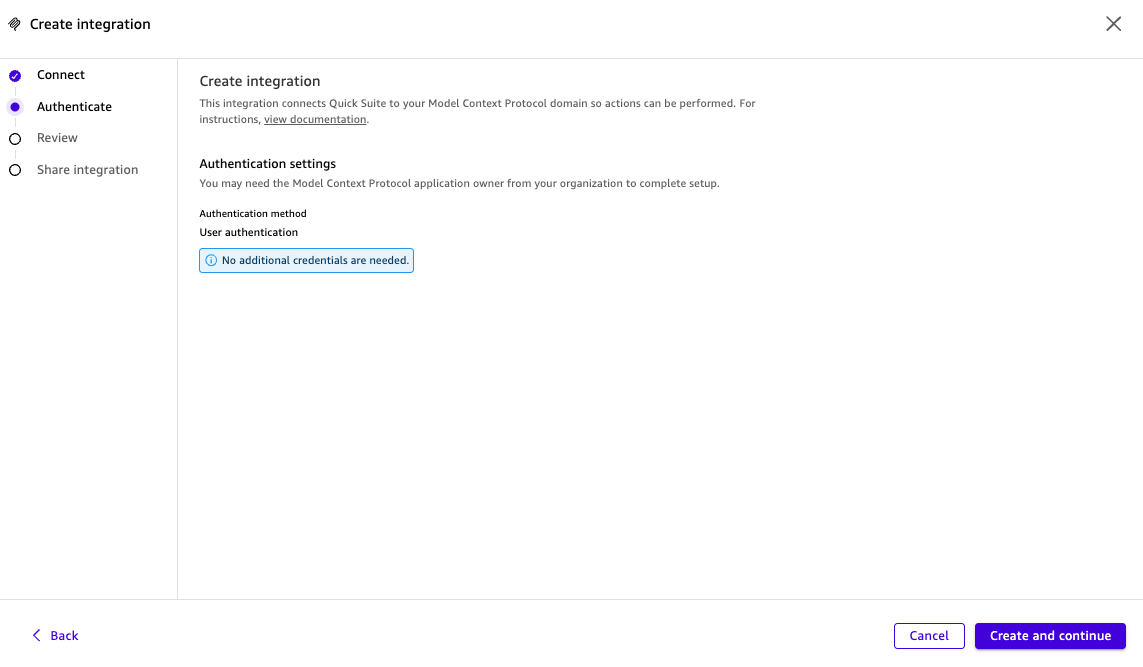
- The Atlassian MCP server supports dynamic client registration and three-legged OAuth (3LO). The Amazon Quick Suite MCP client gets further information required for the connection from the Atlassian MCP server. On the next screen and choose Create and continue.
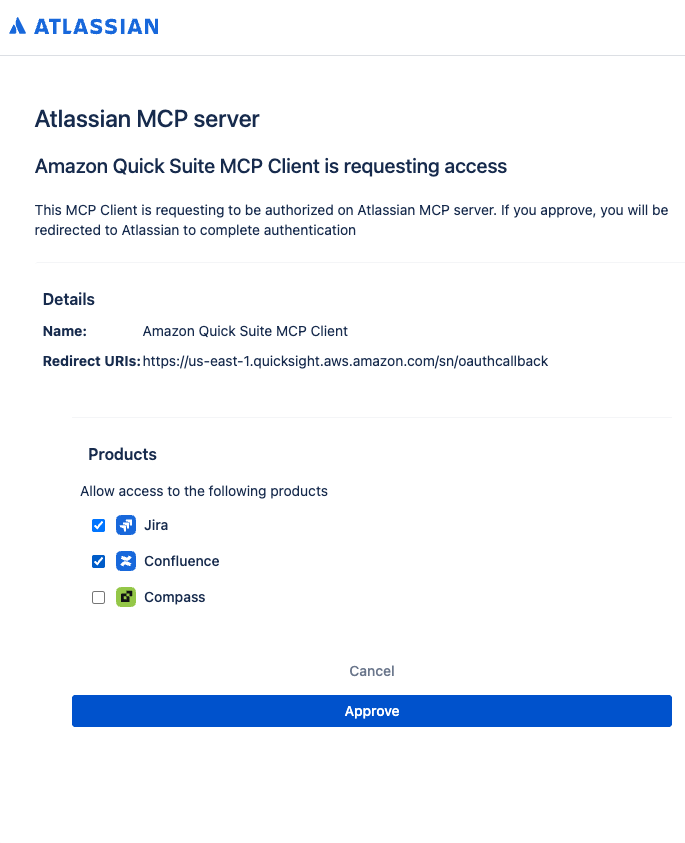
- In the pop-up window from Atlassian MCP server with a request to approve authorization for the Amazon Quick Suite MCP client. Choose Approve.
- Enter your Atlassian credentials.
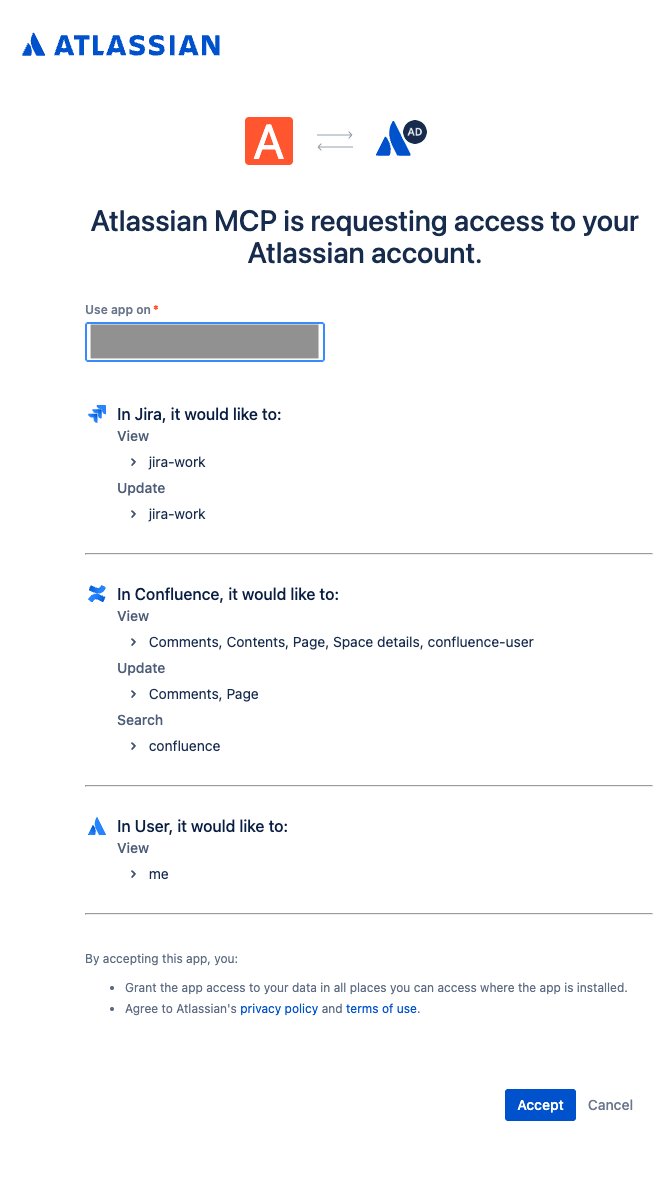
You will get a request from the Atlassian MCP to access to your Atlassian account. - Select a specific instance, and then choose Accept.
Note: The administrator of the Atlassian instance might need to allowlist the dynamic OAuth client.
Amazon Quick Suite MCP client works to establish a connection with Atlassian MCP server and retrieving the actions or tools supported by it. It can take a couple of minutes.
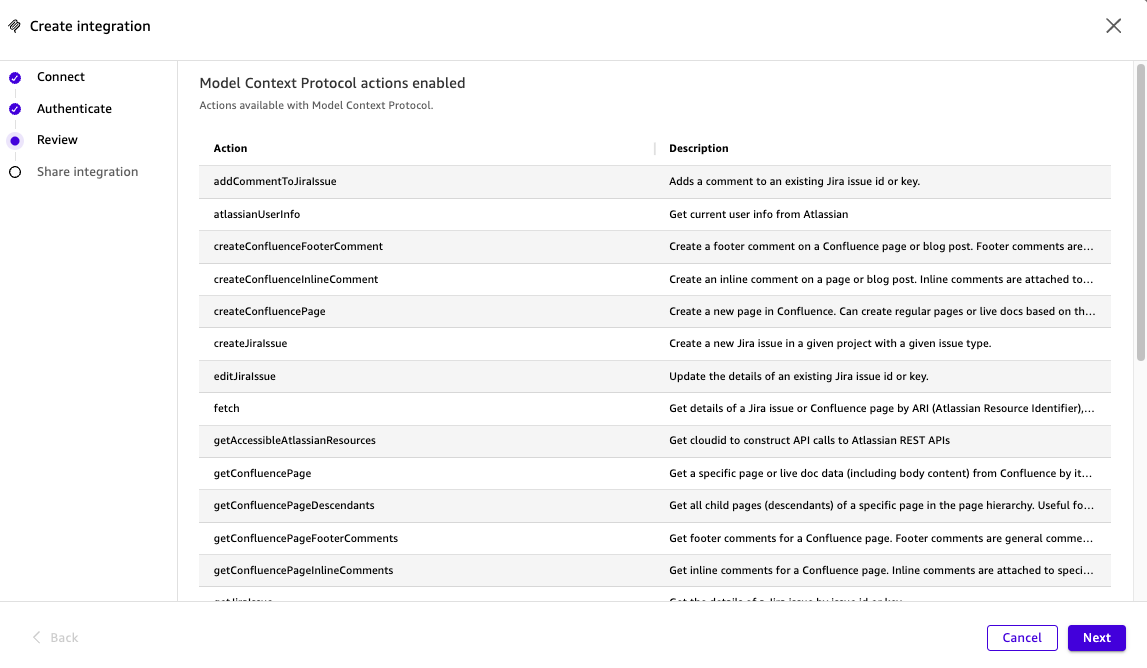
- When the actions are retrieved and display on your screen, choose Next.
- Optionally, you can share the integration with other users and groups. Because Atlassian MCP server supports 3LO, the users with whom you share the connection will only be able to invoke the actions, retrieve the content, and take the actions that they are authorized to access on Atlassian Confluence and Jira. Select Done.
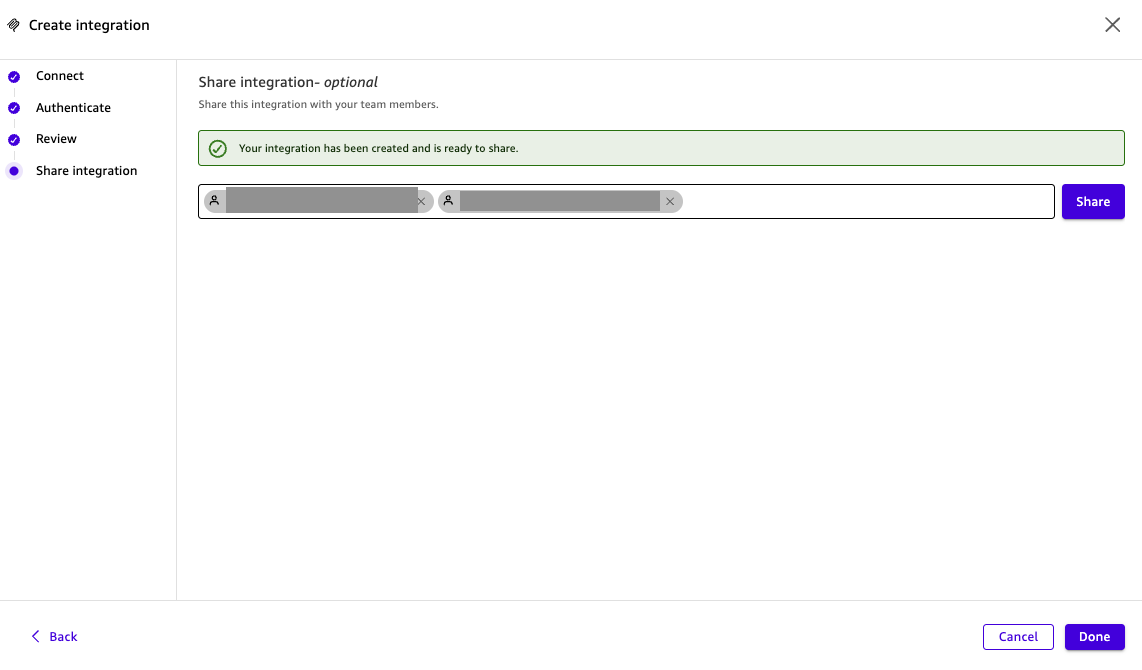
Your Actions integration for Atlassian MCP server is now available for use.
-
- Invoke the
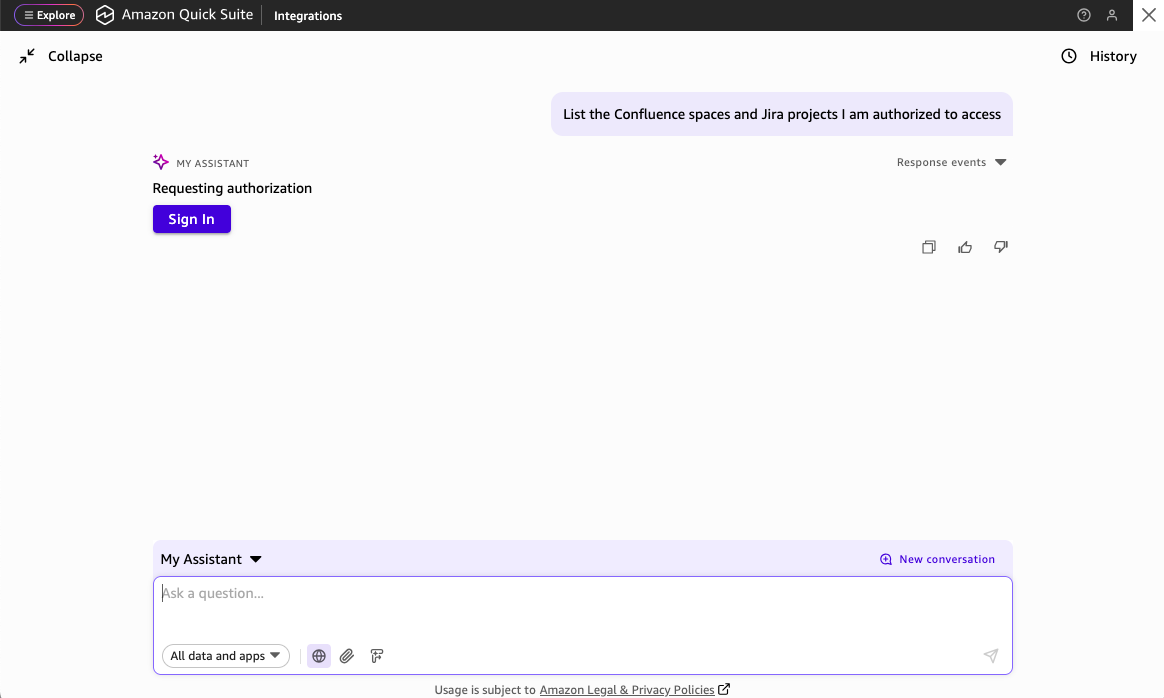
atlassian-mcpActions integration from an Amazon Quick Suite Chat Agent, such as My Assistant, using a simple prompt such asList the Confluence spaces and Jira projects I am authorized to access.This will request a sign-in for you to authorizeatlassian-mcpActions integration to connect with Atlassian MCP server on your behalf, a part of the 3LO authentication.
- Invoke the
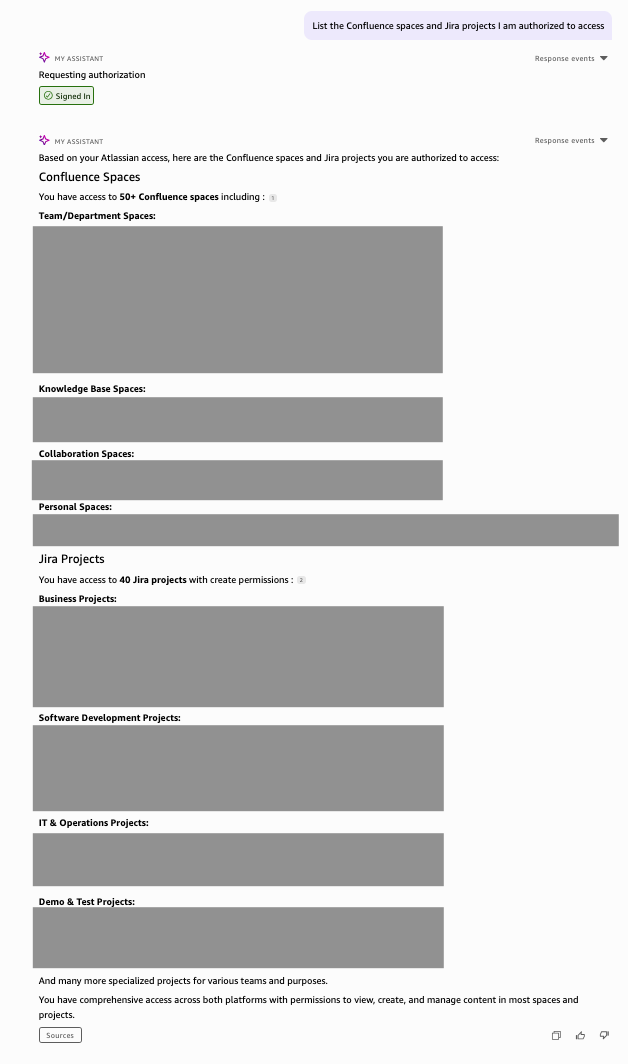
- The response to your prompt will be similar to the response in the following screenshot, and it will include the details of the Jira projects and Confluence pages you are authorized to access.
Using Atlassian MCP connection
To illustrate the Atlassian MCP server Actions integration, let’s take the use case of a team manager at a fictitious company, AnyOrgApp Corp, who is preparing to welcome a new employee to the team with help from the Amazon Quick Suite default Chat Agent, My Assistant. The Atlassian instance used for this illustration has a Confluence space with the content about AnyOrgApp Corp and a Jira project for this team. Based on the contents of your Confluence spaces and Jira projects, you can also experiment with similar use cases.
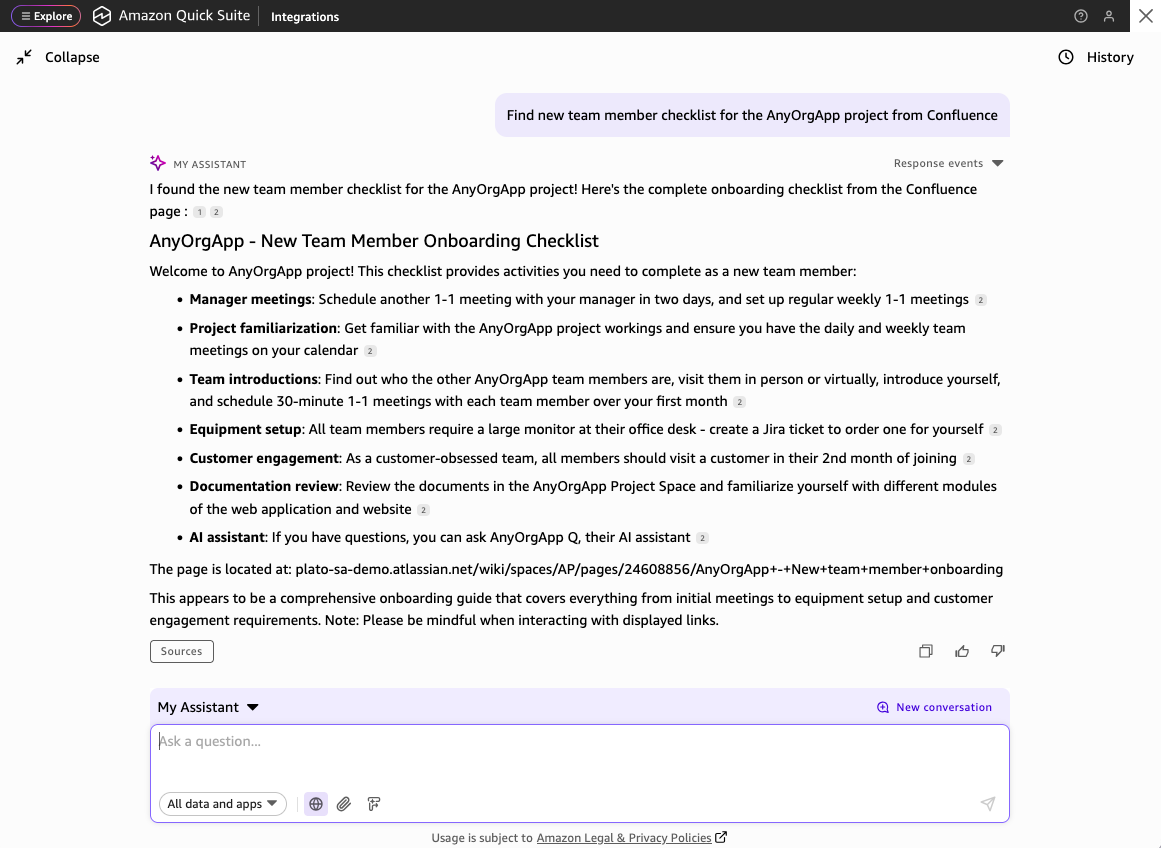
- The manager finds the new team member onboarding checklist for the AnyOrgApp project using the following prompt. The response to this prompt includes the checklist of onboarding activities for a new team member.
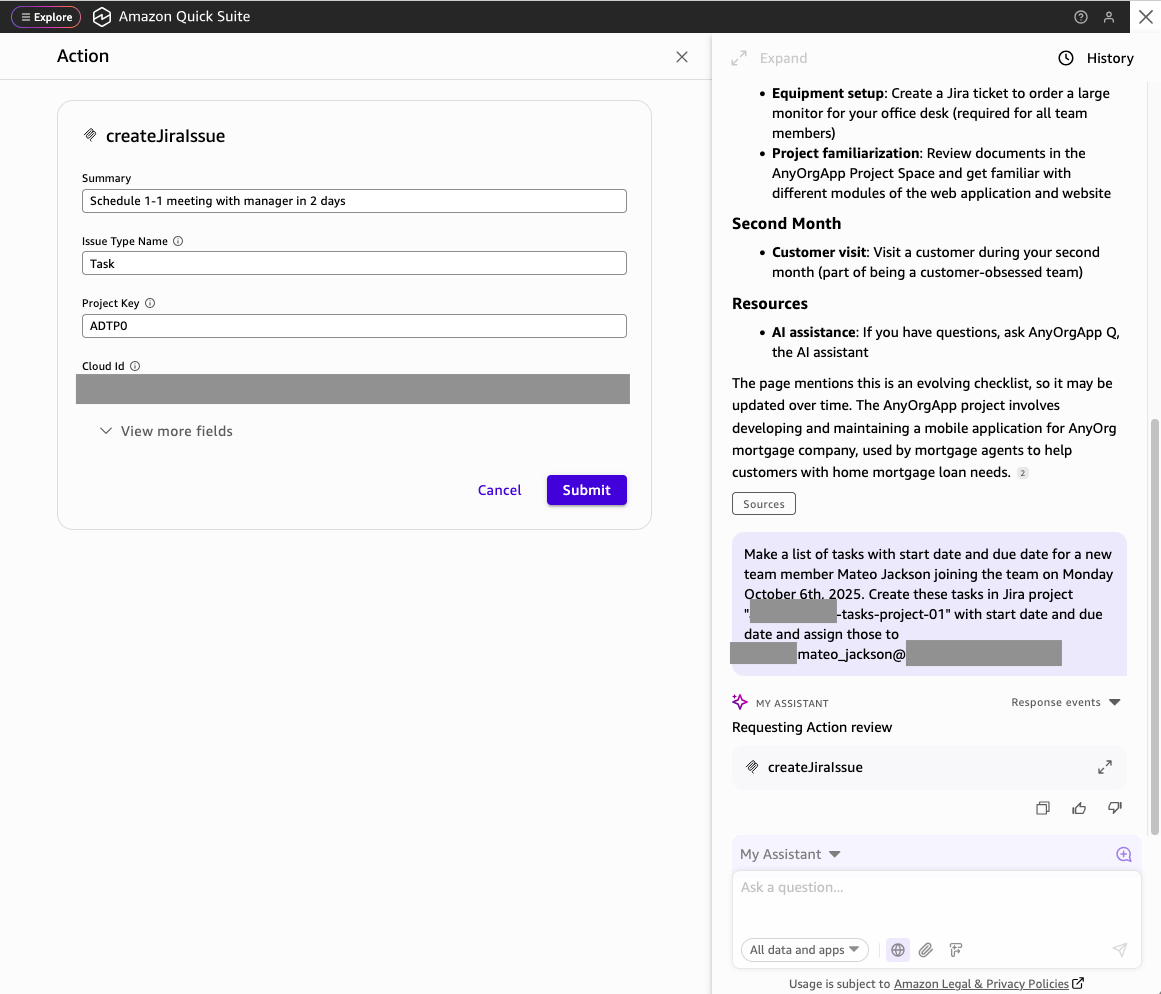
- The manager converts the checklist to tasks for the new team member, creates these tasks in a Jira project and assigns those to the new team member using this prompt:
- When the
atlassian-mcpActions integration wants to invoke mutable actions such as creating a Jira issue, it requests an action review. The Chat Agent prompts for action review for each Jira issue being created.
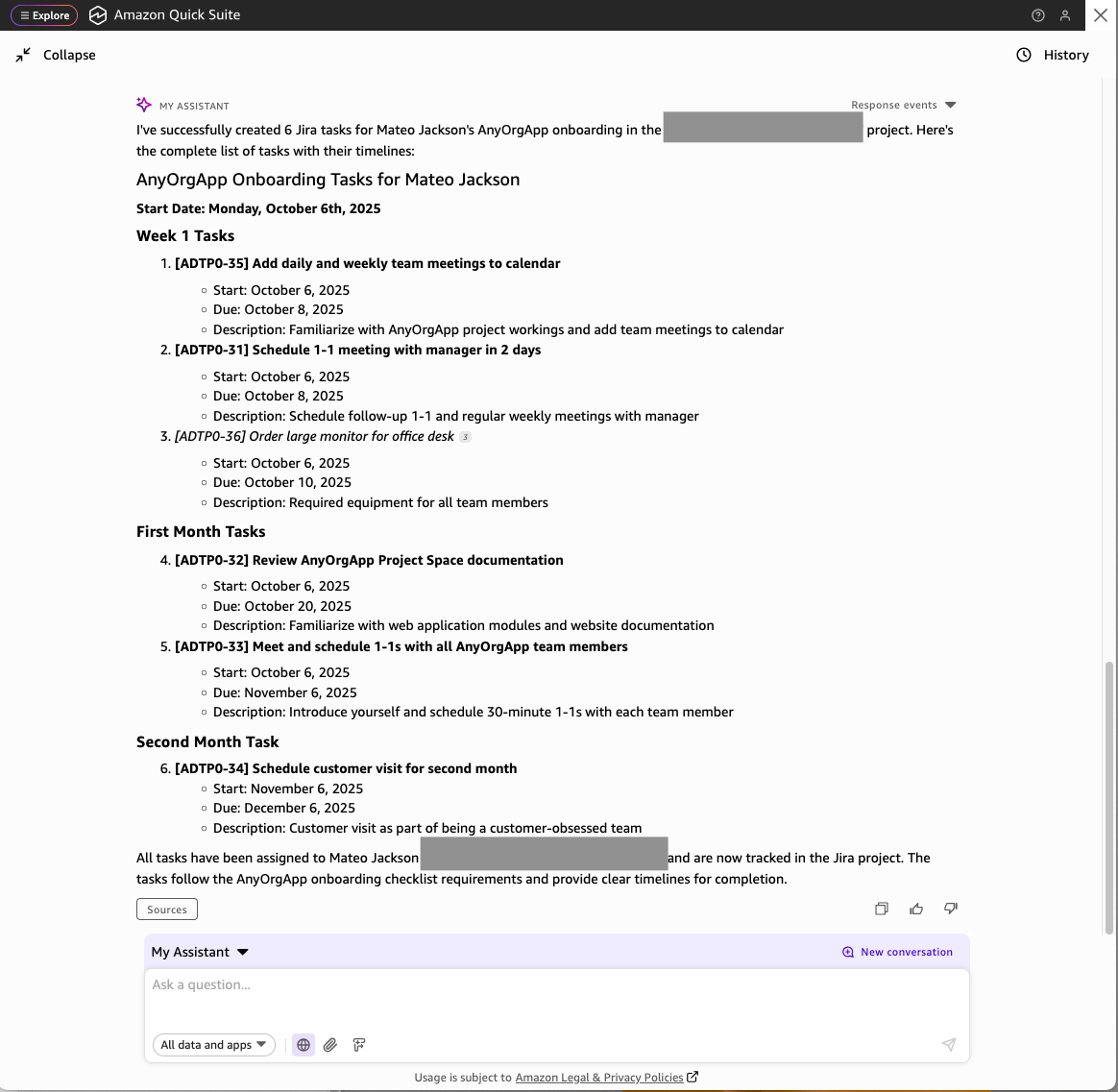
- After creating the tasks, a response with the newly created tasks assigned to the new team member will display.
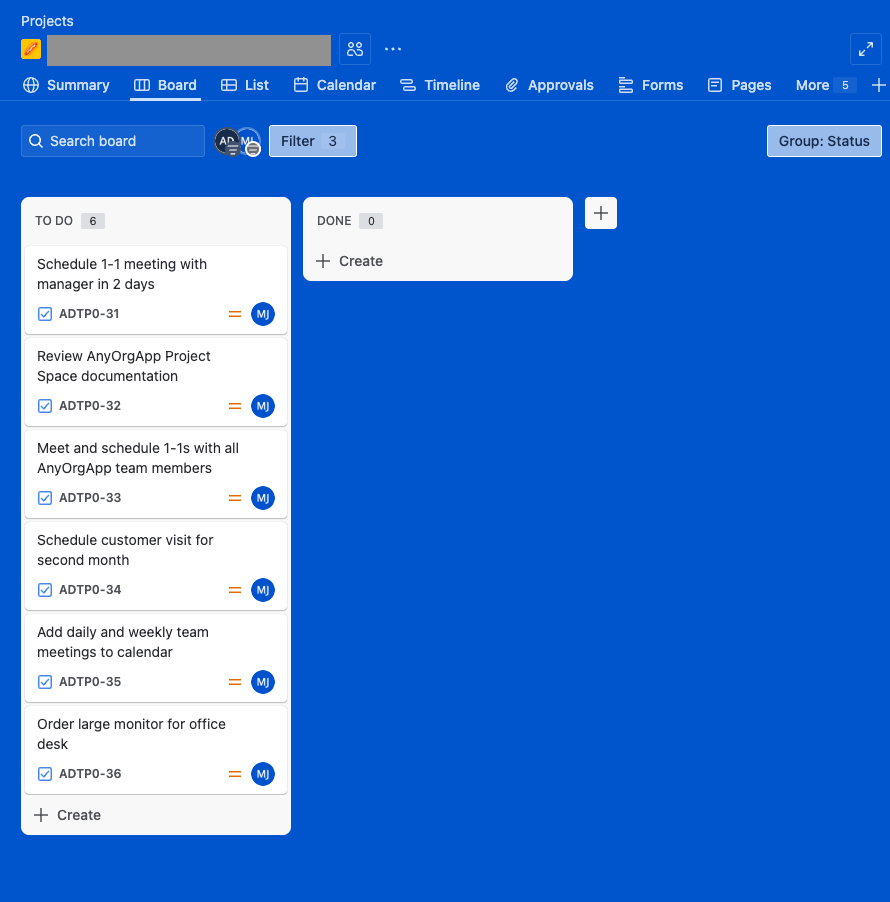
- Review the Jira project to verify that the tasks were created.
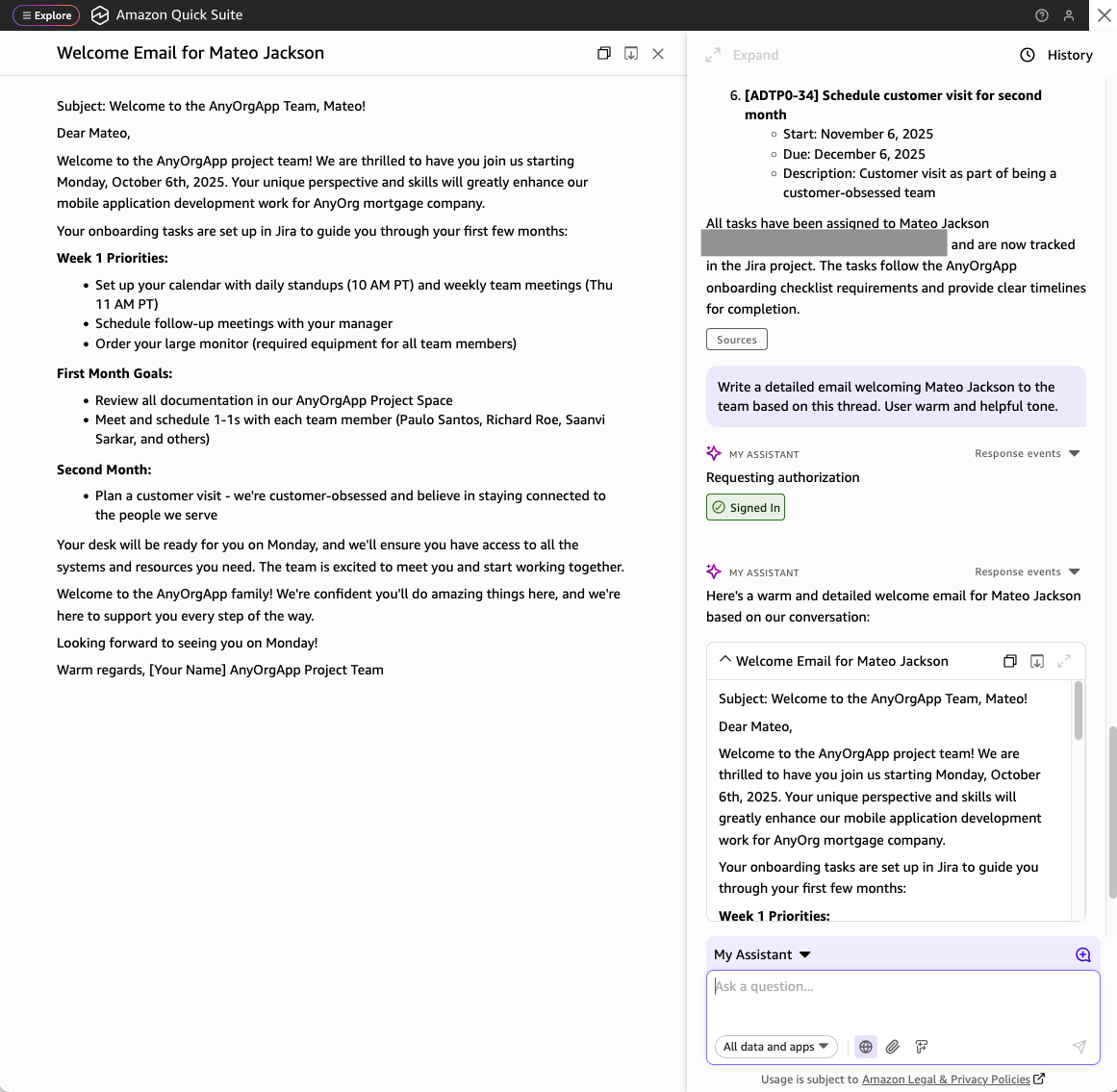
- The manager requests a detailed email welcoming the new team member along with the tasks assigned using the context in the conversation.
The response to this prompt is a detailed email welcoming the new team member along with a prioritized list of onboarding tasks and information about how to get help from fellow team members.
Connecting to the AWS Knowledge MCP Server
AWS Knowledge MCP Server is a fully managed remote MCP server that provides up-to-date documentation, code samples, and other official AWS content.
- To configure the AWS Knowledge Server as an MCP Actions integration, choose Integrations from the Home screen, and the Actions. In Create new integration, select Model Context Protocol as we did for configuring Atlassian MCP server in the previous section.
- On the Create integration screen, use the AWS Knowledge Server hosted MCP server URL,
https://knowledge-mcp.global.api.aws, then choose Next.
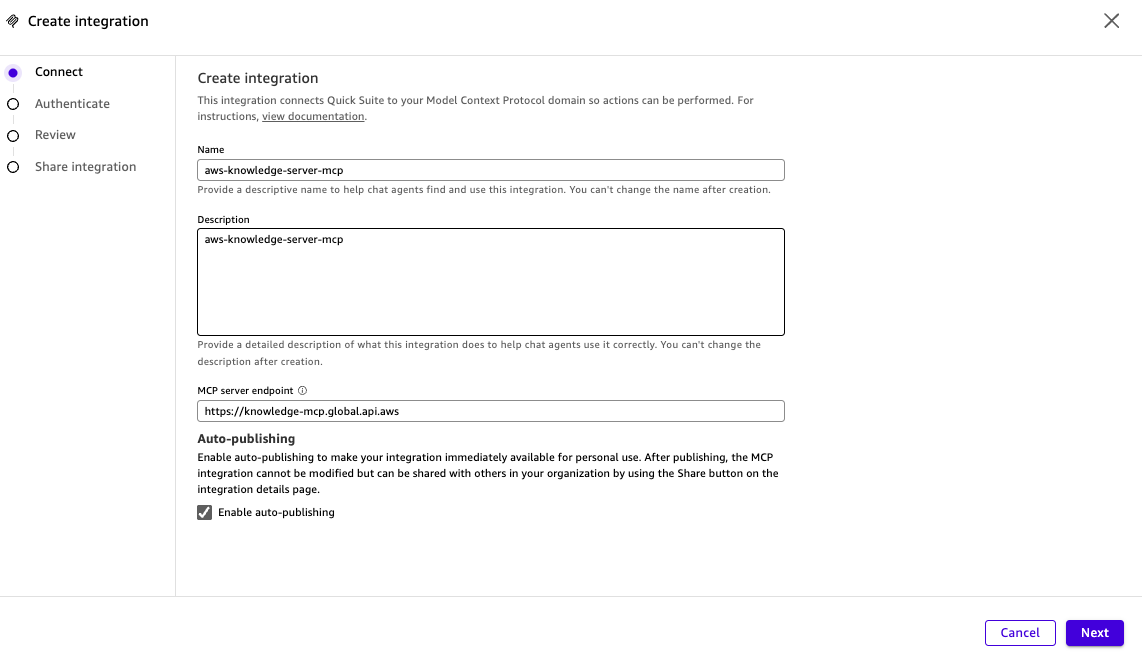
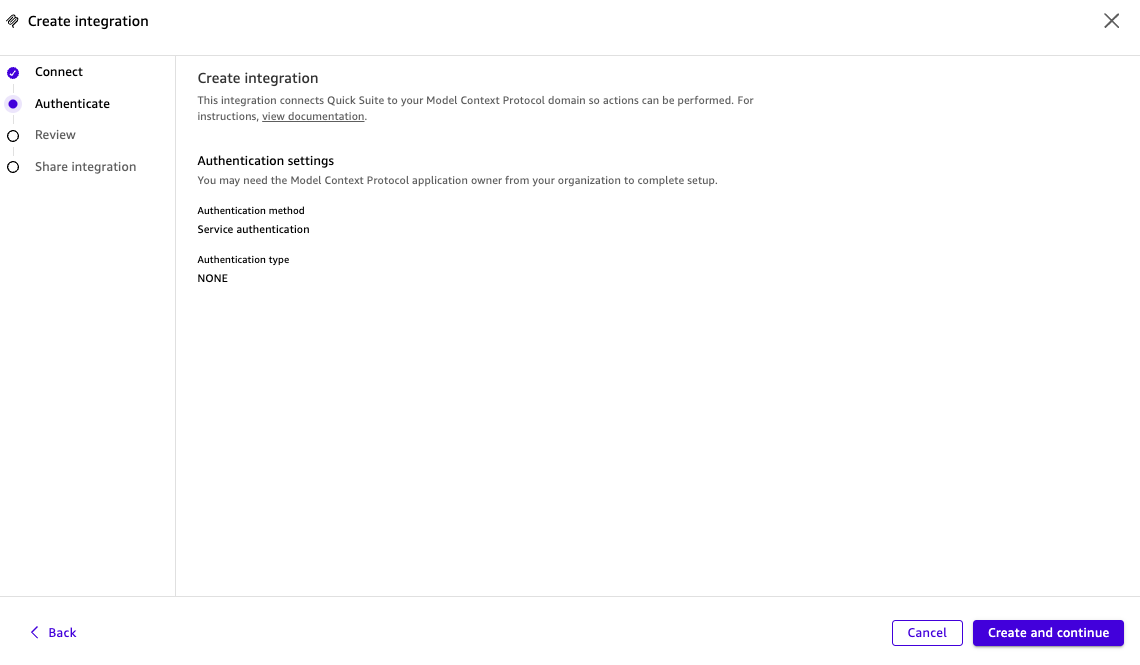
- This MCP server does not require authentication, so the MCP Client has the information needed to create the integration. Choose Create and continue.
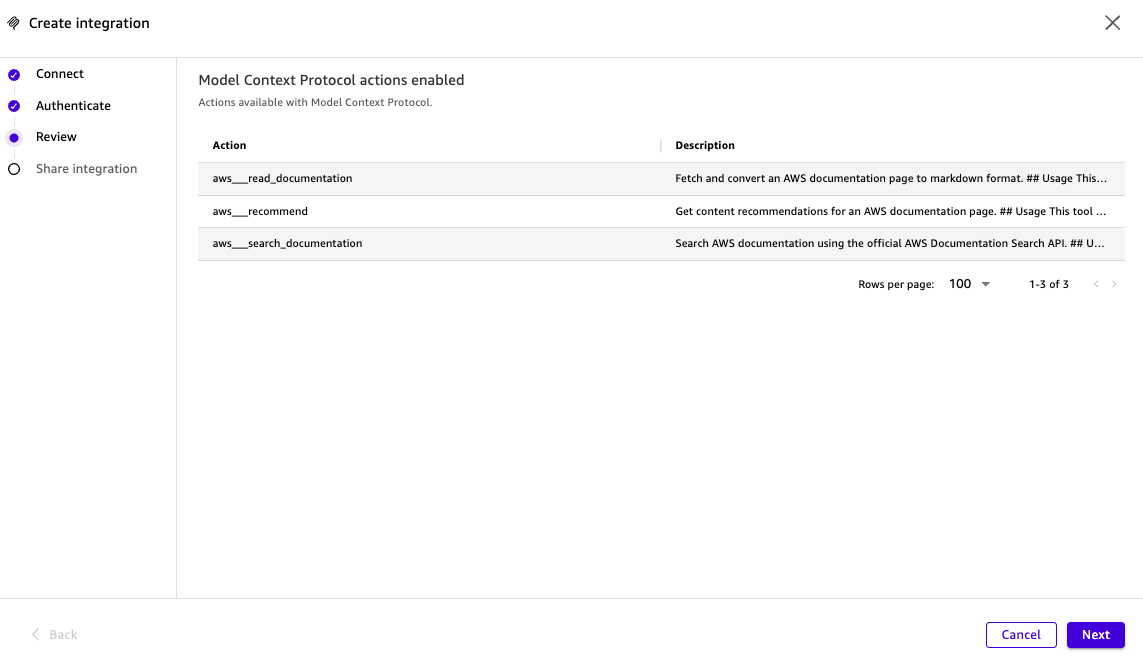
- When the actions made available to you by AWS Knowledge Server appear, choose Next, to complete the Actions integration creation.
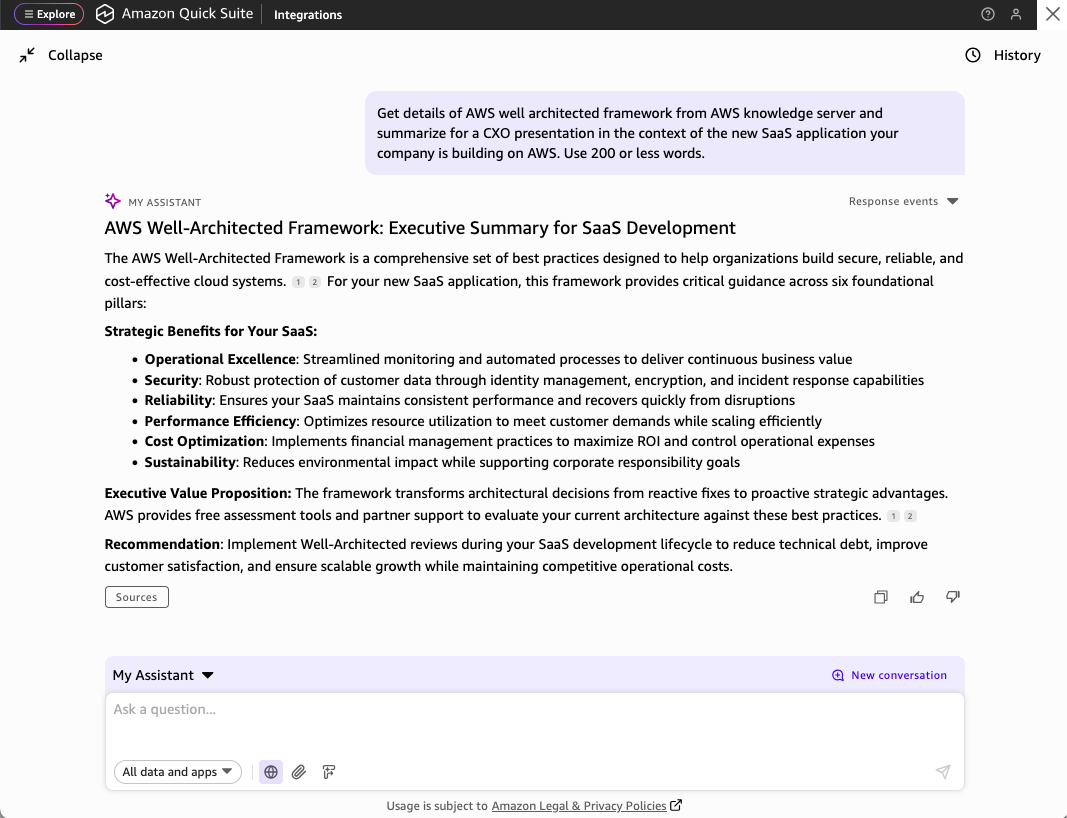
- After the aws-knowledge-server-mcp Actions integration status is available, use the default Chat Agent, My Assistant, to start asking information about AWS. You can use prompts such as this one:.
- You can also invoke multiple Actions integrations in one prompt such as this one, where the Actions integrations with the AWS Knowledge MCP Server and the Atlassian MCP server are used:
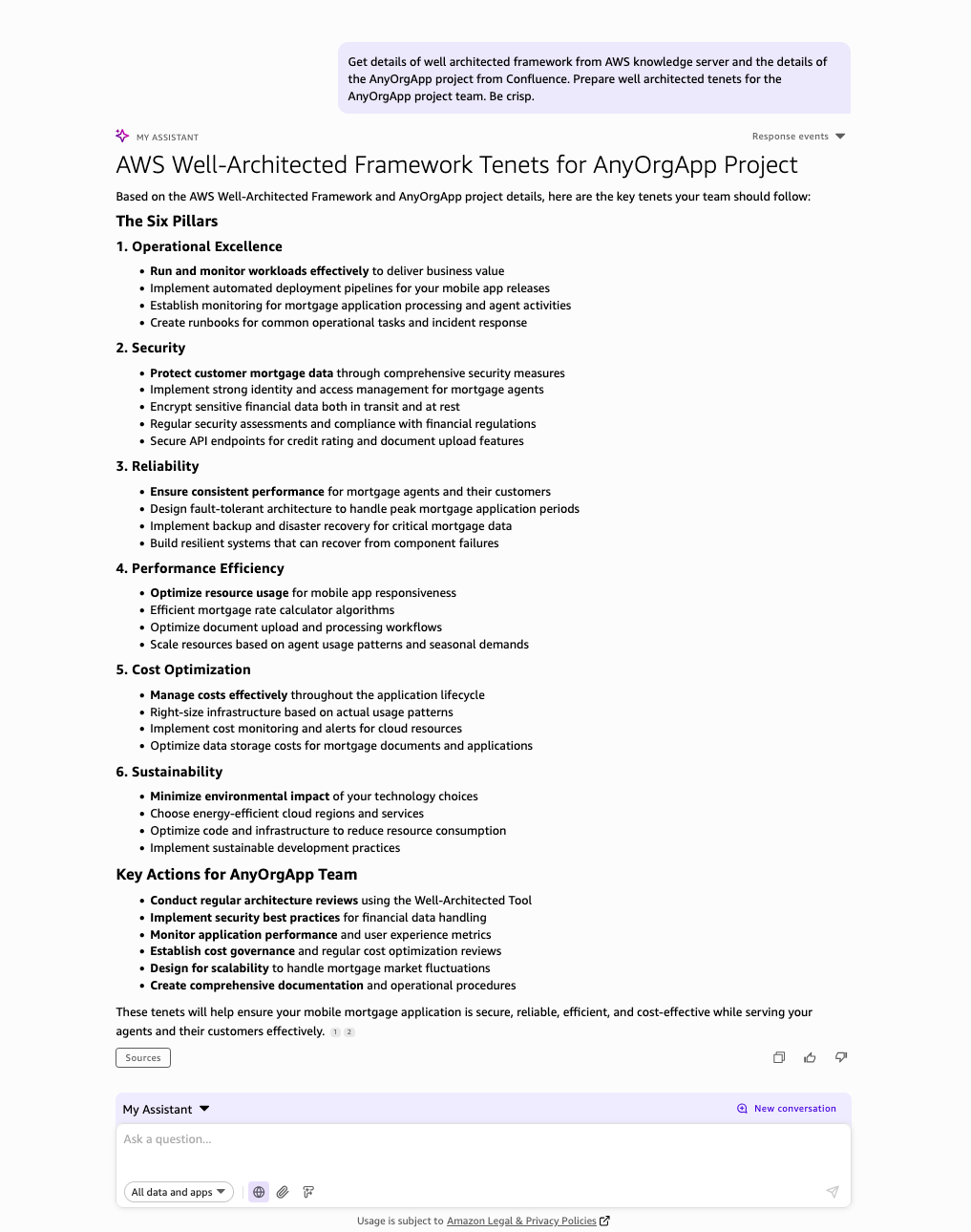
Connect with solutions and agents using Amazon Bedrock AgentCore Gateway
Amazon Bedrock AgentCore Gateway is a centralized tools server with a unified interface where agents can discover, access, and invoke tools with native support for MCP. You can connect your enterprise solutions and agents as targets behind an Amazon Bedrock AgentCore Gateway endpoint. The Amazon Quick Suite MCP client can connect to Amazon Bedrock AgentCore Gateway through Actions Integrations, making the tools available to the chat agents and automation workflows configured on Amazon Quick Suite.
Let’s take an example (shown in the following diagram) where we need to connect to an IT agent implemented using Amazon Bedrock Agent with an Amazon Kendra index that has IT help content, and an HR agent setup on OpenAI needs to be made available to Amazon Quick Suite users.
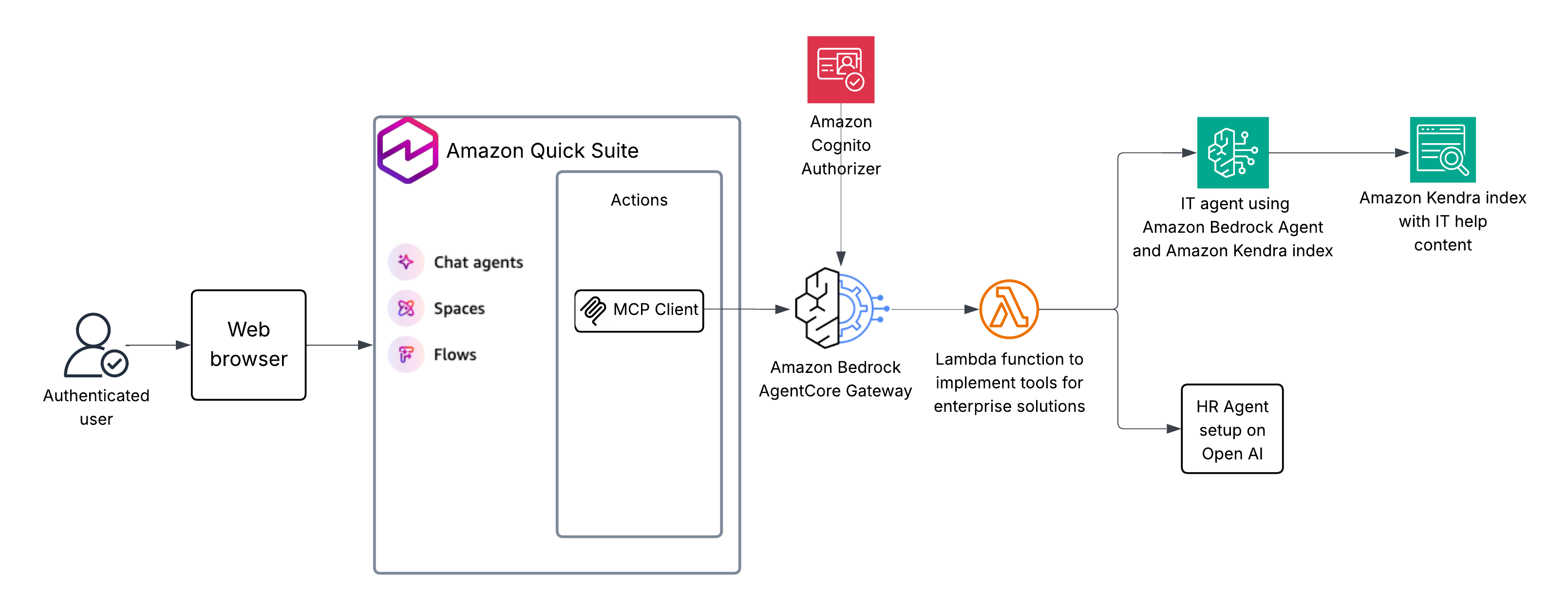
The architecture includes an Amazon Bedrock AgentCore Gateway configured with an AWS Lambda function as a target along with an MCP schema that specifies the tools it implements. The AWS Lambda function implements the InvokeAgent API to invoke the Bedrock Agent to perform an Amazon Kendra index search, which then triggers a Lambda function to call the Amazon Kendra Retrieve API to search and retrieve content from the enterprise Amazon Kendra index with IT help content, and the OpenAI Responses API to invoke the HR agent based on OpenAI. The AgentCore Gateway uses Amazon Cognito as its inbound identity provider. The Amazon Quick Suite MCP client is configured using a 2LO authentication, allowing inbound connections to the AgentCore Gateway endpoint.
Create an Amazon Bedrock AgentCore Gateway instance and connect it with solutions
- Create an Amazon Bedrock AgentCore Gateway instance with an Amazon Cognito authorizer and a default AWS Lambda target using Quick Start with creating and using a gateway.
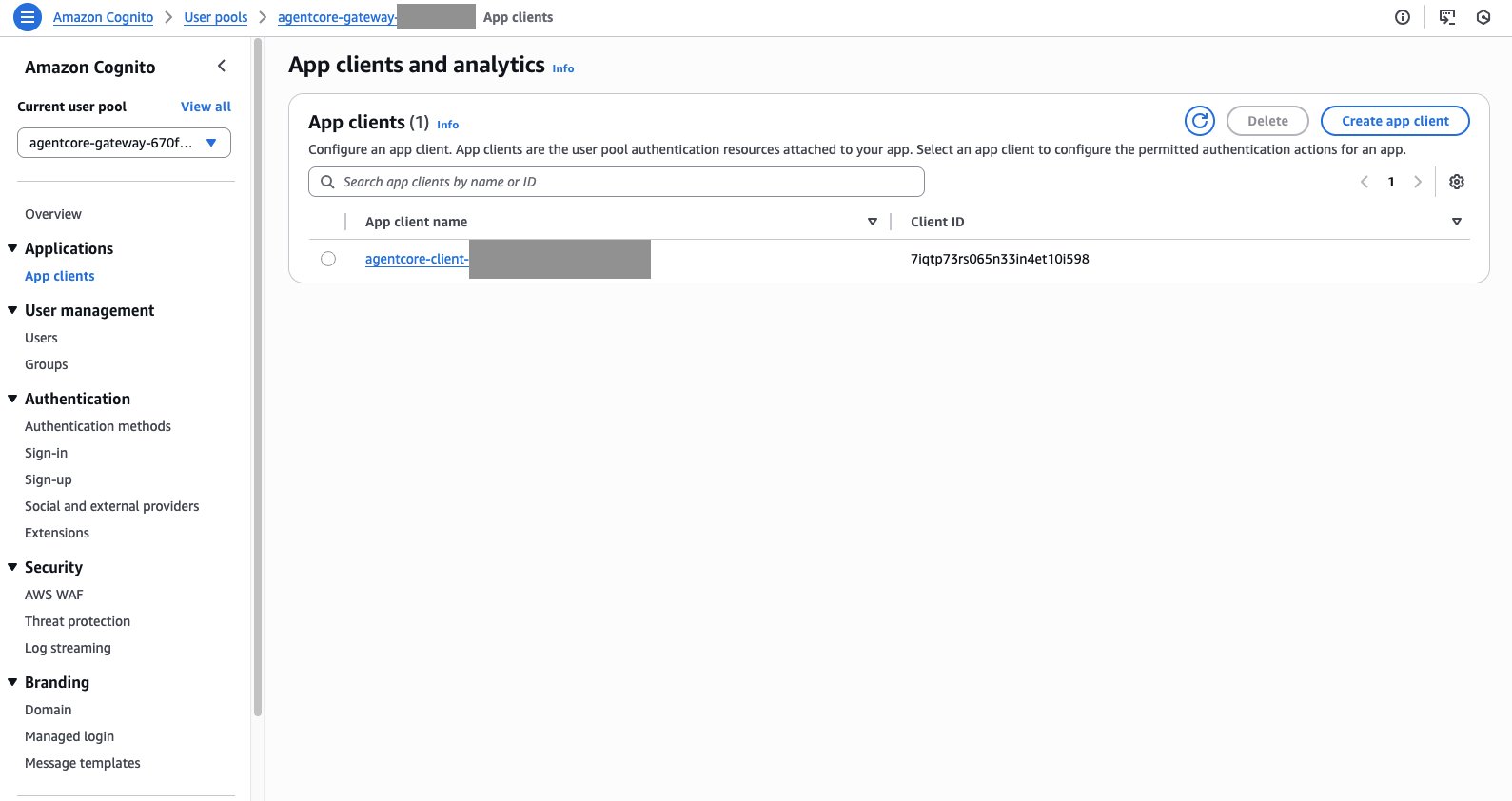
- Open the Amazon Cognito user pool in a tab of the AWS Management Console and select App clients in the left navigation panel.
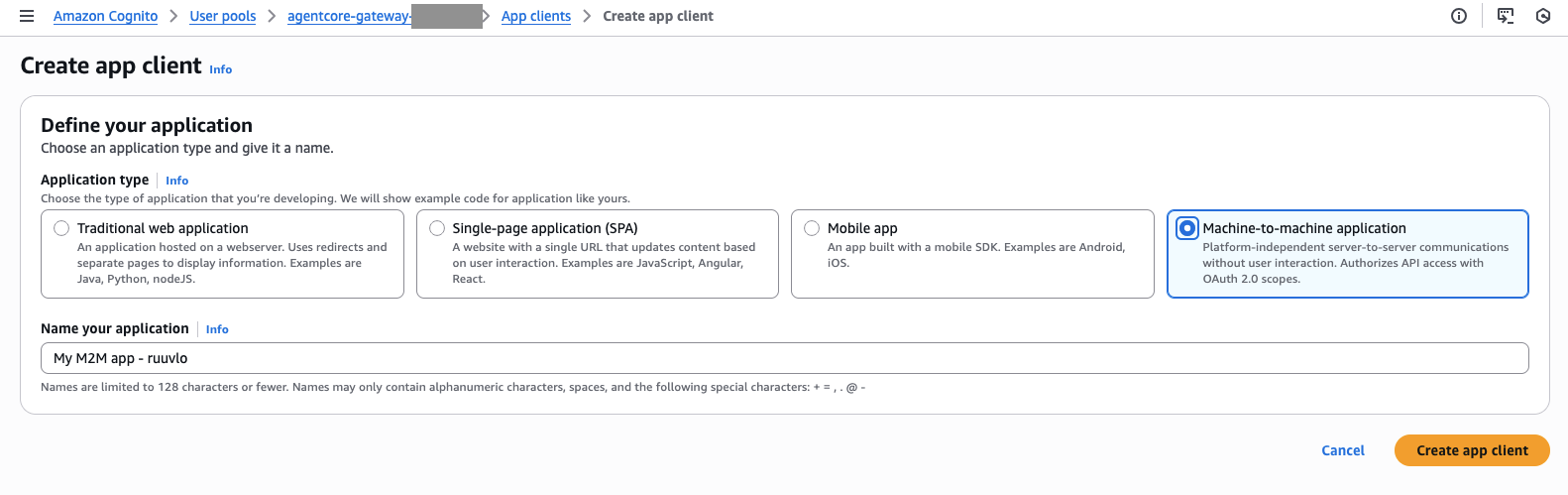
- Create a new App client for use with the Amazon Quick Suite MCP client. Choose Create app client, then select Machine-to-machine application, and then choose Create app client.
- For the new App client you just created, note the Client ID, the Client secret, and the token URL. You will need these parameters in subsequent steps.
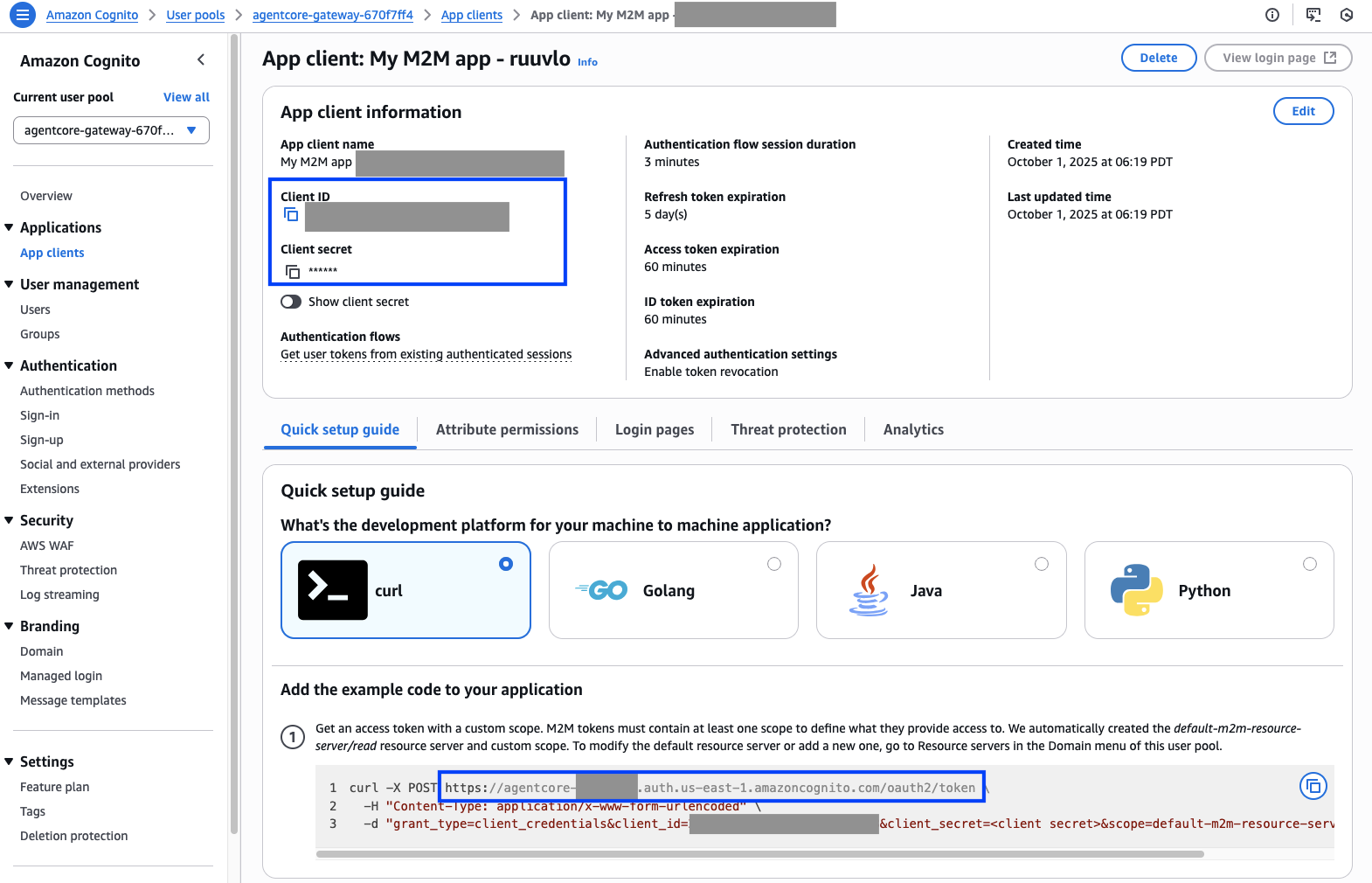
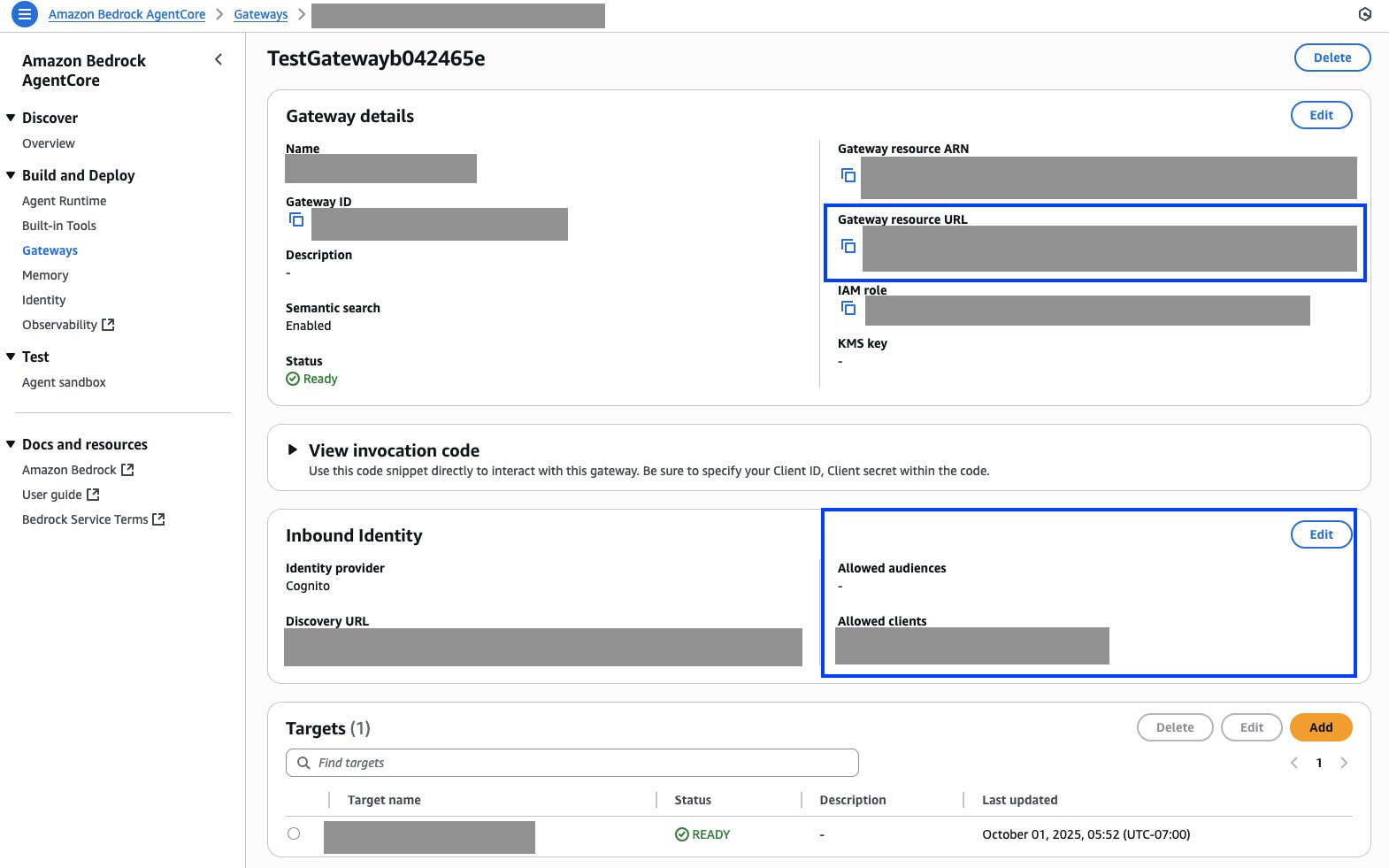
- Open Amazon Bedrock AgentCore in the AWS Management Console on a new tab in your browser. Select Gateways in the left navigation panel, and then select the gateway you just created. Note the Gateway resource URL.
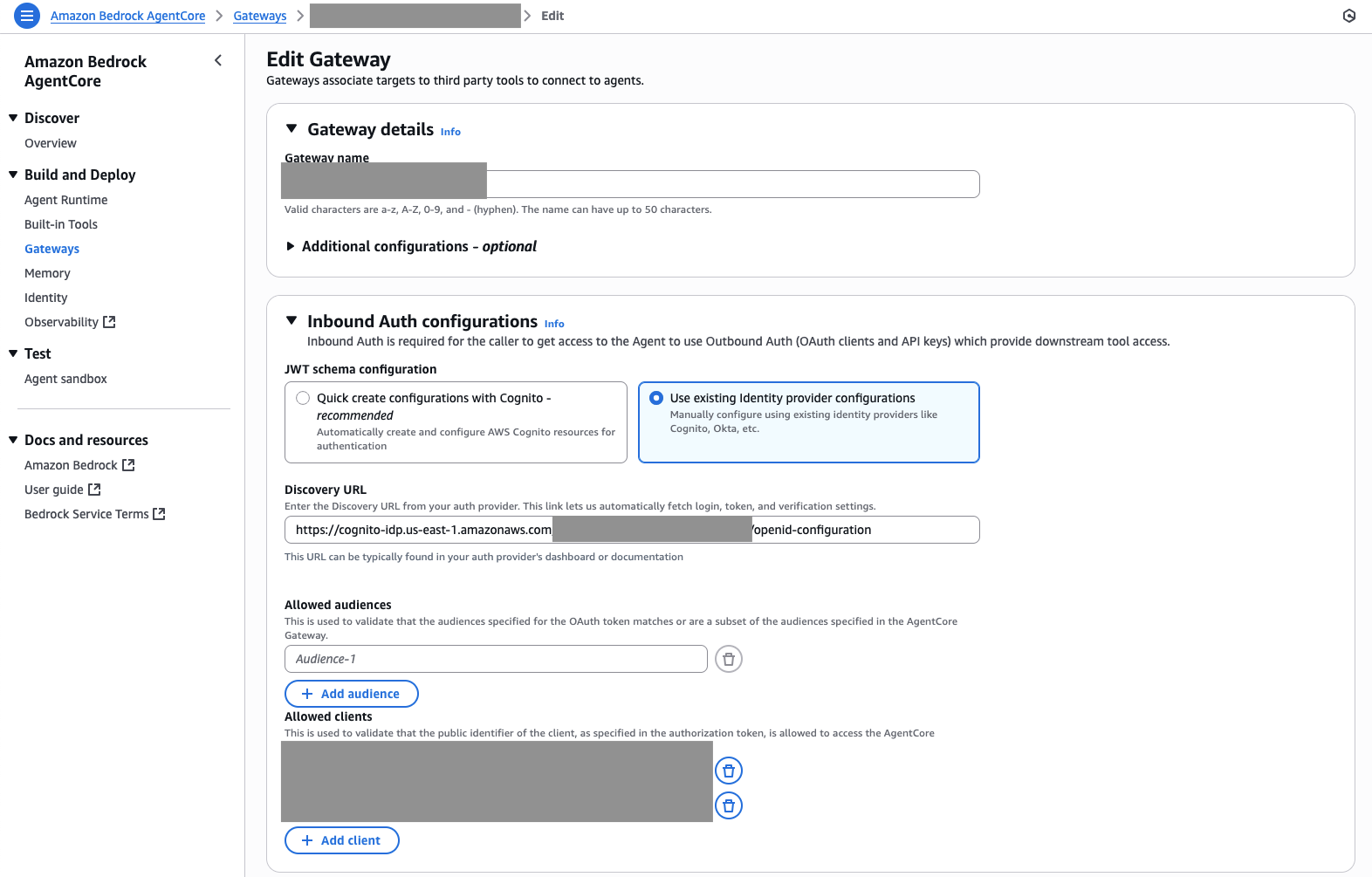
- On the Edit Gateway screen, select Use existing identity provider configurations, choose Add client, and then add the Client ID of the Cognito App client you created in a previous step to the list of allowed clients.
- Note the Lambda ARN and review the inline schema in the Inline schema editor window. Choose Save.
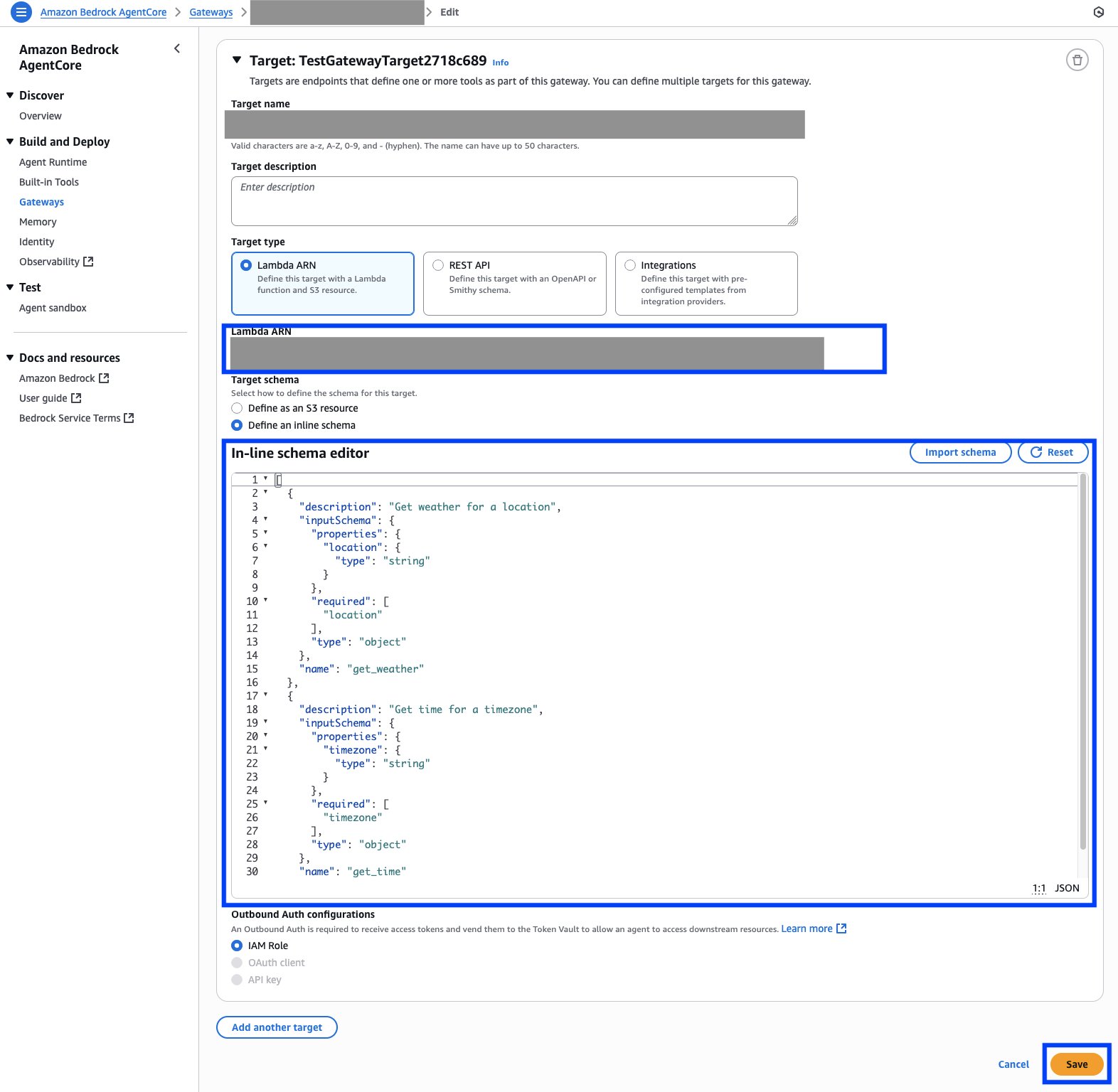
- You can modify the schema and the lambda functions to add your solutions and agents to the AgentCore gateway. The schema used for the example in this blog is in the following code snippet. For the example used in this blog, the Lambda function is also updated with the InvokeAgent API to invoke the Bedrock Agent that implements the IT agent, and the OpenAI Responses API to invoke the HR agent powered by OpenAI. If you are just experimenting, you can continue with the sample tools,
get_weatherandget_time, created as part of Quick Start with creating and using a Gateway.
Amazon Bedrock AgentCore Gateway is now ready for integration with the Amazon Quick Suite MCP client or other MCP clients.
Create an Amazon Quick Suite MCP Actions integration with Amazon Bedrock AgentCore Gateway
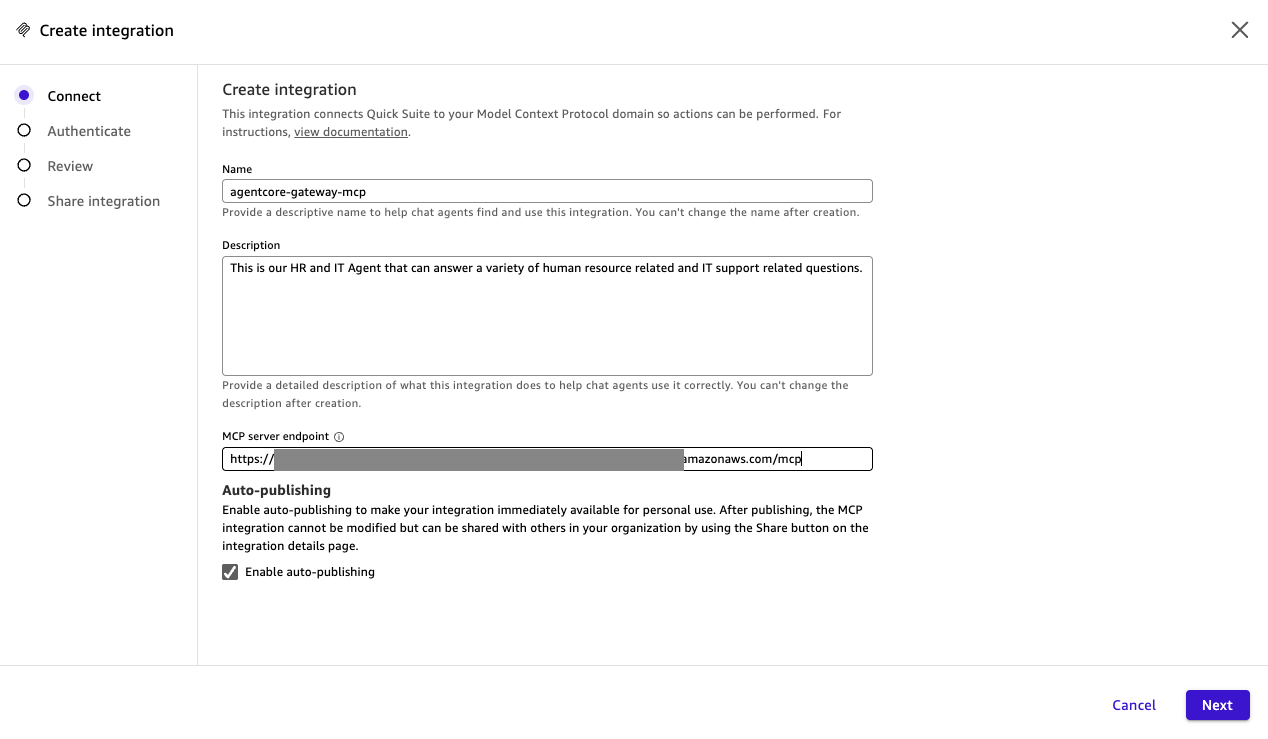
- As with earlier steps, set up a new MCP integration by entering a a Name, Description, and the Gateway resource URL of your Amazon AgentCore gateway (noted earlier as the MCP server endpoint). Choose Next. The Description includes details of the features the Actions integration provides. Amazon Quick Suite uses this description to decide the Actions to be invoked for a user prompt.
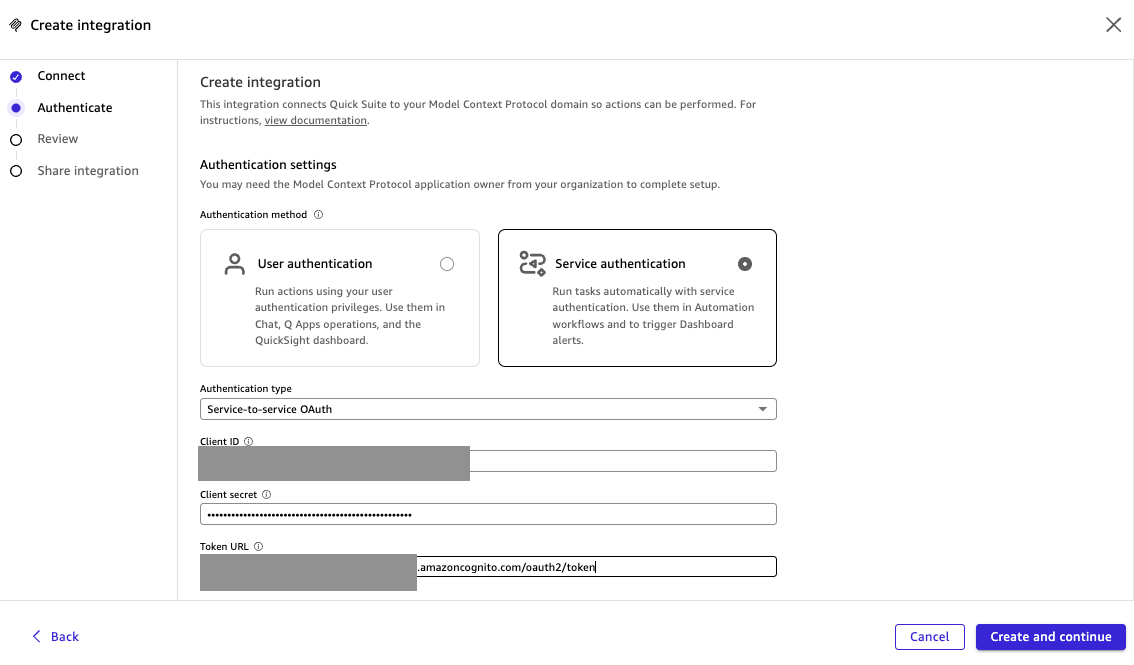
- Select Service authentication in Authentication settings or 2LO authentication. The users with whom this Actions integration is shared will use these credentials as the inbound credentials for Amazon Bedrock AgentCore Gateway. You can create 3LO authentication using identity providers such as Okta or Entra ID. Enter the Client ID, Client secret and Token URL of the Amazon Cognito user pool App client you created earlier. Choose Create and continue.
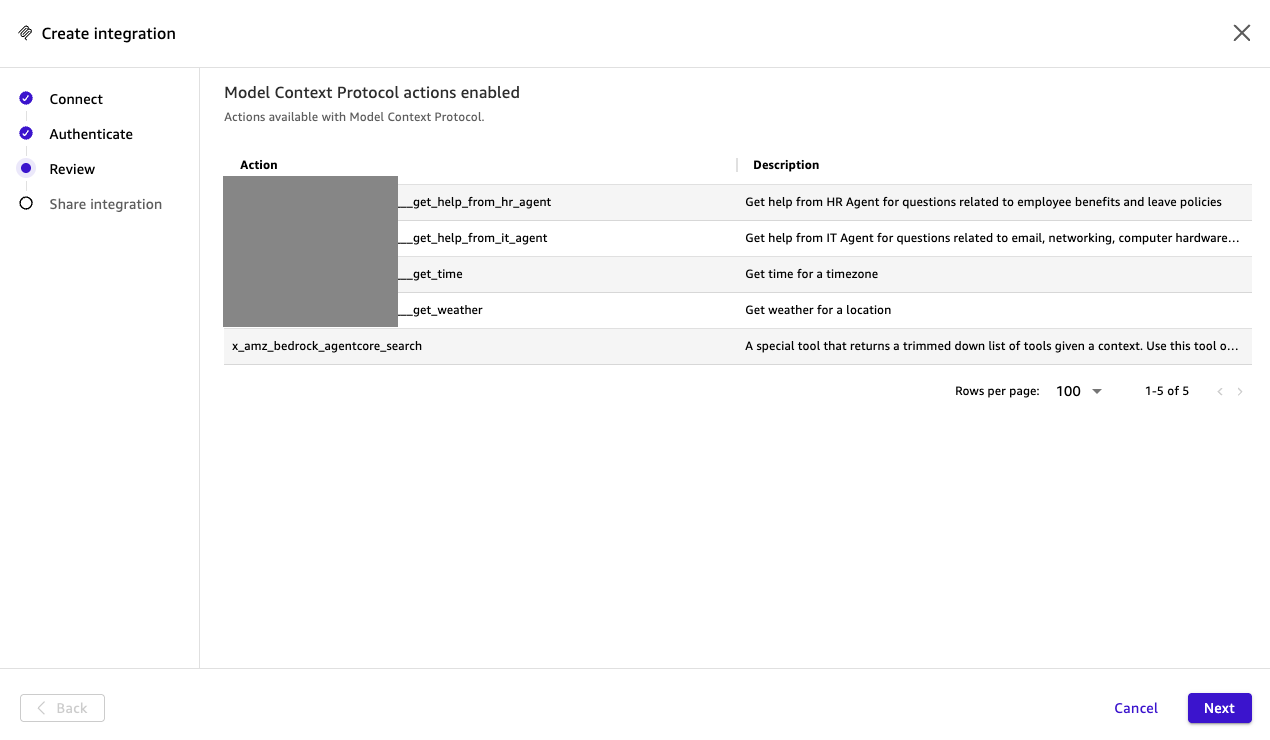
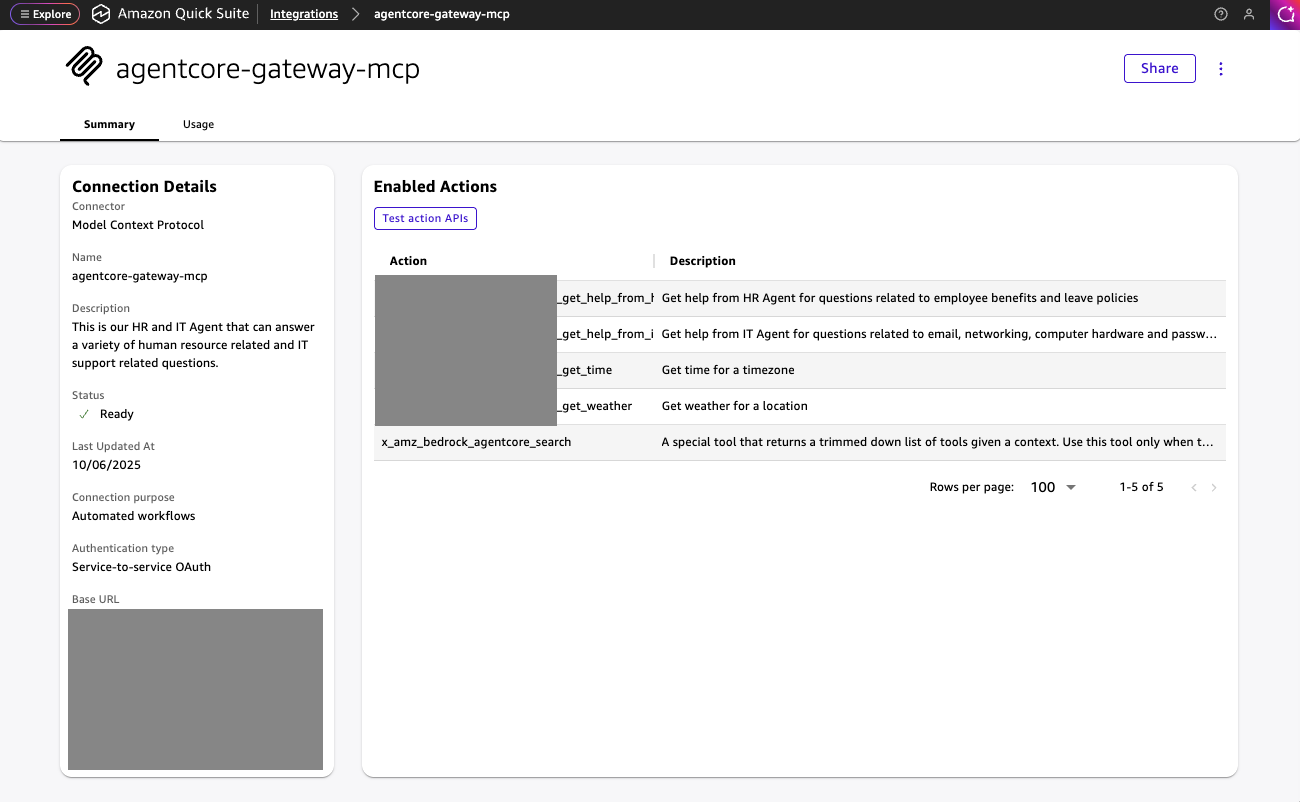
- Review the Actions made available as MCP tools by the Amazon Bedrock AgentCore Gateway.
- Optionally, share the integration with other users, then choose Done.
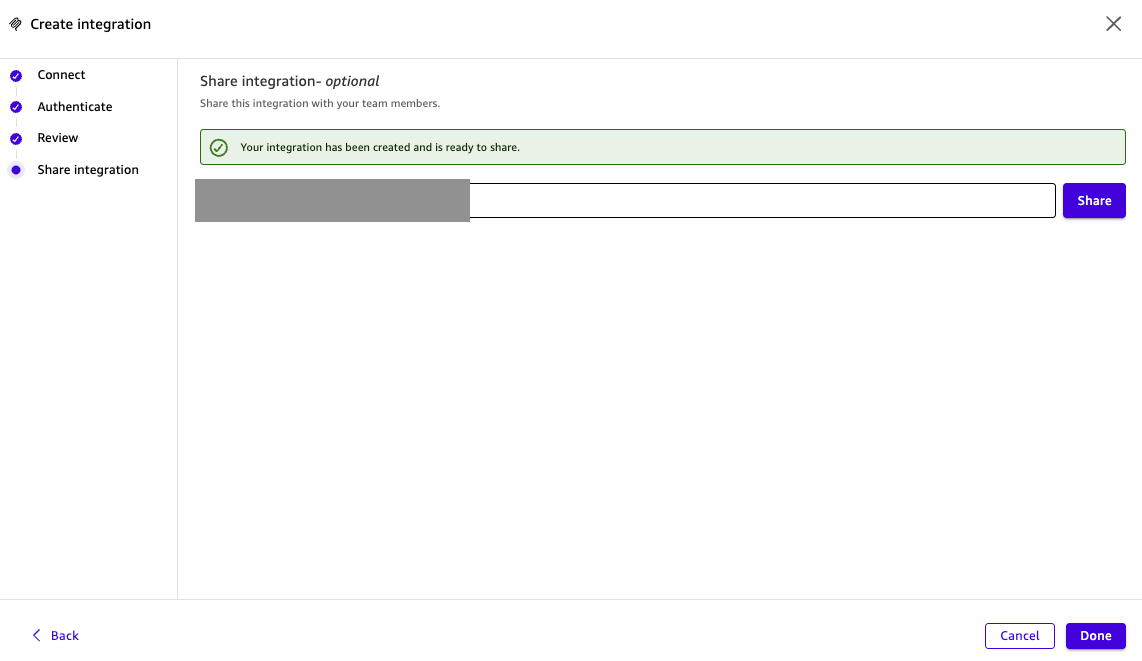
Your Actions integration with the Amazon Bedrock AgentCore gateway is now ready for use.
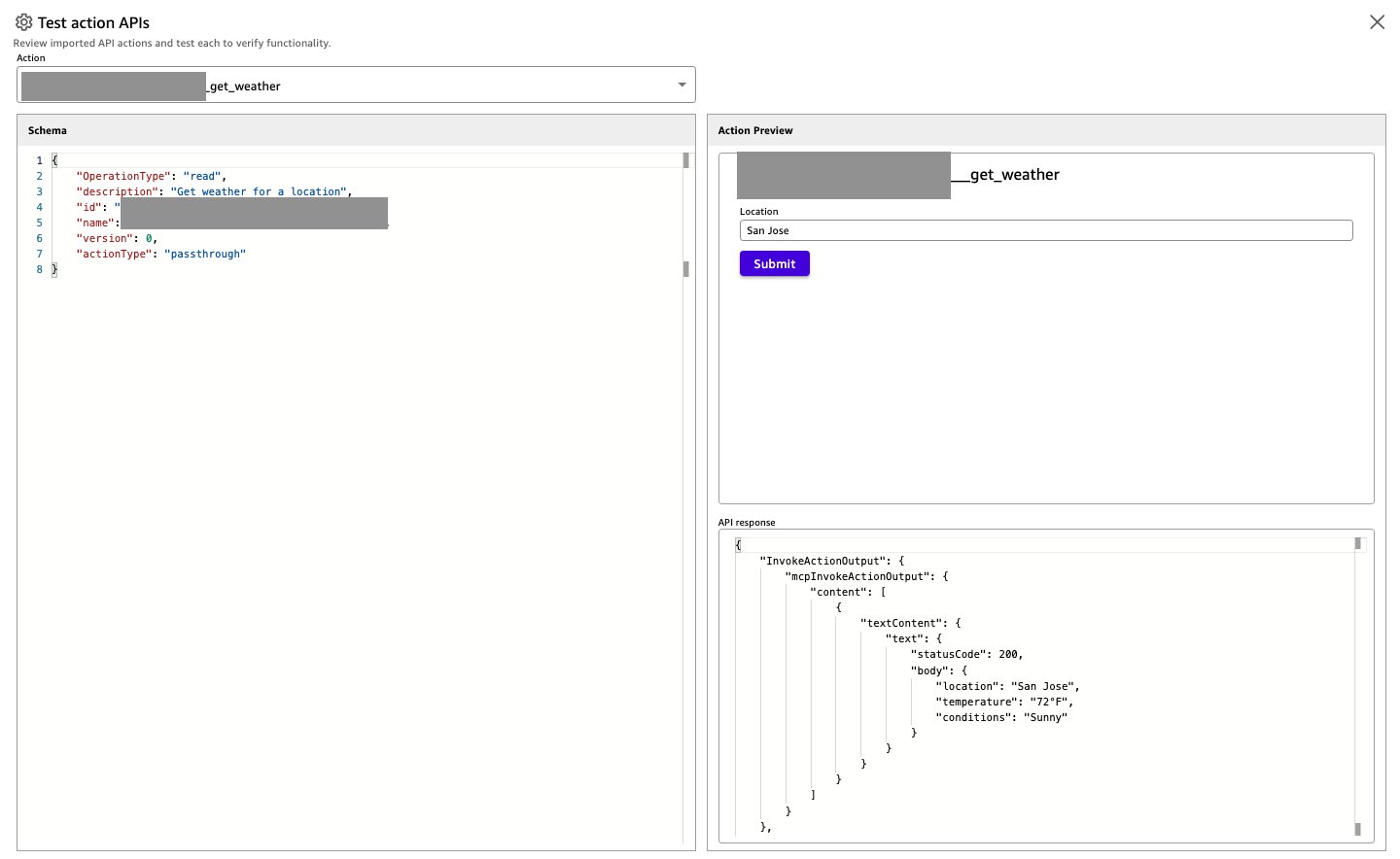
- You can now test the Amazon Quick Suite Actions integration by opening the newly created integration and choosing Test action APIs.
- From the Action drop-down menu, select the API you want to test, enter the API parameters — Location for this example–and select Submit. If successful, the API response will display.
Explore the Amazon Quick Suite MCP Actions integration with Amazon Bedrock AgentCore Gateway
You can start using the Actions integration from your Chat Agents. The following examples use My Assistant, the default Chat Agent.
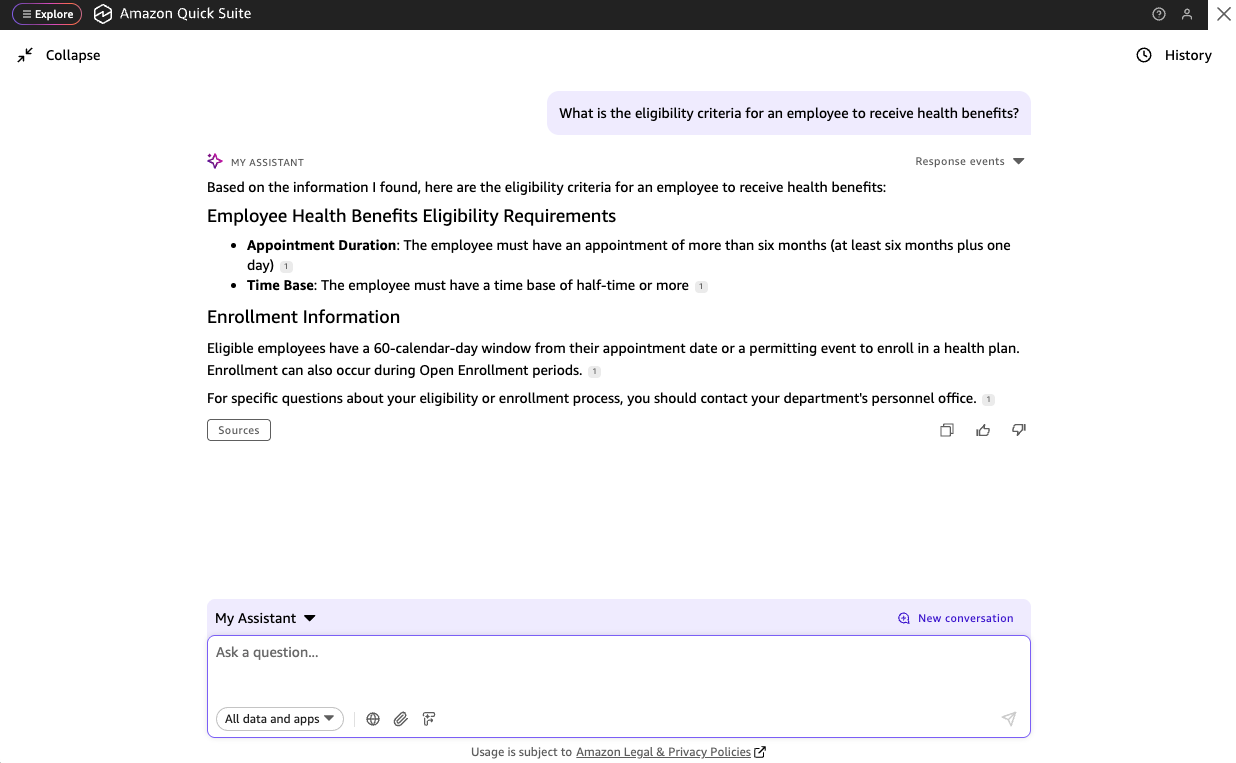
- To start, invoke an OpenAI-powered HR agent using the following prompt. You will get the employee eligibility criteria in response from the HR agent:
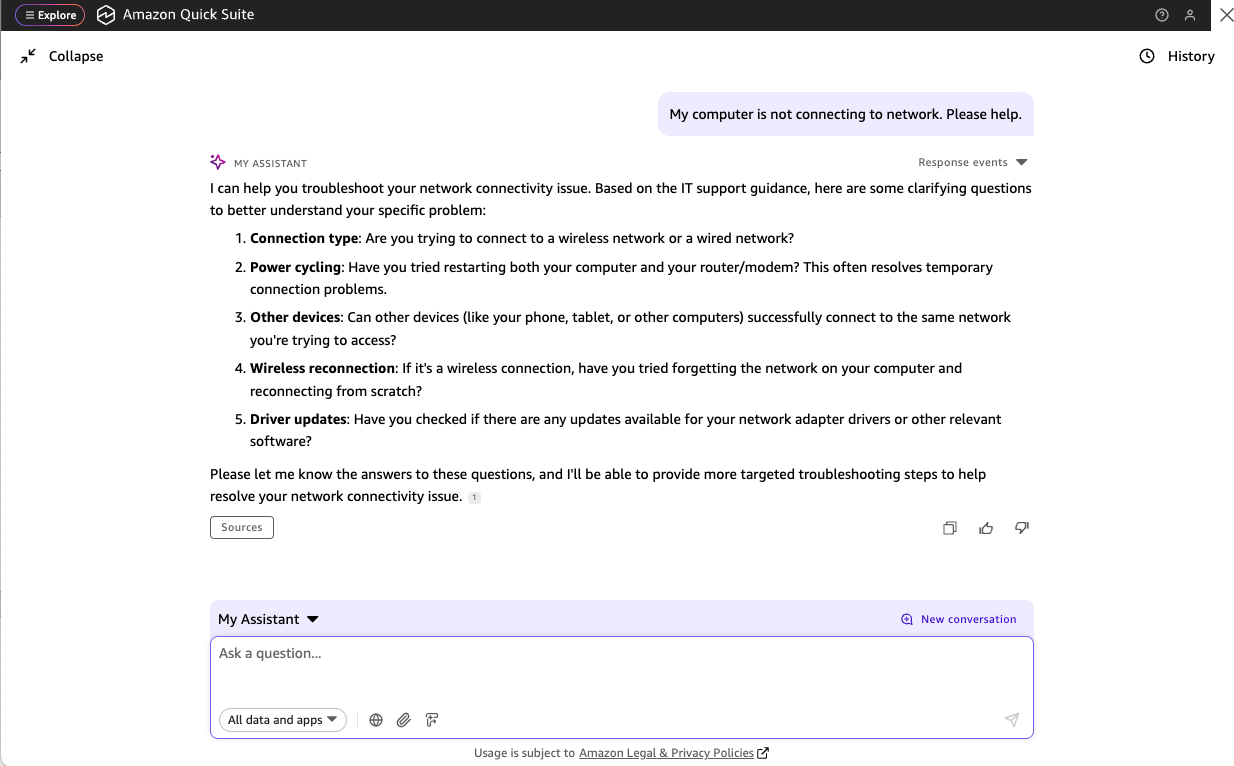
- Now invoke the IT agent implemented using an Amazon Bedrock Agent with an Amazon Kendra index-based IT help search by using the following prompt. In response you will get the troubleshooting help from the IT agent:
Conclusion
In this blog post, you experienced how the Amazon Quick Suite MCP client supports secure, seamless, and wide connectivity with remote hosted MCP servers such as those by Atlassian, Box, and AWS Knowledge MCP Server. You also saw how Amazon Bedrock AgentCore provides a straightforward mechanism to connect with existing solutions and agents, and how the Amazon Quick Suite MCP client connects with Amazon Bedrock AgentCore Gateway for a collaborative environment for users and AI agents on Amazon Quick Suite.
For more information on Amazon Quick Suite, and how you can get started, please refer to the blog post Announcing Amazon Quick Suite: your agentic teammate for answering questions and taking action. To know more about Amazon Bedrock AgentCore, please refer to the blog post Introducing Amazon Bedrock AgentCore Gateway: Transforming enterprise AI agent tool development.
About the authors
 Abhinav Jawadekar is a Principal Solutions Architect in the Amazon Quick Suite service team at AWS. Abhinav works with AWS customers and partners to help them build agentic AI solutions on AWS.
 Vignesh Subramanian is a Senior Software Development Engineer at AWS, specializing in application security, fraud prevention, agentic AI, and model-tool interaction frameworks. He currently provides technical leadership for the Amazon Quick Suite and has been building at Amazon for over nine years. Outside of work, he enjoys experimenting with Rust, chasing sunsets, and hiking across the Pacific Northwest. You can connect with him on LinkedIn.