AI agents are rapidly transforming enterprise operations. Although a single agent can perform specific tasks effectively, complex business processes often span multiple systems, requiring data retrieval, analysis, decision-making, and action execution across different systems. With multi-agent collaboration, specialized AI agents can work together to automate intricate workflows.
This post explores a practical collaboration, integrating Salesforce Agentforce with Amazon Bedrock Agents and Amazon Redshift, to automate enterprise workflows.
Multi-agent collaboration in Enterprise AI
Enterprise environments today are complex, featuring diverse technologies across multiple systems. Salesforce and AWS provide distinct advantages to customers. Many organizations already maintain significant infrastructure on AWS, including data, AI, and various business applications such as ERP, finance, supply chain, HRMS, and workforce management systems. Agentforce delivers powerful AI-driven agent capabilities that are grounded in enterprise context and data. While Salesforce provides a rich source of trusted business data, customers increasingly need agents that can access and act on information across multiple systems. By integrating AWS-powered AI services into Agentforce, organizations can orchestrate intelligent agents that operate across Salesforce and AWS, unlocking the strengths of both.
Agentforce and Amazon Bedrock Agents can work together in flexible ways, leveraging the unique strengths of both platforms to deliver smarter, more comprehensive AI workflows. Example collaboration models include:
- Agentforce as the primary orchestrator:
- Manages end to end customer-oriented workflows
- Delegates specialized tasks to Amazon Bedrock Agents as needed through custom actions
- Coordinates access to external data and services across systems
This integration creates a more powerful solution that maximizes the benefits of both Salesforce and AWS, so you can achieve better business outcomes through enhanced AI capabilities and cross-system functionality.
Agentforce overview
Agentforce brings digital labor to every employee, department, and business process, augmenting teams and elevating customer experiences.It works seamlessly with your existing applications, data, and business logic to take meaningful action across the enterprise. And because it’s built on the trusted Salesforce platform, your data stays secure, governed, and in your control. With Agentforce, you can:
- Deploy prebuilt agents designed for specific roles, industries, or use cases
- Enable agents to take action with existing workflows, code, and APIs
- Connect your agents to enterprise data securely
- Deliver accurate and grounded outcomes through the Atlas Reasoning Engine
Amazon Bedrock Agents and Amazon Bedrock Knowledge Bases overview
Amazon Bedrock is a fully managed AWS service offering access to high-performing foundation models (FMs) from various AI companies through a single API. In this post, we discuss the following features:
- Amazon Bedrock Agents – Managed AI agents use FMs to understand user requests, break down complex tasks into steps, maintain conversation context, and orchestrate actions. They can interact with company systems and data sources through APIs (configured through action groups) and access information through knowledge bases. You provide instructions in natural language, select an FM, and configure data sources and tools (APIs), and Amazon Bedrock handles the orchestration.
- Amazon Bedrock Knowledge Bases – This capability enables agents to perform Retrieval Augmented Generation (RAG) using your company’s private data sources. You connect the knowledge base to your data hosted in AWS, such as in Amazon Simple Storage Service (Amazon S3) or Amazon Redshift, and it automatically handles the vectorization and retrieval process. When asked a question or given a task, the agent can query the knowledge base to find relevant information, providing more accurate, context-aware responses and decisions without needing to retrain the underlying FM.
Agentforce and Amazon Bedrock Agent integration patterns
Agentforce can call Amazon Bedrock agents in different ways, allowing flexibility to build different architectures. The following diagram illustrates synchronous and asynchronous patterns.
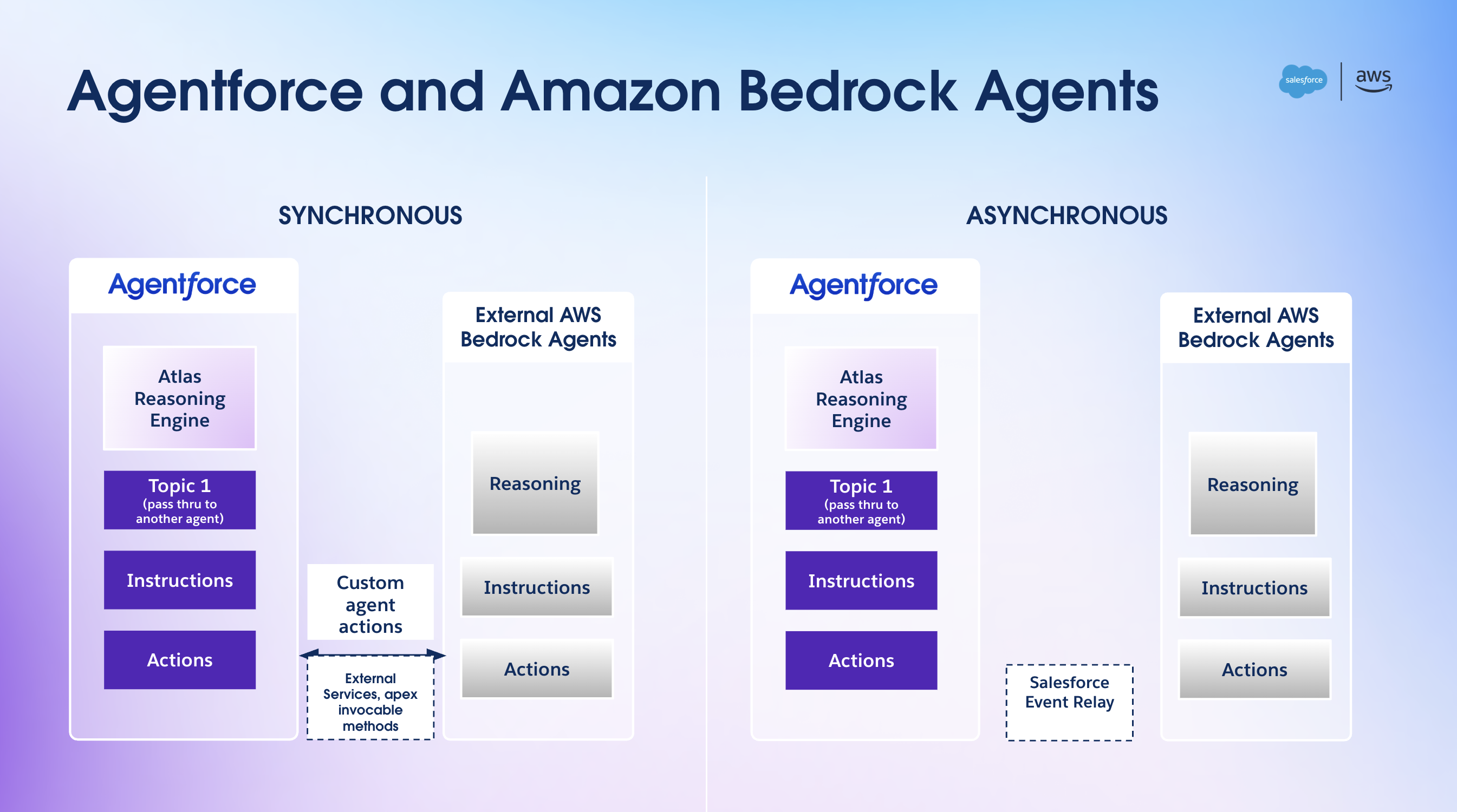
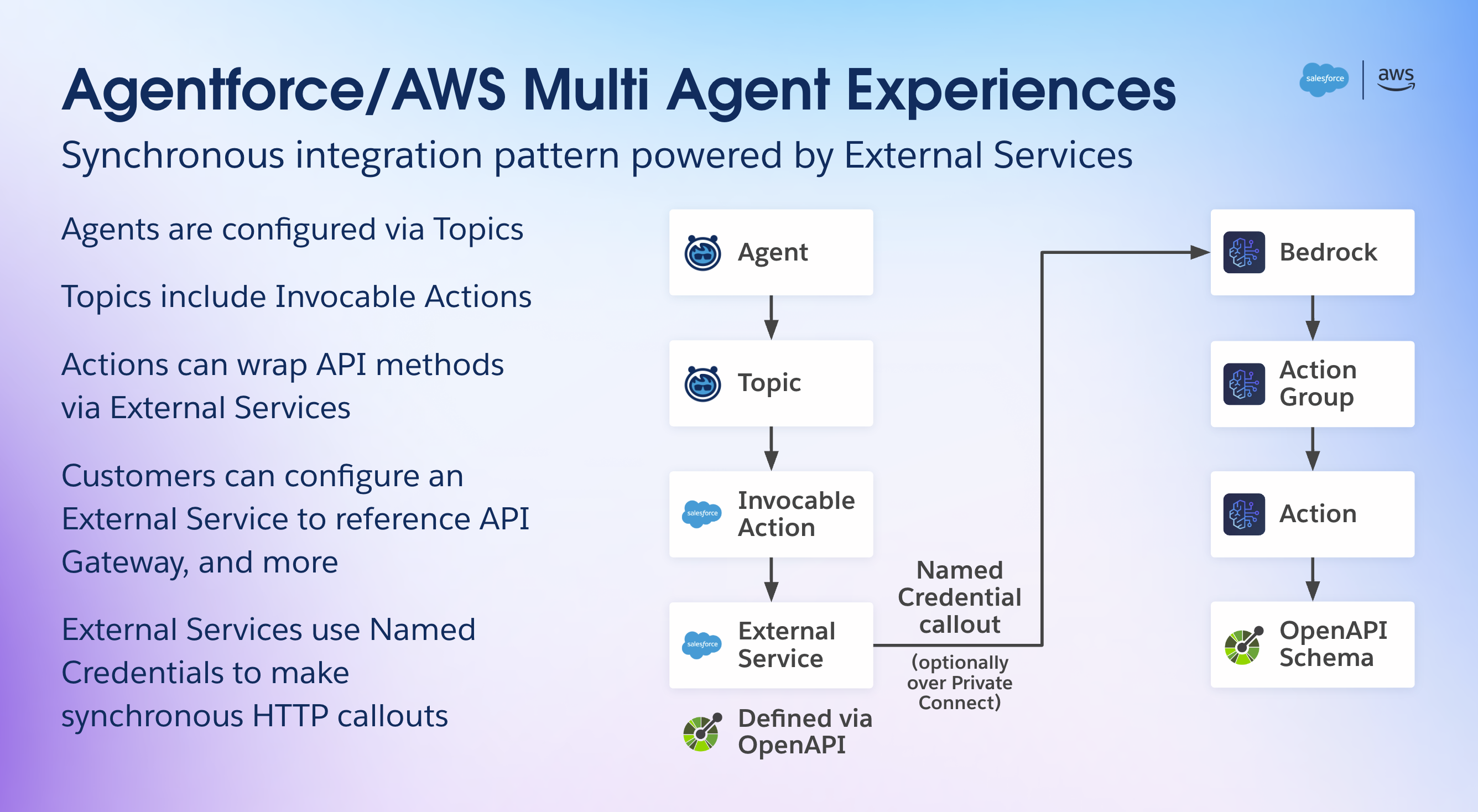
For a synchronous or request-reply interaction, Agentforce uses custom agent actions facilitated by External Services, Apex Invocable Methods, or Flow to call an Amazon Bedrock agent. The authentication to AWS is facilitated using named credentials. Named credentials are designed to securely manage authentication details for external services integrated with Salesforce. They alleviate the need to hardcode sensitive information like user names and passwords, minimizing the risk of exposure and potential data breaches. This separation of credentials from the application code can significantly enhance security posture. Named credentials streamline integration by providing a centralized and consistent method for handling authentication, reducing complexity and potential errors. You can use Salesforce Private Connect to provide a secure private connection with AWS using AWS PrivateLink. Refer to Private Integration Between Salesforce and Amazon API Gateway for additional details.
For asynchronous calls, Agentforce uses Salesforce Event Relay and Flow with Amazon EventBridge to call an Amazon Bedrock agent.
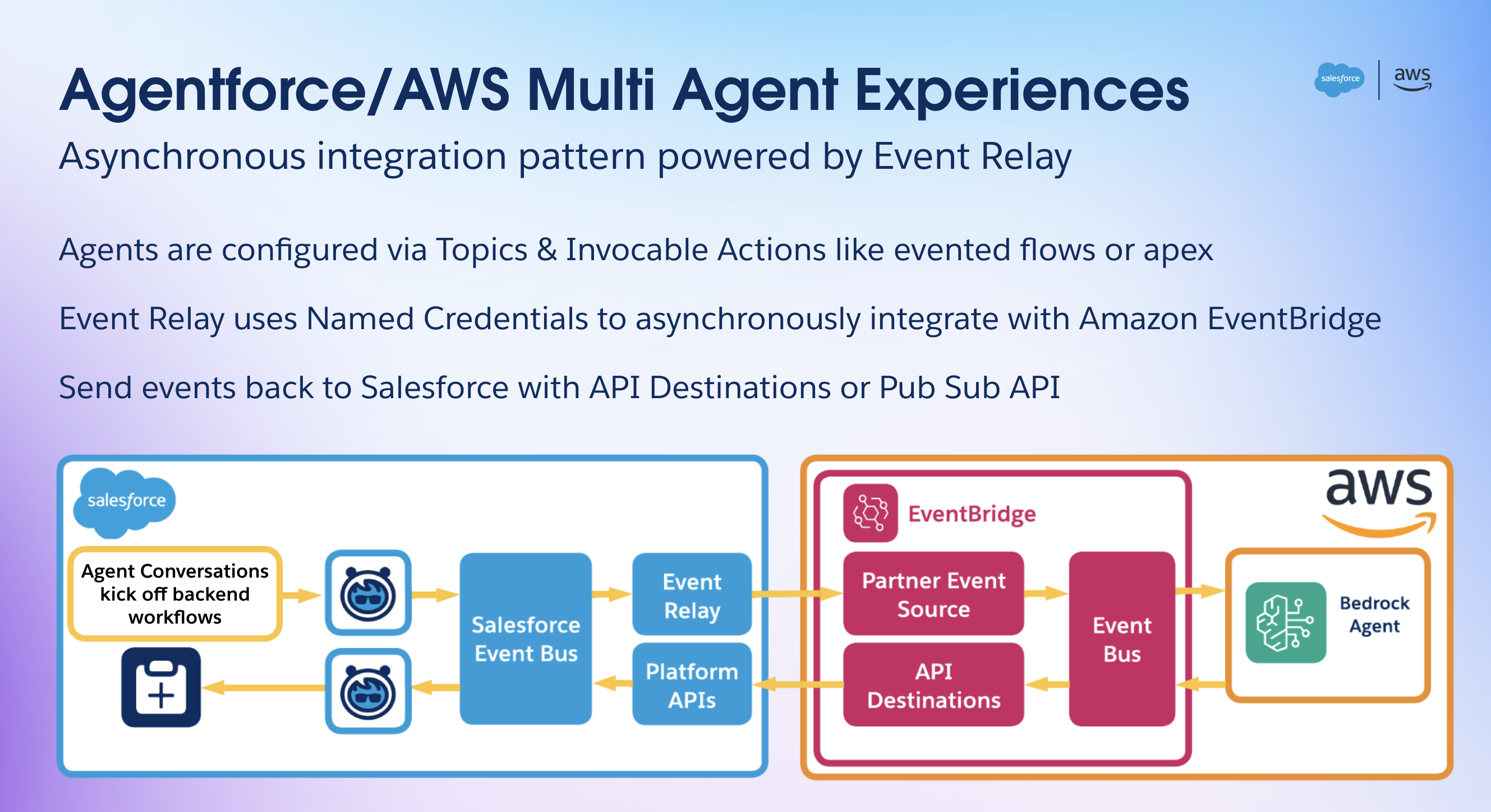
In this post, we discuss the synchronous call pattern. We encourage you to explore Salesforce Event Relay with EventBridge to build event-driven agentic AI workflows. Agentforce also offers the Agent API, which makes it straightforward to call an Agentforce agent from an Amazon Bedrock agent, using EventBridge API destinations, for bi-directional agentic AI workflows.
Solution overview
To illustrate the multi-agent collaboration between Agentforce and AWS, we use the following architecture, which provides access to Internet of Things (IoT) sensor data to the Agentforce agent and handles potentially erroneous sensor readings using a multi-agent approach.
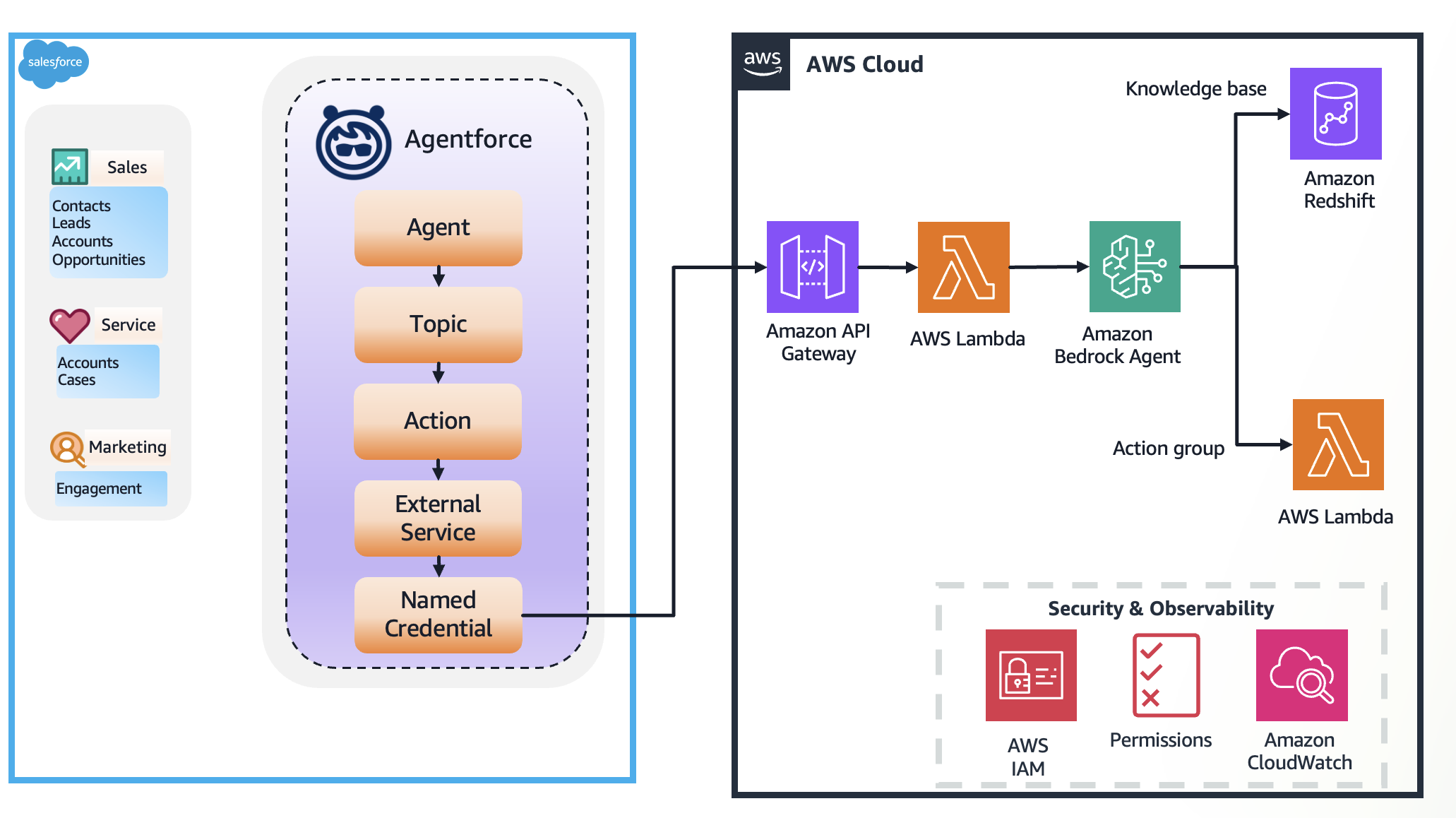
The example workflow consists of the following steps:
- Coral Cloud has equipped their rooms with smart air conditioners and temperature sensors. These IoT devices capture critical information such as room temperature and error code and store it in Coral Cloud’s AWS database in Amazon Redshift.
- Agentforce agent calls an Amazon Bedrock agent through the Agent Wrapper API with questions such as “What is the temperature in room 123” to answer customer questions related to the comfort of the room. This API is implemented as an AWS Lambda function, acting as the entry point in the AWS Cloud.
- The Amazon Bedrock agent, upon receiving the request, needs context. It queries its configured knowledge base by generating the necessary SQL query.
- The knowledge base is connected to a Redshift database containing historical sensor data or contextual information (like the sensor’s thresholds and maintenance history). It retrieves relevant information based on the agent’s query and responds back with an answer.
- With the initial data and the context from the knowledge base, the Amazon Bedrock agent uses its underlying FM and natural language instructions to decide the appropriate action. In this scenario, detecting an error prompts it to create a case when it receives erroneous readings from a sensor.
- The action group contains the Agentforce Agent Wrapper Lambda function. The Amazon Bedrock agent securely passes the necessary details (like which sensor or room needs a case) to this function.
- The Agentforce Agent Wrapper Lambda function acts as an adapter. It translates the request from the Amazon Bedrock agent into the specific format required by the Agentforce service‘s API or interface.
- The Lambda function calls Agentforce, instructing it to create a case associated with the contact or account linked to the sensor that sent the erroneous reading.
- Agentforce uses its internal logic (agent, topics, and actions) to create or escalate the case within Salesforce.
This workflow demonstrates how Amazon Bedrock Agents orchestrates tasks, using Amazon Bedrock Knowledge Bases for context and action groups (through Lambda) to interact with Agentforce to complete the end-to-end process.
Prerequisites
Before building this architecture, make sure you have the following:
- AWS account – An active AWS account with permissions to use Amazon Bedrock, Lambda, Amazon Redshift, AWS Identity and Access Management (IAM), and API Gateway.
- Amazon Bedrock access – Access to Amazon Bedrock Agents and to Anthropic’s Claude 3.5 Haiku v1 enabled in your chosen AWS Region.
- Redshift resources – An operational Redshift cluster or Amazon Redshift Serverless endpoint. The relevant tables containing sensor data (historical readings, sensor thresholds, and maintenance history) must be created and populated.
- Agentforce system – Access to and understanding of the Agentforce system, including how to configure it. You can sign up for a developer edition with Agentforce and Data Cloud.
- Lambda knowledge – Familiarity with creating, deploying, and managing Lambda functions (using Python).
- IAM roles and policies – Understanding of how to create IAM roles with the necessary permissions for Amazon Bedrock Agents, Lambda functions (to call Amazon Bedrock, Amazon Redshift, and the Agentforce API), and Amazon Bedrock Knowledge Bases.
Prepare Amazon Redshift data
Make sure your data is structured and available in your Redshift instance. Note the database name, credentials, and table and column names.
Create IAM roles
For this post, we create two IAM roles:
custom_AmazonBedrockExecutionRoleForAgents:- Attach the following AWS managed policies to the role:
AmazonBedrockFullAccessAmazonRedshiftDataFullAccess
- In the trust relationship, provide the following trust policy (provide your AWS account ID):
- Attach the following AWS managed policies to the role:
custom_AWSLambdaExecutionRole:- Attach the following AWS managed policies to the role:
AmazonBedrockFullAccessAmazonLambdaBasicExecutionRole
- In the trust relationship, provide the following trust policy (provide your AWS account ID):
- Attach the following AWS managed policies to the role:
Create an Amazon Bedrock knowledge base
Complete the following steps to create an Amazon Bedrock knowledge base:
- On the Amazon Bedrock console, choose Knowledge Bases in the navigation pane.
- Choose Create and Knowledge Base with structured data store.

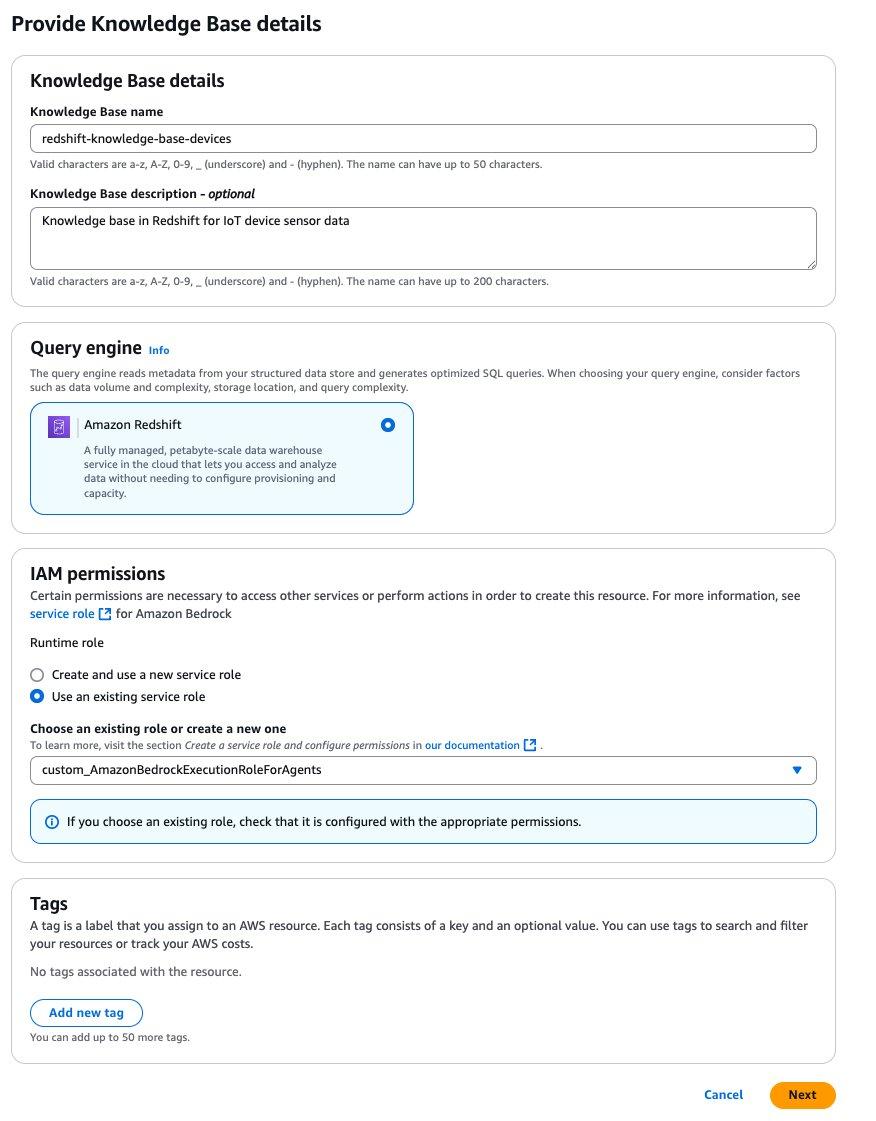
- On the Provide Knowledge Base details page, provide the following information:
- Enter a name and optional description.
- For Query engine, select Amazon Redshift.
- For IAM permissions, select Use an existing service role and choose
custom_AmazonBedrockExecutionRoleForAgents. - Choose Next.
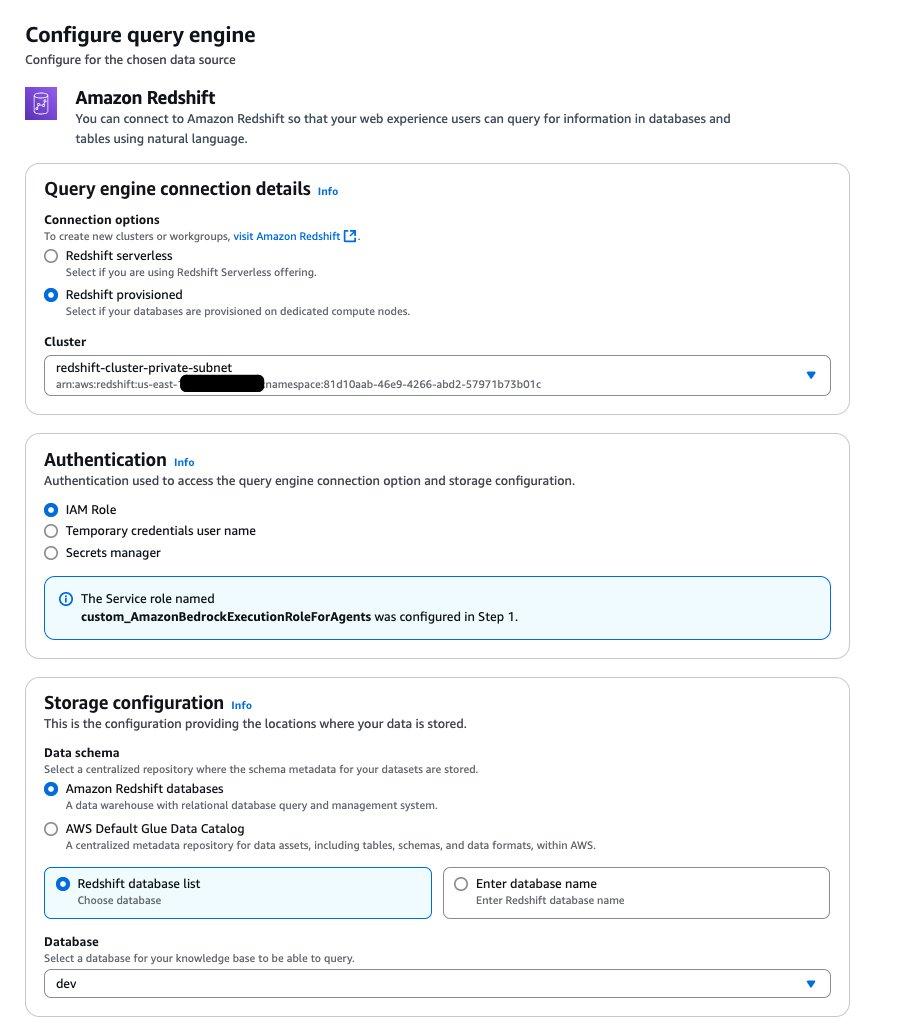
- For Query engine connection details, select Redshift provisioned and choose your cluster.
- For Authentication, select IAM Role.
- For Storage configuration, select Amazon Redshift database and Redshift database list.
- On the Configure query engine page, provide the following information:
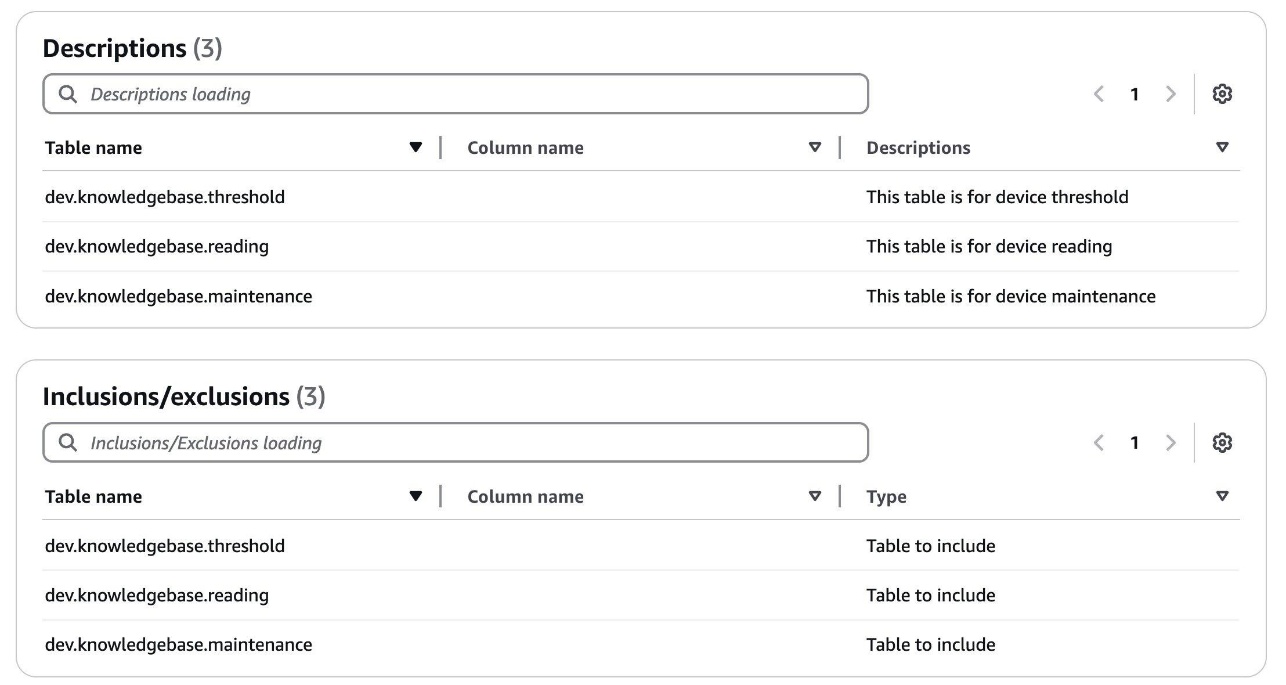
- Provide table and column descriptions. The following is an example.
- Choose Create Knowledge Base.
- After you create the knowledge base, open the Redshift query editor and grant permissions for the role to access Redshift tables by running the following queries:
For more information, refer to set up your query engine and permissions for creating a knowledge base with structured data store.
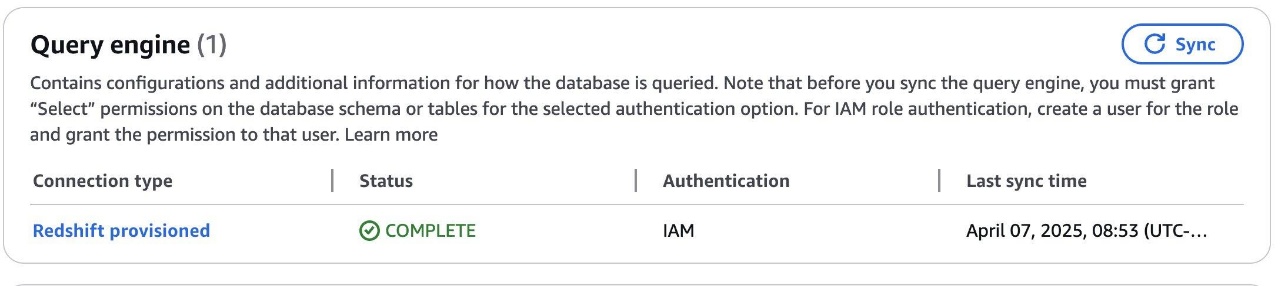
- 5. Choose Sync to sync the query engine.
Make sure the status shows as Complete before moving to the next steps.
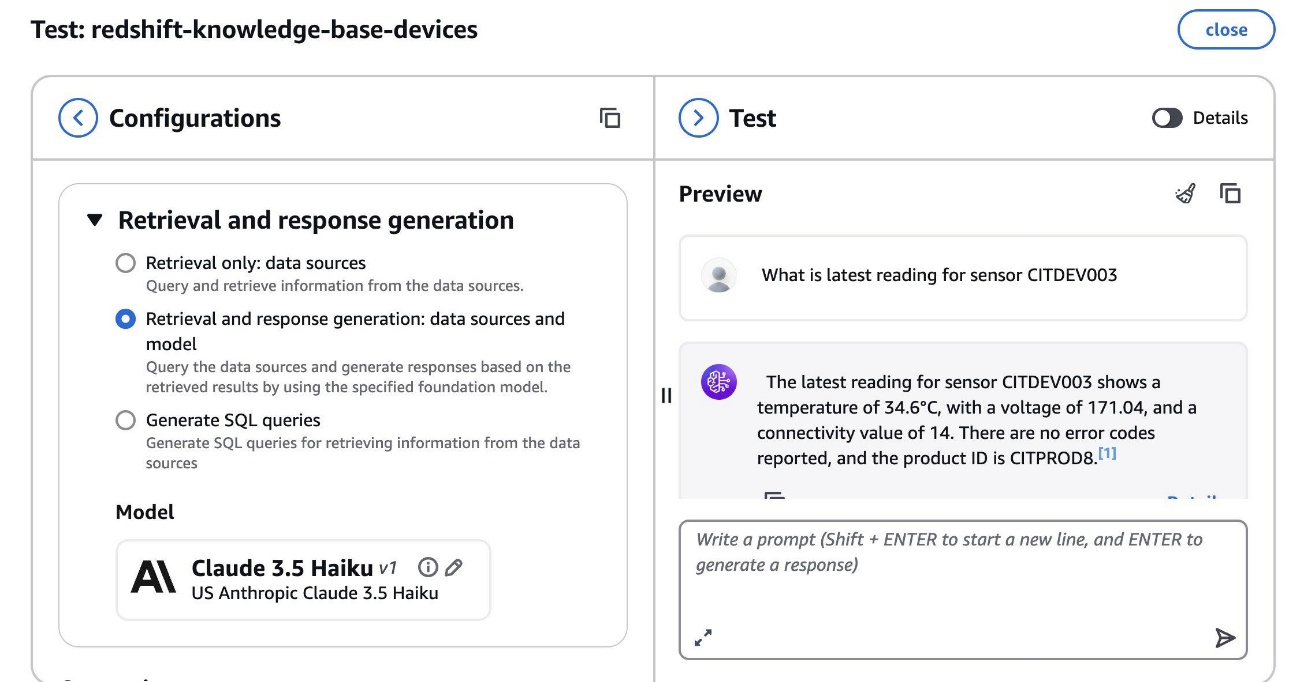
- When the sync is complete, choose Test Knowledge Base.
- Select Retrieval and response generation: data sources and model and choose Claude 3.5 Haiku for the model.
- Enter a question about your data and make sure you get a valid answer.
Create an Amazon Bedrock agent
Complete the following steps to create an Amazon Bedrock agent:
- On the Amazon Bedrock console, choose Agents in the navigation pane.
- Choose Create agent.
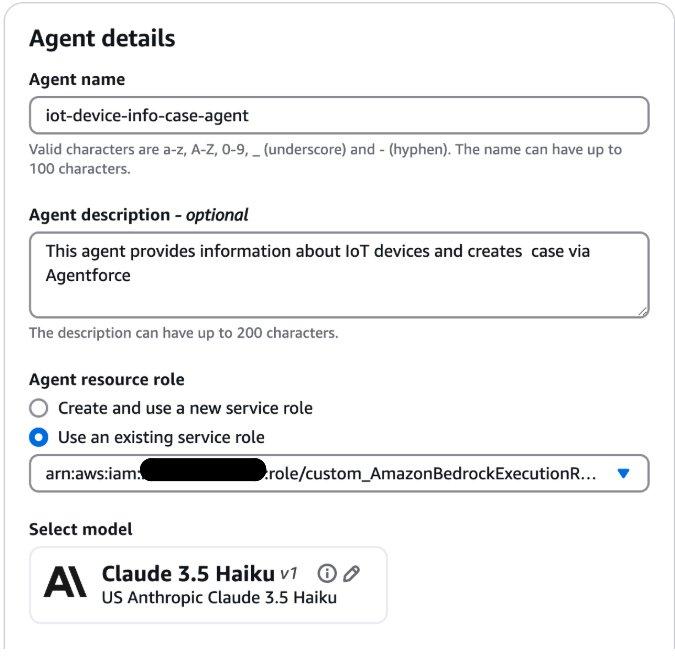
- On the Agent details page, provide the following information:
- Enter a name and optional description.
- For Agent resource role, select Use an existing service role and choose
custom_AmazonBedrockExecutionRoleForAgents.
- Provide detailed instructions for your agent. The following is an example:
- Choose Save to save the agent.
- Add the knowledge base you created in previous step to this agent.
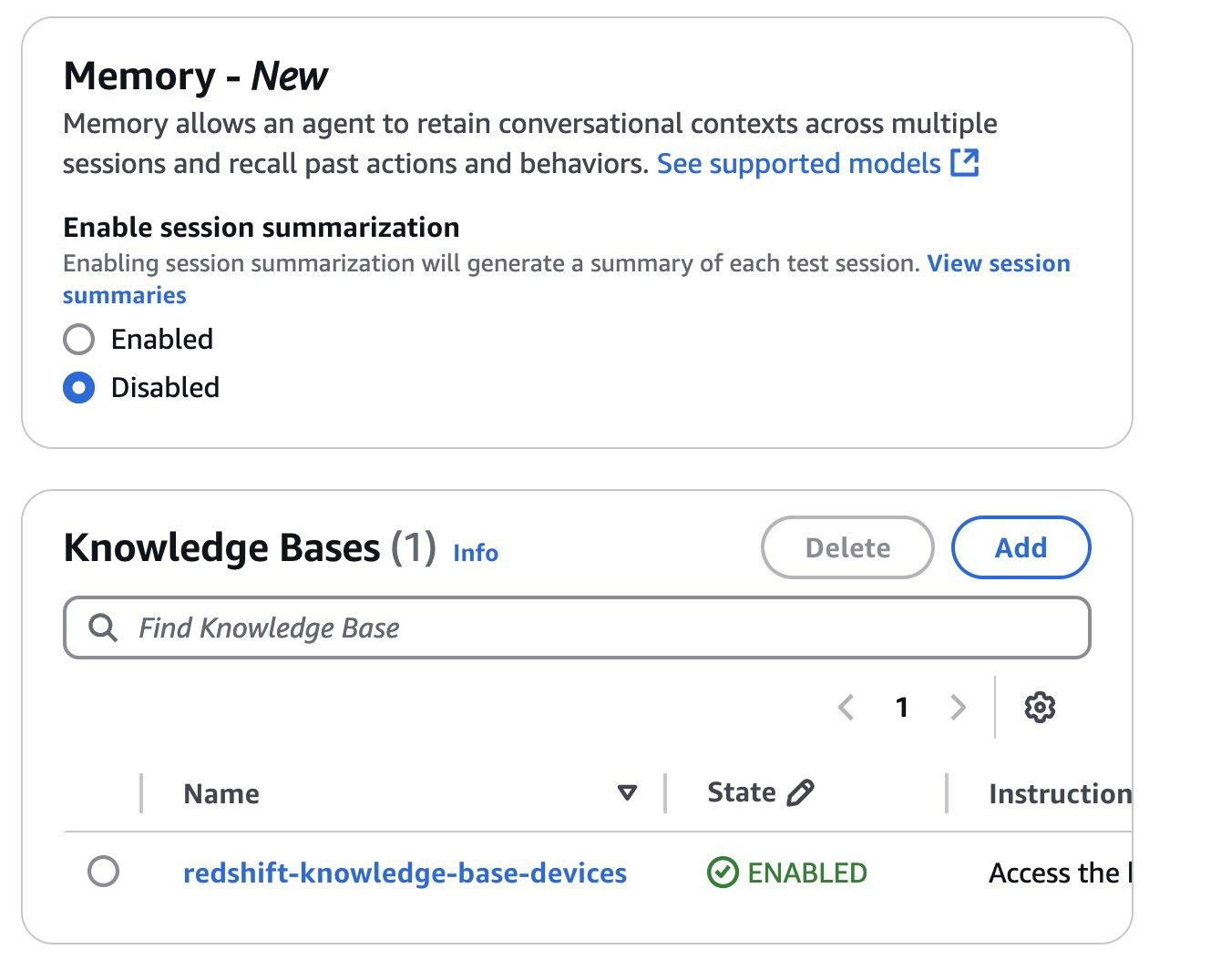
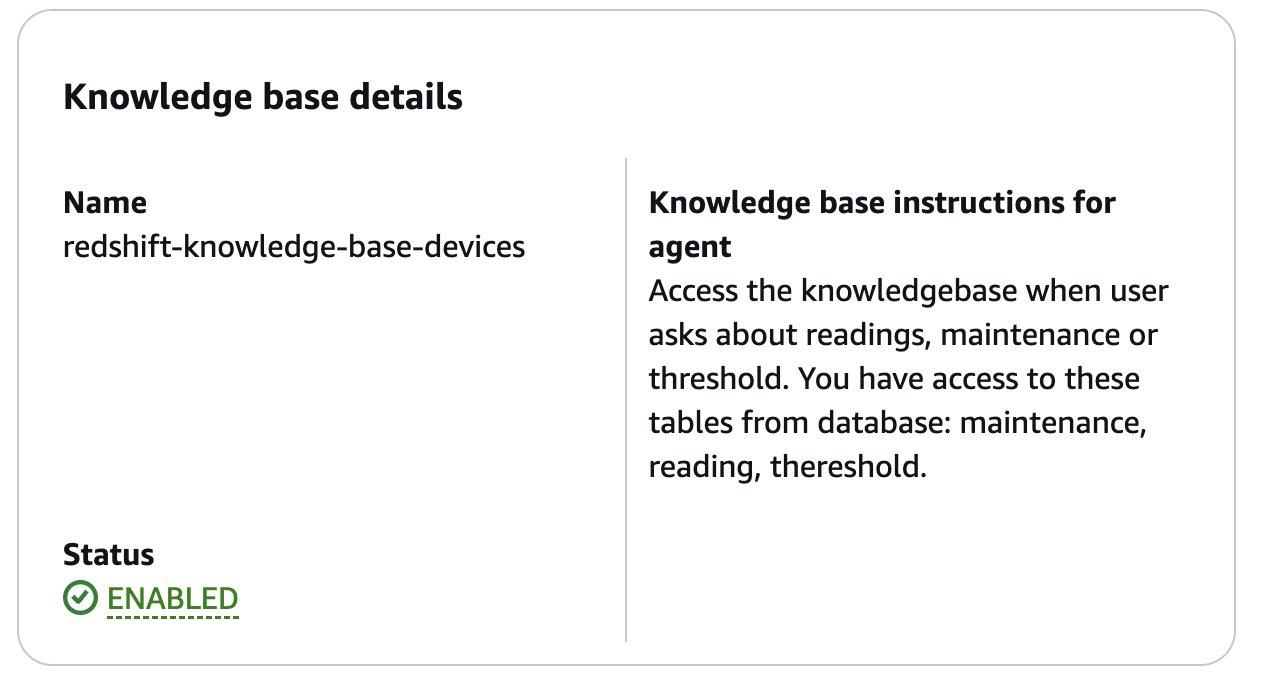
- Provide detailed instructions about the knowledge base for the agent.
- Choose Save and then choose Prepare the agent.
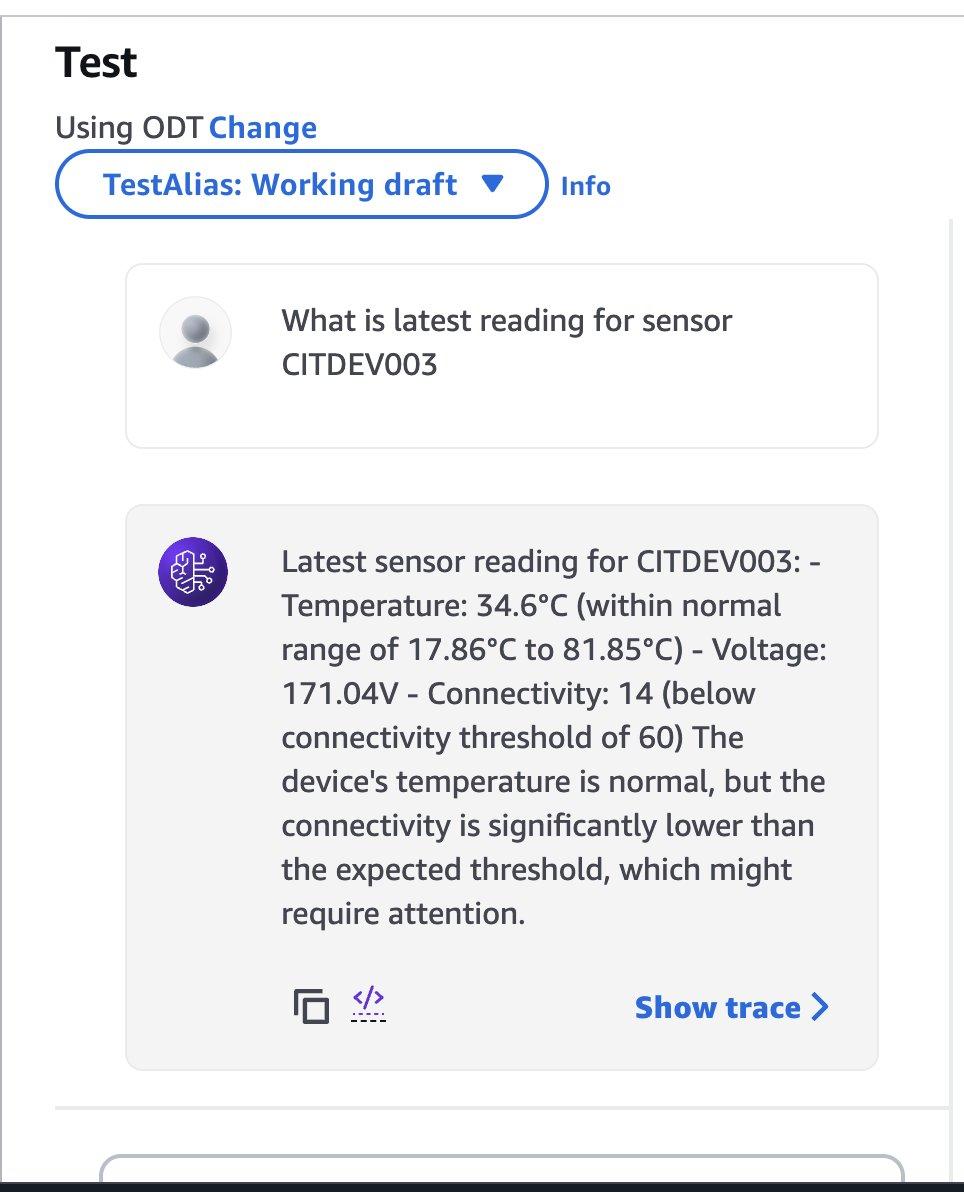
- Test the agent by asking a question (in the following example, we ask about sensor readings).
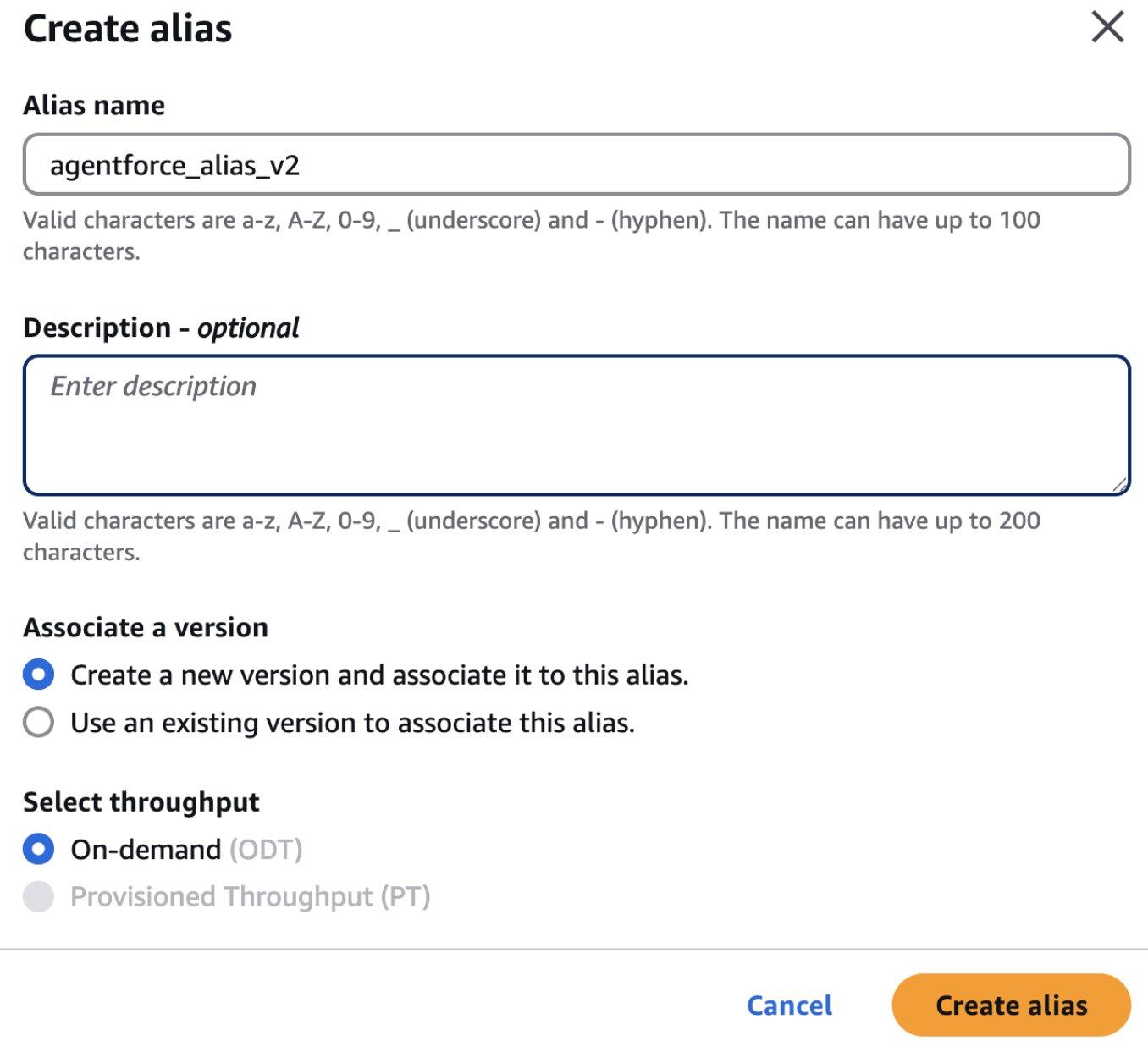
- Choose Create alias.
- On the Create alias page, provide the following information:
- Enter an alias name and optional description.
- For Associate version, select Create a new version and associate it to this alias.
- For Select throughput, select On-demand.
- Choose Create alias.
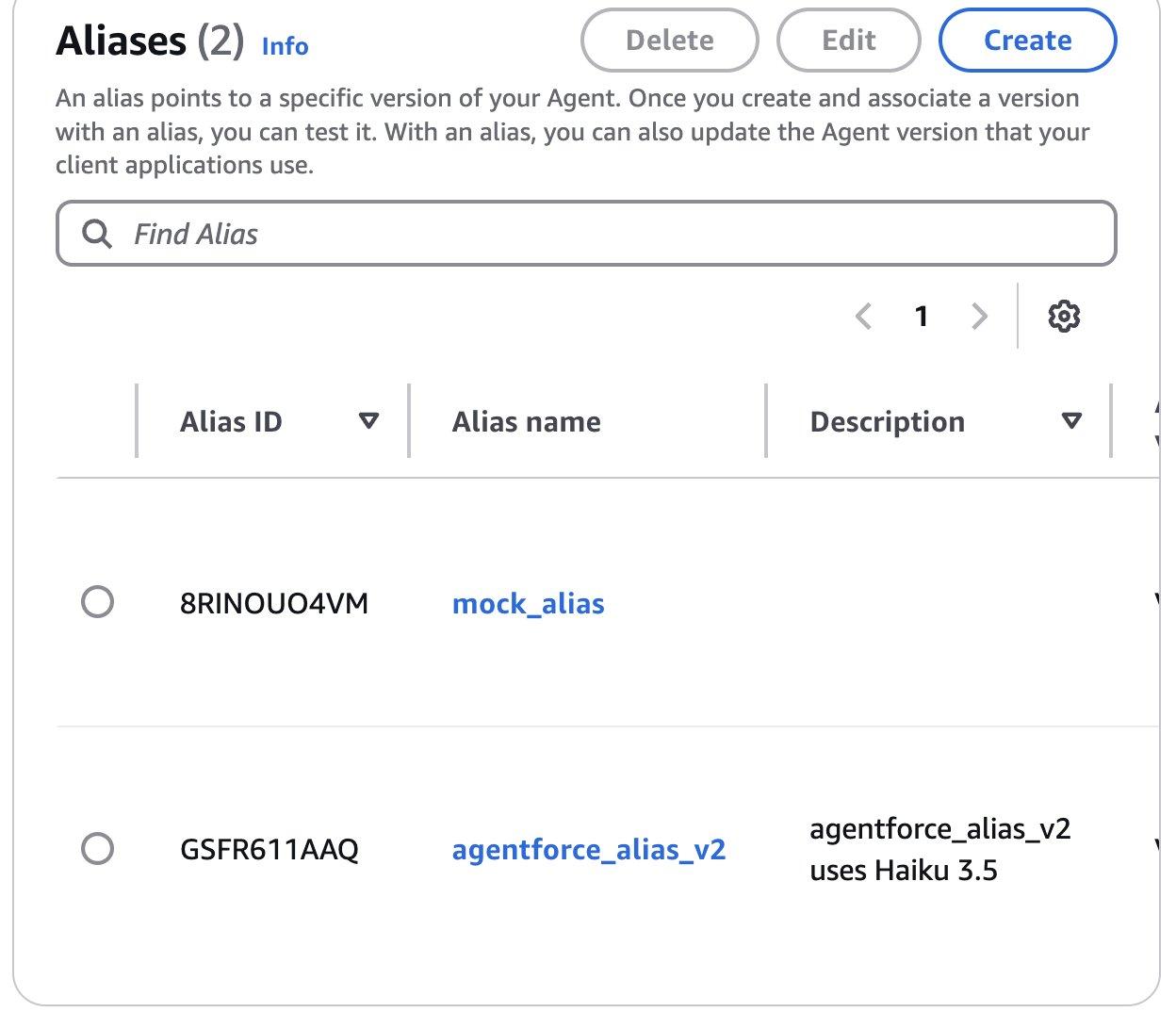
- Note down the agent ID, which you will use in subsequent steps.

- Note down the alias ID and agent ID, which you will use in subsequent steps.
Create a Lambda function
Complete the following steps to create a Lambda function to receive requests from Agentforce:
- On the Lambda console, choose Functions in the navigation pane.
- Choose Create function.
- Configure the function with the following logic to receive requests through API Gateway and call Amazon Bedrock agents:
- Define the necessary IAM permissions by assigning
custom_AWSLambdaExecutionRole.
Create a REST API
Complete the following steps to create a REST API in API Gateway:
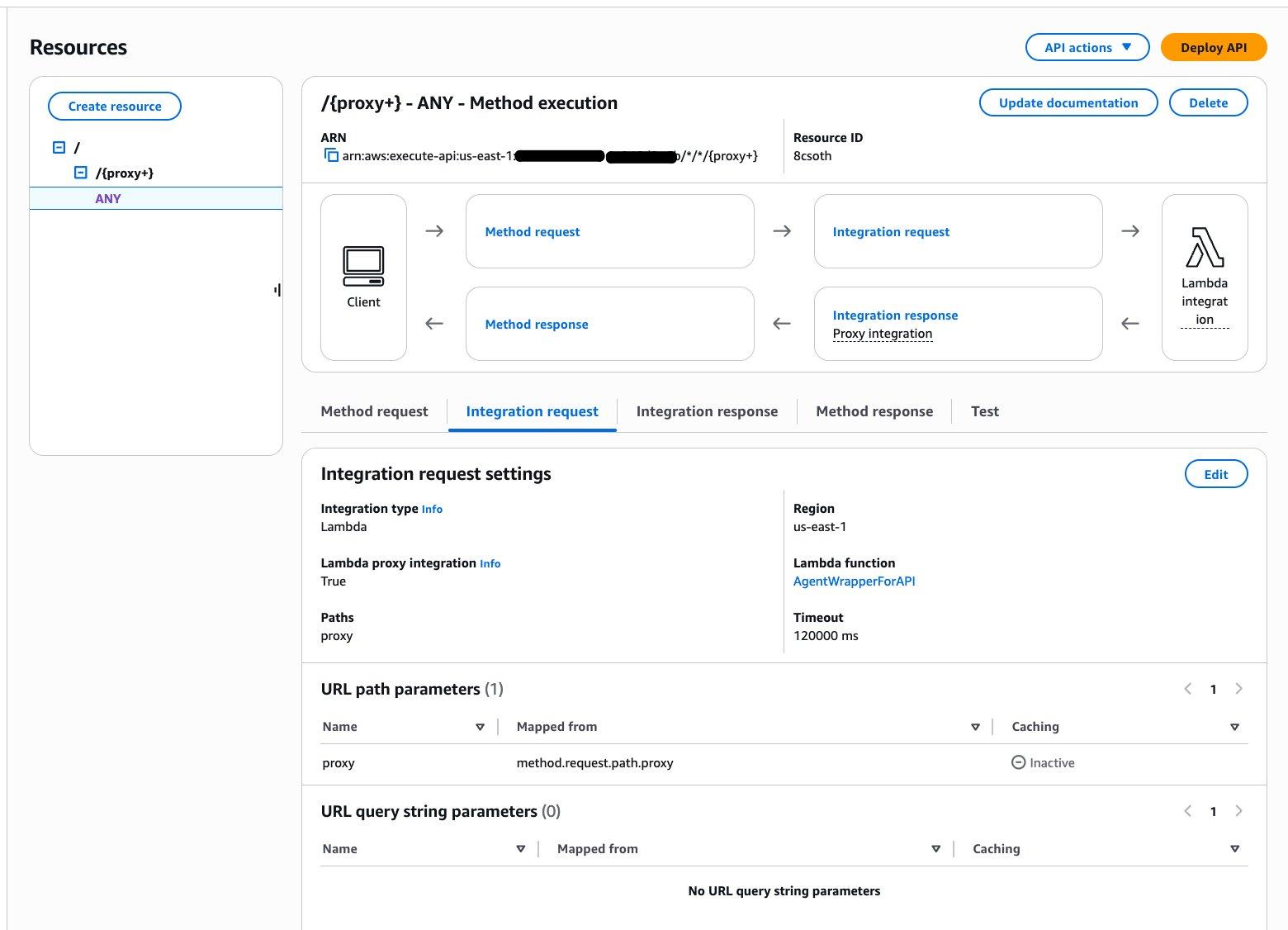
- On the API Gateway console, create a REST API with proxy integration.
- Enable API key required to protect the API from unauthenticated access.
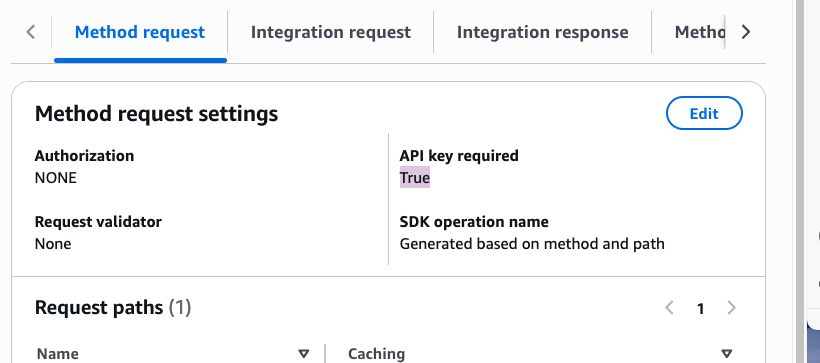
- Configure the usage plan and API key. For more details, see Set up API keys for REST APIs in API Gateway.
- Deploy the API.
- Note down the Invoke URL to use in subsequent steps.
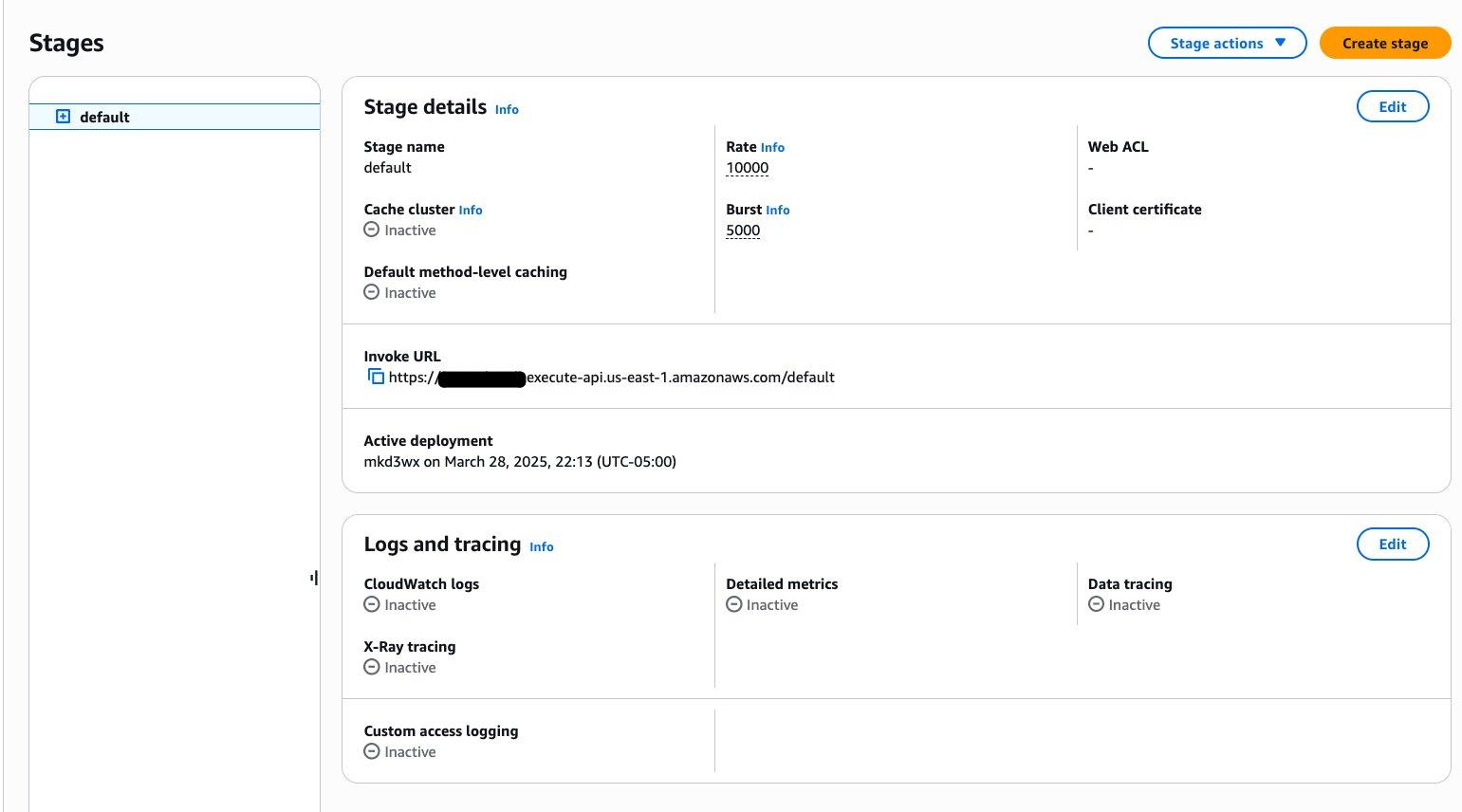
Create named credentials in Salesforce
Now that you have created an Amazon Bedrock agent with an API Gateway endpoint and Lambda wrapper, let’s complete the configuration on the Salesforce side. Complete the following steps:
- Log in to Salesforce.
- Navigate to Setup, Security, Named Credentials.
- On the External Credentials tab, choose New.

- Provide the following information:
- Enter a label and name.
- For Authentication Protocol, choose Custom.
- Choose Save.
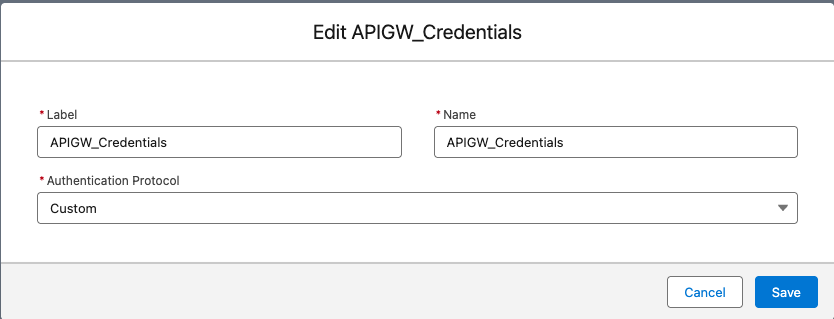
- Open the External Credentials entry to provide additional details:
- Under Principals, create a new principal and provide the parameter name and value.
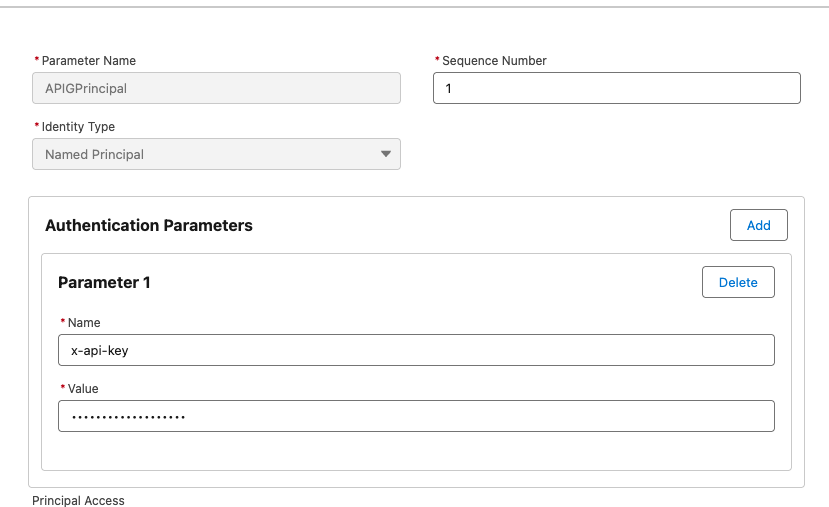
-
- Under Custom Headers, create a new entry and provide a name and value.
- Choose Save.
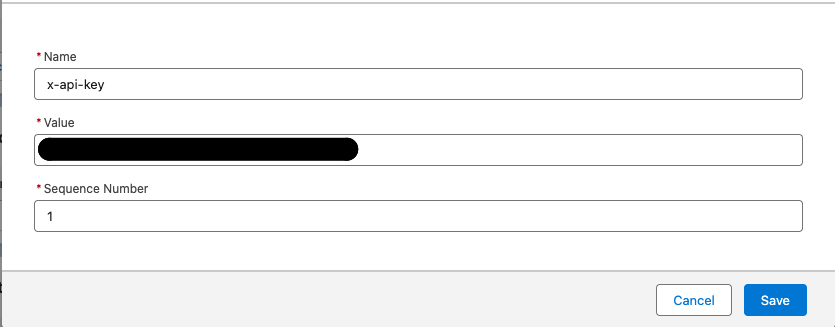
Now you can grant access to the agent user to access these credentials.
- Navigate to Setup, Users, User Profile, Enabled External Credential Principal Access and add the external credential principal you created to the allow list.
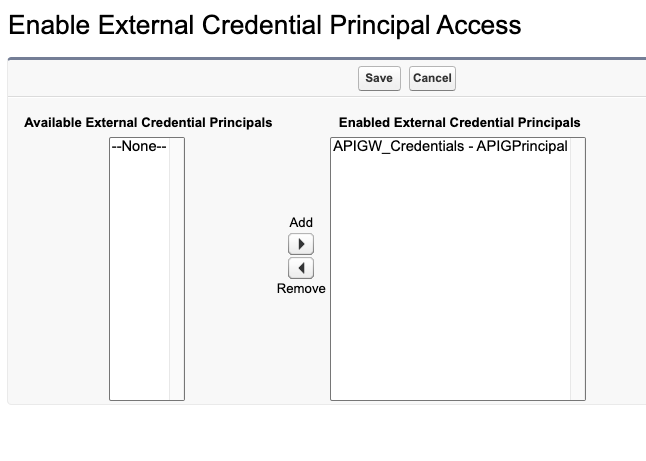
- Choose New to create a named credentials entry.
- Provide details such as label, name, the URL of the API Gateway endpoint, and authentication protocol, then choose Save.
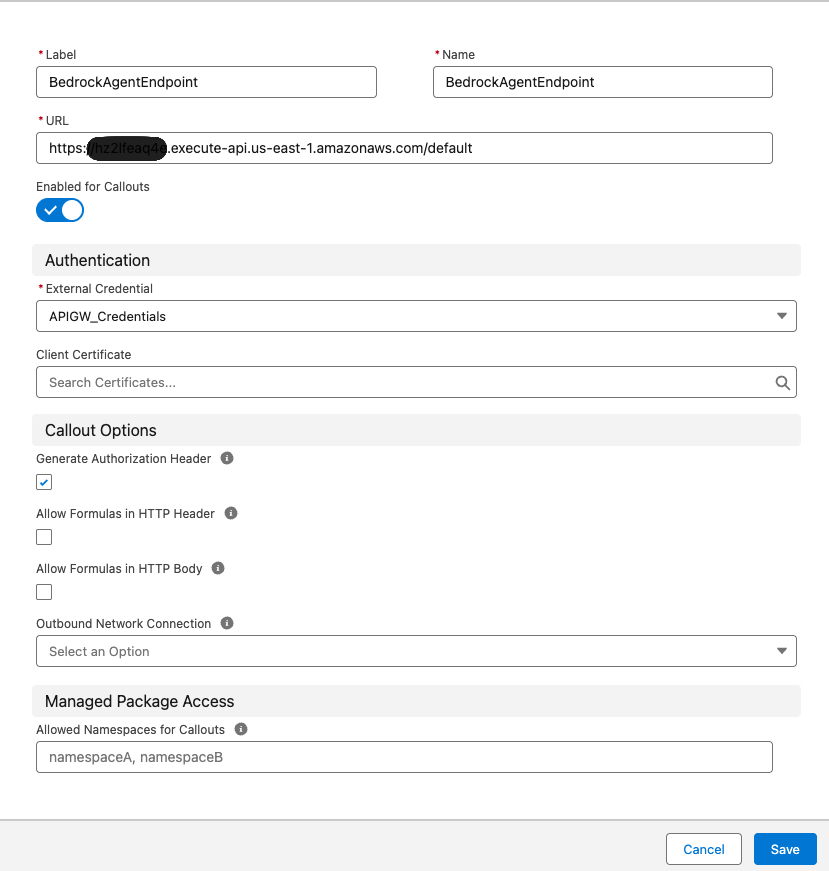
You can optionally use Salesforce Private Connect with PrivateLink to provide a secure private connection with. This allows critical data to flow from the Salesforce environment to AWS without using the public internet.
Add an external service in Salesforce
Complete the following steps to add an external service in Salesforce:
- In Salesforce, navigate to Setup, Integrations, External Services and choose Add an External Service.
- For Select an API source, choose From API Specification.
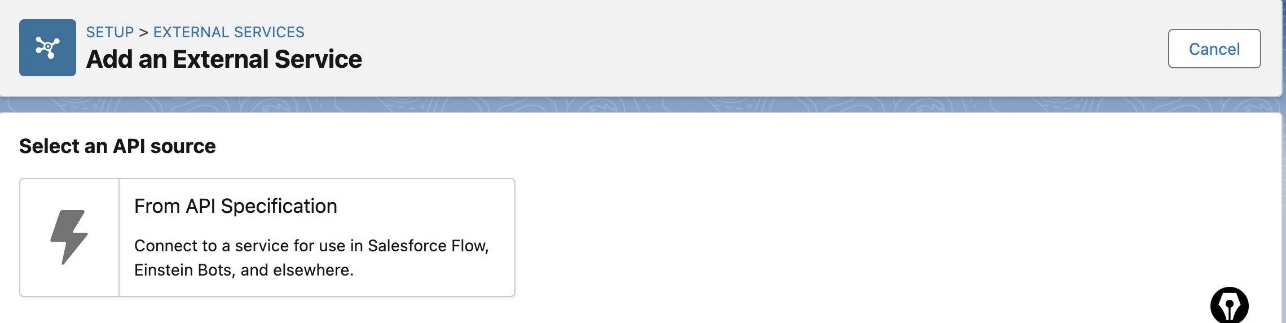
- On the Edit an External Service page, provide the following information:
- Enter a name and optional description.
- For Service Schema, choose Upload from local.
- For Select a Named Credential, choose the named credential you created.
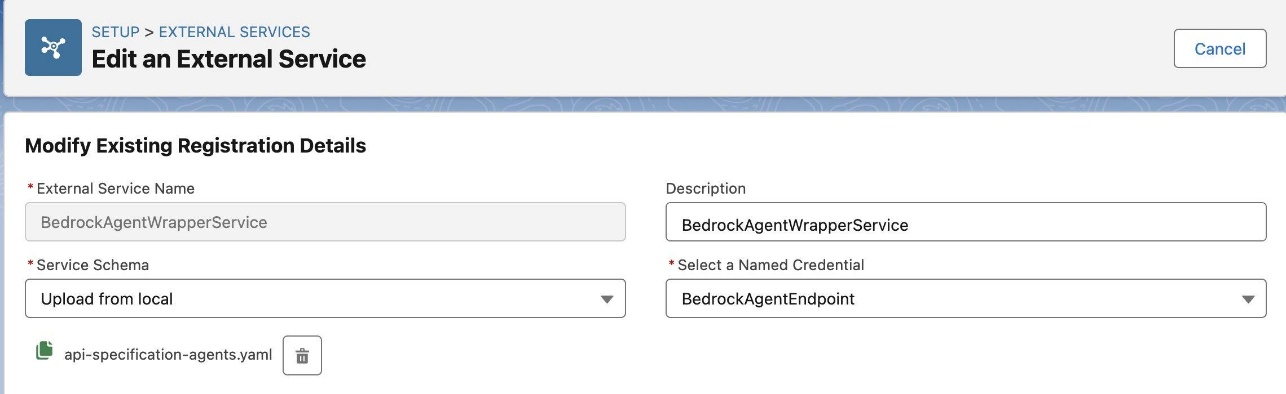
- Upload an Open API specification for the API Gateway endpoint. See the following example:
- Choose Save and Next.
- Enable the operation to make it available for Agentforce to invoke.
- Choose Finish.

Create an Agentforce agent action to use the external service
Complete the following steps to create an Agentforce agent action:
- In Salesforce, navigate to Setup, Agentforce, Einstein Generative AI, Agentforce Studio, Agentforce Assets.
- On the Actions tab, choose New Agent Action.
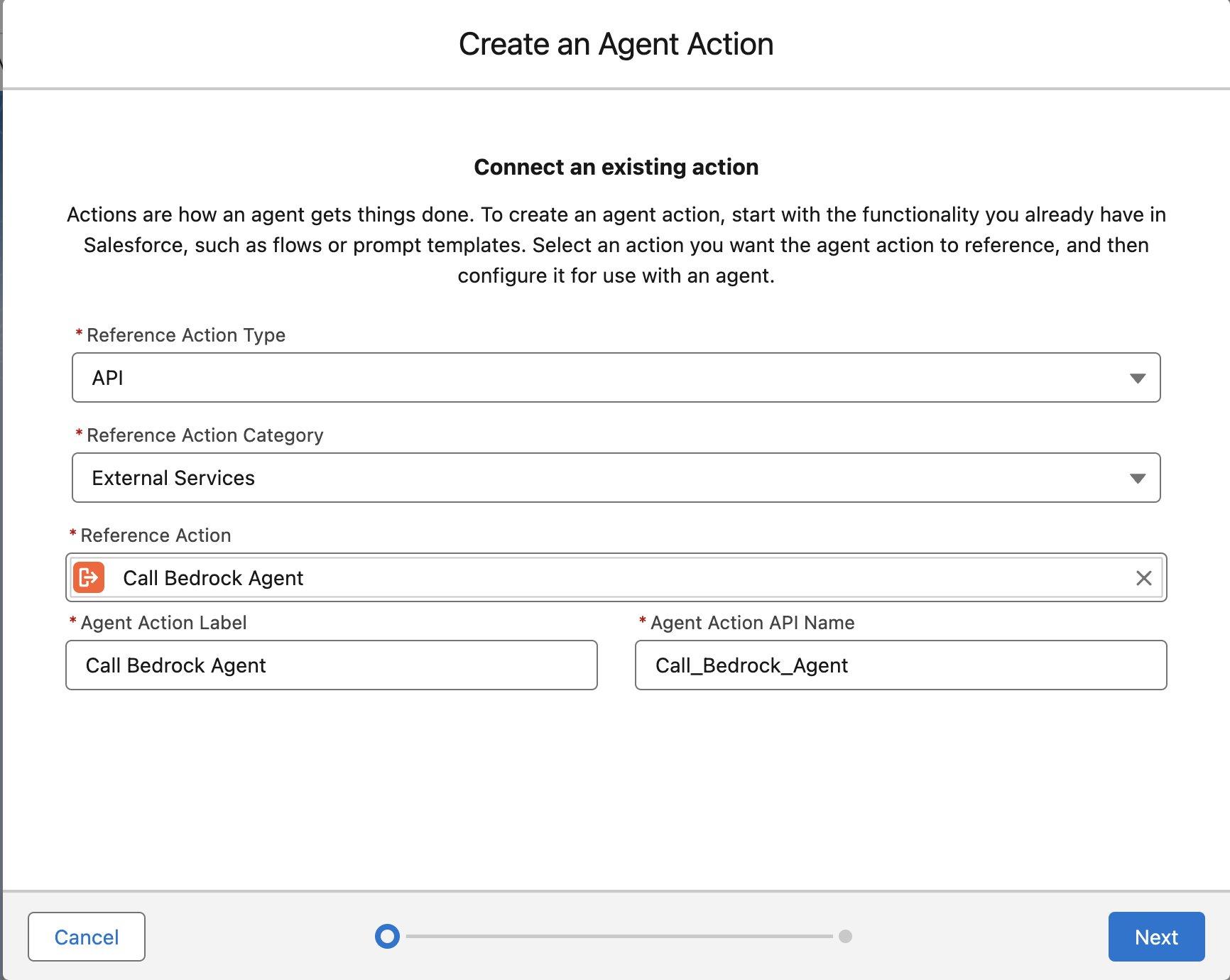
- Under Connect to an existing action, provide the following information:
- For Reference Action Type, choose API.
- For Reference Action Category, choose External Services.
- For Reference Action, choose the Call Bedrock Agent action that you configured.
- Enter an agent action label and API name.
- Choose Next.
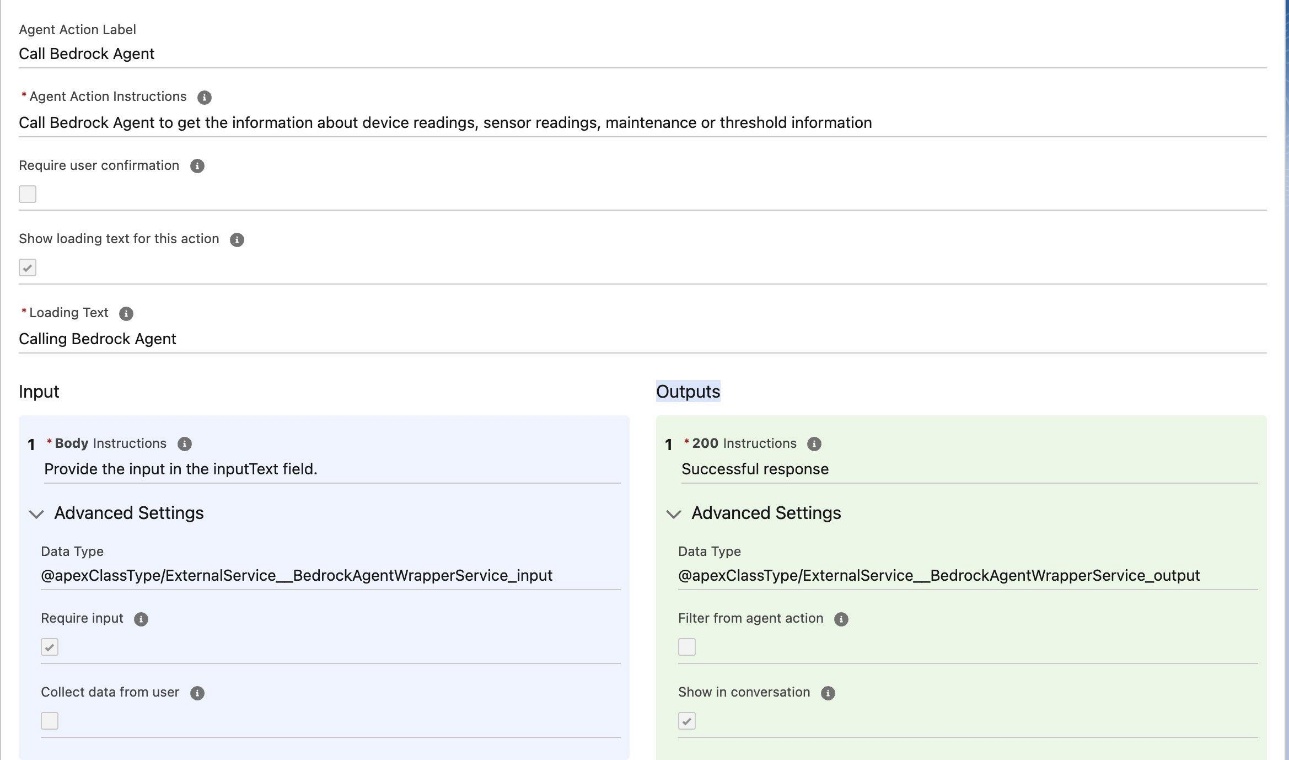
- Provide the following information to complete the agent action configuration:
- For Agent Action Instructions, enter Call Bedrock Agent to get the information about device readings, sensor readings, maintenance or threshold information.
- For Loading Text, enter Calling Bedrock Agent.
- Under Input, for Body, enter Provide the input in the input Text field.
- Under Outputs, for 200, enter Successful response.
- Save the agent action.
Configure the Agentforce agent to use the agent action
Complete the following steps to configure the Agentforce agent to use the agent action:
- In Salesforce, navigate to Setup, Agentforce, Einstein Generative AI, Agentforce Studio, Agentforce Agents and open the agent in Agent Builder.
- Create a new topic.
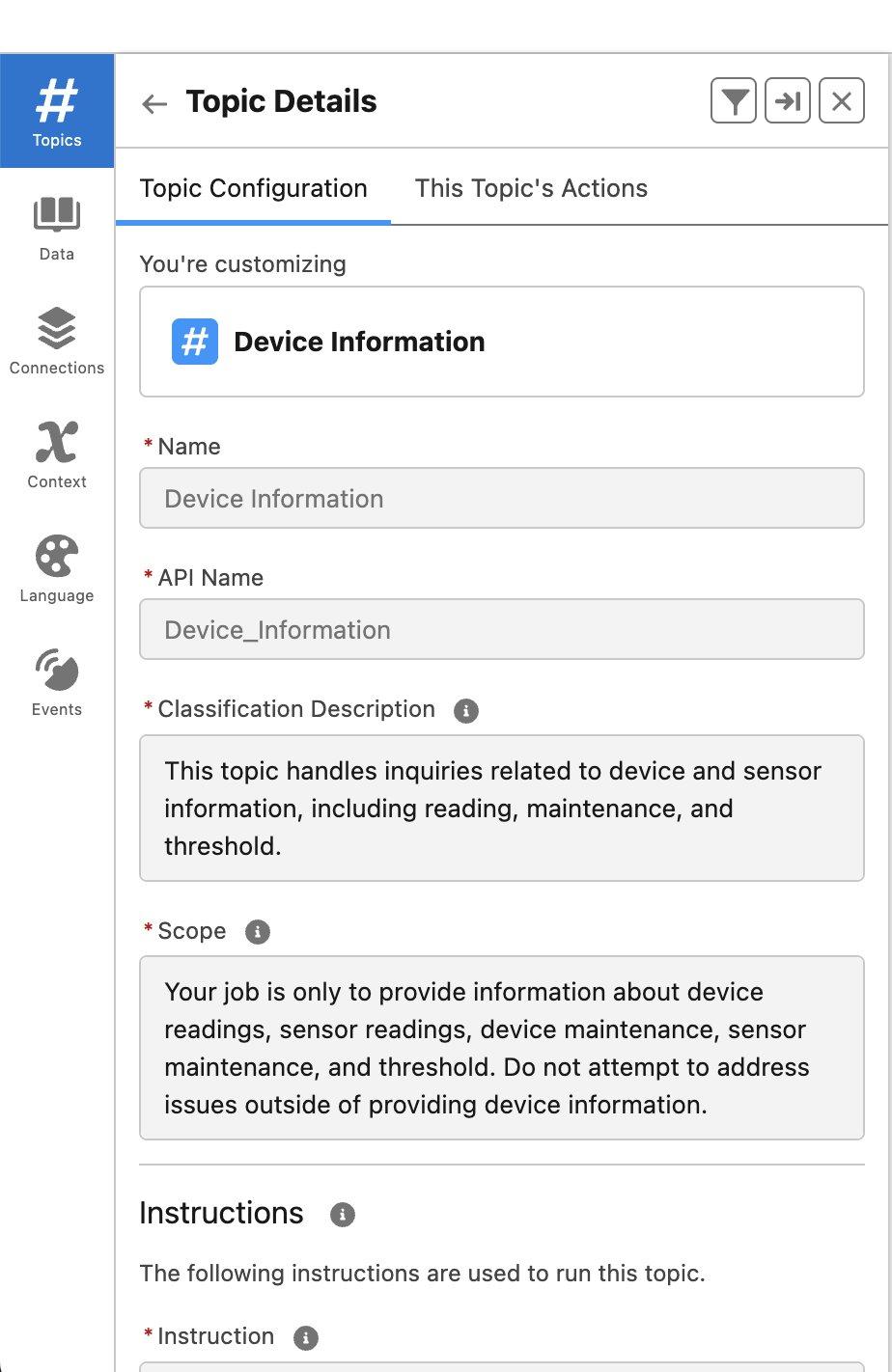
- On the Topic Configuration tab, provide the following information:
- For Name, enter Device Information.
- For Classification Description, enter This topic handles inquiries related to device and sensor information, including reading, maintenance, and threshold.
- For Scope, enter Your job is only to provide information about device readings, sensor readings, device maintenance, sensor maintenance, and threshold. Do not attempt to address issues outside of providing device information.
- For Instructions, enter the following:
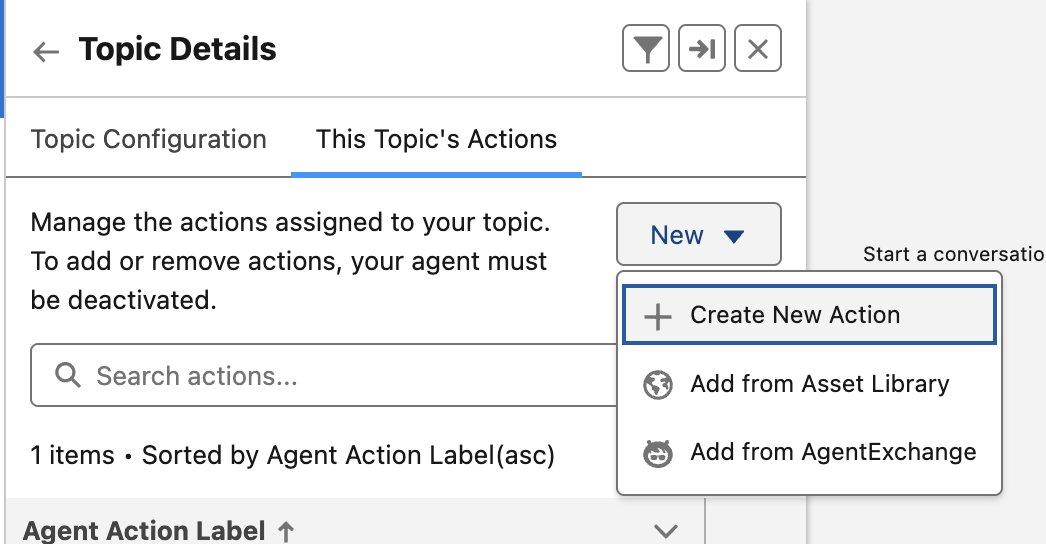
- On the This Topic’s Actions tab, choose New and Add from Asset Library.
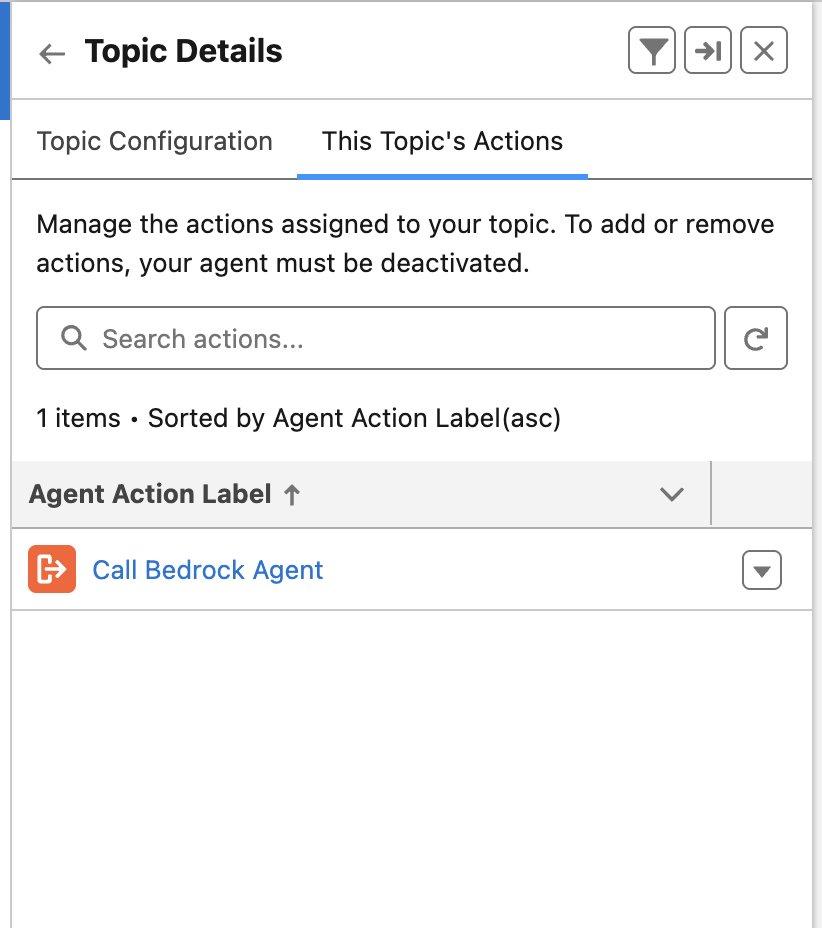
- Choose the Call Bedrock Agent action.
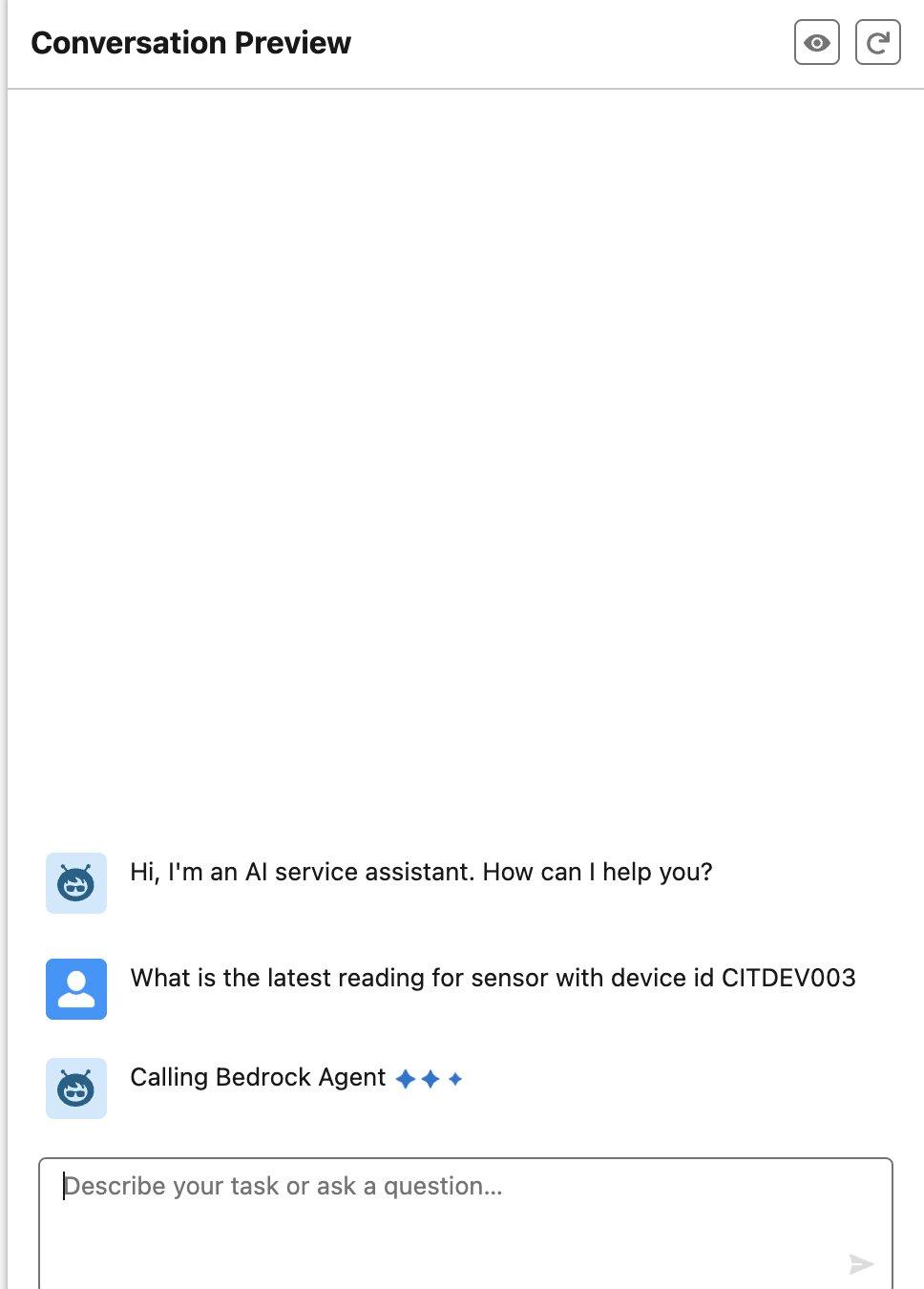
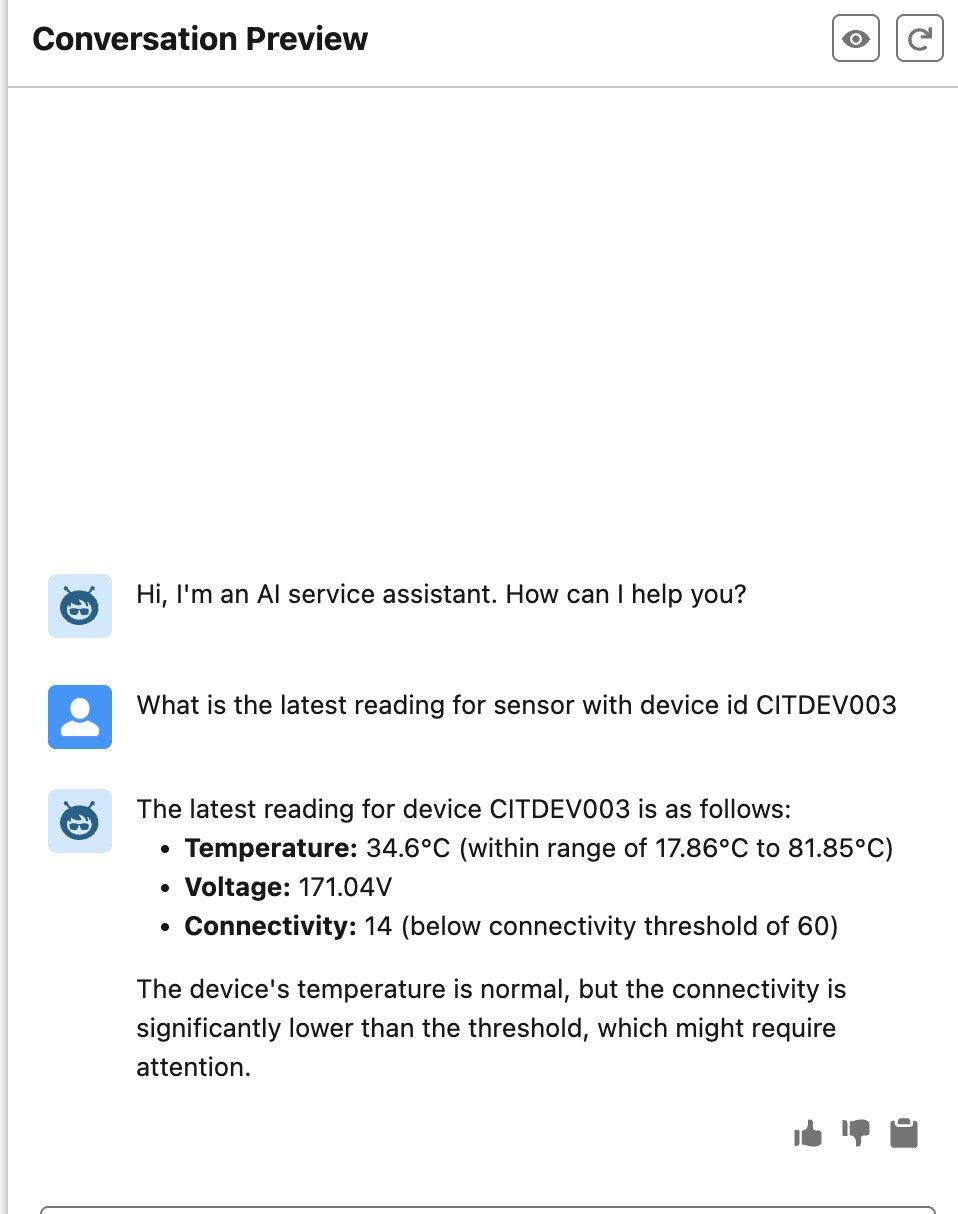
- Activate the agent and enter a question, such as “What is the latest reading for sensor with device id CITDEV003.”
The agent will indicate that it is calling the Amazon Bedrock agent, as shown in the following screenshot.
The agent will fetch the information using the Amazon Bedrock agent from the associated knowledge base.
Clean up
To avoid additional costs, delete the resources that you created when you no longer need them:
- Delete the Amazon Bedrock knowledge base:
- On the Amazon Bedrock console, choose Knowledge Bases in the navigation pane.
- Select the knowledge base you created and choose Delete.
- Delete the Amazon Bedrock agent:
- On the Amazon Bedrock console, choose Agents in the navigation pane.
- Select the agent you created and choose Delete.
- Delete the Lambda function:
- On the Lambda console, choose Functions in the navigation pane.
- Select the function you created and choose Delete.
- Delete the REST API:
- On the API Gateway console, choose APIs in the navigation pane.
- Select the REST API you created and choose Delete.
Conclusion
In this post, we described an architecture that demonstrates the power of combining AI services on AWS with Agentforce. By using Amazon Bedrock Agents and Amazon Bedrock Knowledge Bases for contextual understanding through RAG, and Lambda functions and API Gateway to bridge interactions with Agentforce, businesses can build sophisticated, automated workflows. As AI capabilities continue to grow, such collaborative multi-agent systems will become increasingly central to enterprise automation strategies. In an upcoming post, we will show you how to build the asynchronous integration pattern from Agentforce to Amazon Bedrock using Salesforce Event Relay.
To get started, see Become an Agentblazer Innovator and refer to How Amazon Bedrock Agents works.
About the authors
 Yogesh Dhimate is a Sr. Partner Solutions Architect at AWS, leading technology partnership with Salesforce. Prior to joining AWS, Yogesh worked with leading companies including Salesforce driving their industry solution initiatives. With over 20 years of experience in product management and solutions architecture Yogesh brings unique perspective in cloud computing and artificial intelligence.
 Kranthi Pullagurla has over 20+ years’ experience across Application Integration and Cloud Migrations across Multiple Cloud providers. He works with AWS Partners to build solutions on AWS that our joint customers can use. Prior to joining AWS, Kranthi was a strategic advisor at MuleSoft (now Salesforce). Kranthi has experience advising C-level customer executives on their digital transformation journey in the cloud.
 Shitij Agarwal is a Partner Solutions Architect at AWS. He creates joint solutions with strategic ISV partners to deliver value to customers. When not at work, he is busy exploring New York city and the hiking trails that surround it, and going on bike rides.
 Ross Belmont is a Senior Director of Product Management at Salesforce covering Platform Data Services. He has more than 15 years of experience with the Salesforce ecosystem.
 Sharda Rao is a Senior Director of Product Management at Salesforce covering Agentforce Go To Market strategy
 Hunter Reh is an AI Architect at Salesforce and a passionate builder who has developed over 100 agents since the launch of Agentforce. Outside of work, he enjoys exploring new trails on his bike or getting lost in a great book.